
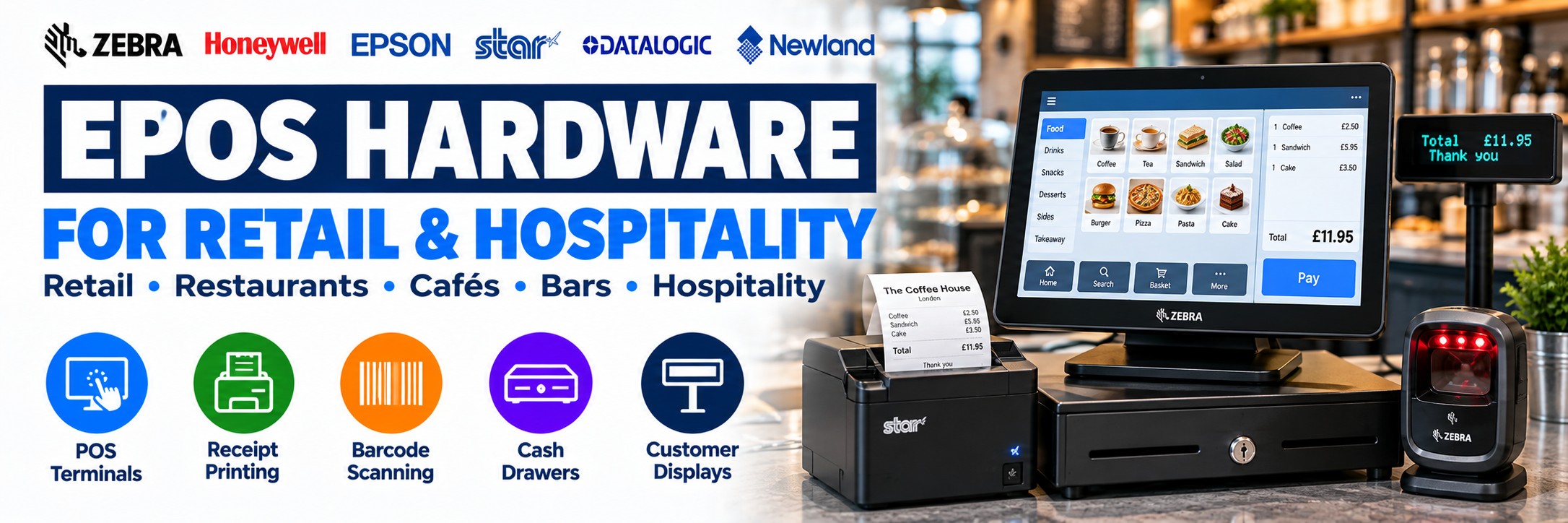
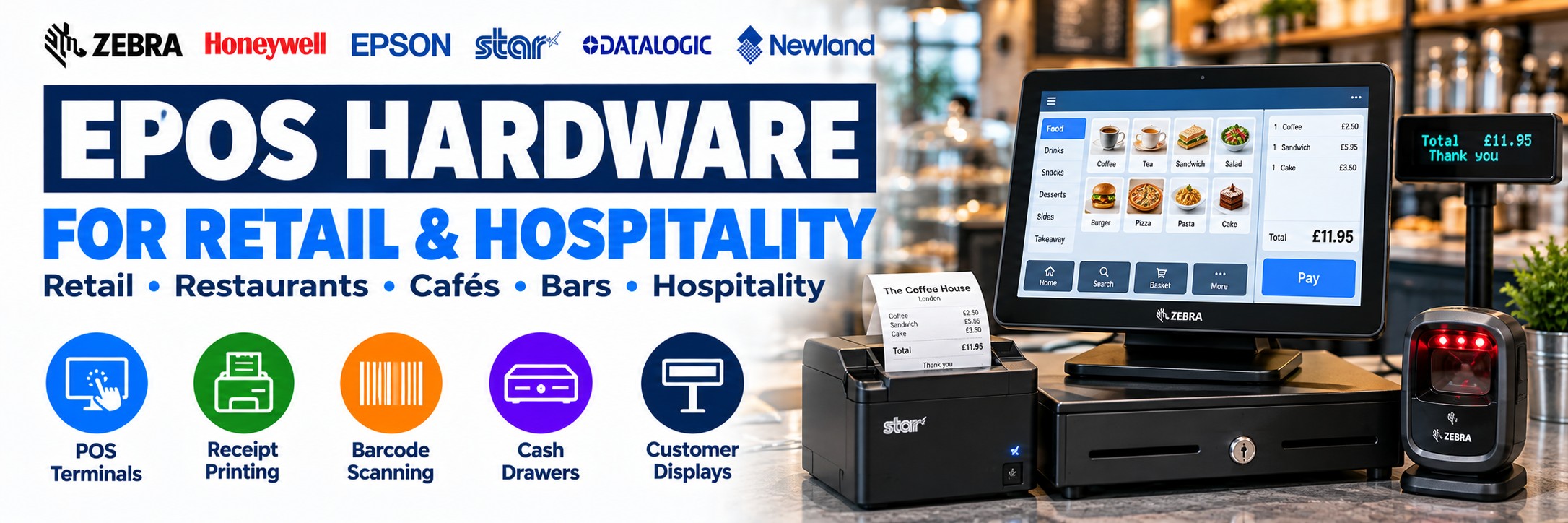
EPOS Hardware for Retail & Hospitality
POS terminals, touchscreen displays, receipt printers, barcode scanners, cash drawers and checkout hardware for retail, restaurants, cafés, bars and hospitality businesses.
Whether you're replacing one piece of equipment or fitting out an entirely new checkout, the individual components of an EPOS system need to work together.
Tek Direkt supplies professional EPOS and point-of-sale hardware from leading manufacturers including Epson, Star Micronics, Zebra, Honeywell and other established business technology brands.
Start with the hardware you actually need, then check the software compatibility, connectivity, interfaces and peripherals before ordering.
What Hardware Makes Up an EPOS System?
A complete checkout can contain several pieces of hardware. Not every business needs every component.
POS Terminal
The main computer that runs the EPOS software and handles transactions, order entry and other checkout functions.
Touchscreen Display
Provides the operator interface for product selection, order entry, checkout and other software functions.
Receipt Printer
Produces customer receipts, order tickets and other transaction documents.
Receipt Printers →Barcode Scanner
Captures product barcodes, QR codes, loyalty codes, coupons and other identifiers.
Retail Barcode Scanners →Cash Drawer
Provides secure cash storage and can often be triggered through compatible receipt-printer and EPOS configurations.
Customer Display
Shows transaction information to the customer where supported by the POS hardware and software.
Mobile Computer
Extends retail technology beyond the checkout into stock control, inventory and shop-floor workflows.
Retail Mobile Computers →Networking
Connects terminals, printers and other suitable EPOS equipment across the business network.
Build the Checkout Around the Workflow
Rather than starting with a long equipment list, work out what needs to happen during a transaction.
1
Enter
Products or orders are entered through the EPOS terminal, touchscreen or compatible application.
2
Scan
Capture product barcodes, QR codes, coupons or other identifiers where required.
3
Process
The EPOS software manages the transaction using the connected hardware and services.
4
Produce customer receipts, kitchen tickets or other transaction documents where needed.
Retail or Hospitality EPOS?
The basic hardware may look similar, but the workflow can be very different.
Retail EPOS Hardware
Retail checkout environments frequently combine:
POS terminal or touchscreen
Product barcode scanner
Receipt printer
Cash drawer
Customer display
Payment terminal
Networking
Beyond the checkout, retailers may also use mobile computers and label printers for inventory, stockrooms and shelf management.
Retail Barcode Scanners →Hospitality EPOS Hardware
Restaurants, cafés, bars and other hospitality businesses may need:
POS terminal or tablet
Receipt printer
Kitchen or order printer
Cash drawer
Customer display
Networking
Multiple printing locations
Connectivity and printer placement can become particularly important where orders need to move between front-of-house and back-of-house areas.
Hospitality Receipt Printers →EPOS Terminals & Touchscreen Systems
The POS terminal is the core hardware platform used to run the EPOS application.
All-in-One POS
Combines the computer and operator display into one compact checkout device.
Touchscreen POS
Provides an intuitive interface for product selection, transaction processing and order entry.
Tablet POS
Can provide a flexible compact setup where the EPOS software and connected peripherals support tablet operation.
Modular POS
Allows the terminal, display and peripherals to be selected separately around the installation.
Software comes first. Before selecting the terminal, confirm the operating system, processor, memory, ports and other requirements of the EPOS software you intend to run.
Receipt Printers for EPOS
A receipt printer is one of the most common EPOS peripherals and one where the exact interface matters enormously.
USB
A straightforward choice where the printer connects directly to a nearby POS terminal or computer.
Ethernet
Useful where the printer needs to sit on the business network or be accessed by suitable networked systems.
Bluetooth
Available on selected printers for compatible tablet and mobile POS installations.
Wi-Fi
Provides additional installation flexibility on supported printers and EPOS environments.
Which Receipt Printer Setup Do You Need?
| Requirement | What to Consider |
|---|---|
| Standard retail till | 80mm thermal receipt printer with the correct interface for the POS terminal |
| Tablet POS | Printer with suitable USB-C, Bluetooth, Ethernet or wireless compatibility |
| Multiple POS terminals | Network-connected printer where supported by the EPOS environment |
| Restaurant front-of-house | Fast thermal receipt printer suited to transaction and customer receipt printing |
| Kitchen / order printing | Printer selected around the kitchen environment, software and required paper format |
| Cloud-based ordering | Compatible network or cloud-printing functionality where required by the software platform |
| Cash drawer integration | Confirm printer, drawer and EPOS-software compatibility |
| Replacing an existing printer | Match the interface and software requirements before assuming the newer model is plug-and-play |
Epson & Star Micronics Receipt Printers
Epson and Star Micronics are established manufacturers of professional receipt printers for retail, hospitality and modern point-of-sale environments.
Epson POS Printers
Epson's TM printer families cover everyday retail checkout, high-volume receipt printing, compact tablet POS and kitchen order printing.
Popular ranges include the TM-T20IV, TM-T88, TM-m30 and TM-U220.
Star Micronics POS Printers
Star Micronics offers receipt and mPOS printing for traditional terminals, tablets, cloud-connected ordering and modern hospitality installations.
Popular ranges include mC-Print and TSP receipt printers, with connectivity and features varying by configuration.
Modern mPOS & Tablet Checkout
EPOS no longer has to mean a large traditional till sitting permanently on a counter.
Modern point-of-sale deployments can combine tablets, compact receipt printers and network-connected peripherals to create smaller and more flexible checkout environments.
Tablet
Runs compatible POS software and provides the operator interface.
Compact Printer
Produces receipts while occupying less counter space than many traditional installations.
Barcode Scanner
Add product, QR code and digital-code scanning where required.
Cash Drawer
Can remain part of a modern checkout where cash transactions still need to be supported.
For example, selected Star mC-Print3 configurations combine USB-C, Ethernet and Bluetooth connectivity with tablet charging and peripheral connectivity, making them particularly relevant to modern mPOS installations.
Barcode Scanners for Retail Checkout
For stock-led retail, the scanner can be one of the most heavily used components at the checkout.
Handheld Scanner
A versatile option where employees need to scan products at different angles or occasionally move around the counter.
Presentation Scanner
Provides hands-free scanning where products or digital codes are repeatedly presented to a fixed scanning area.
Cordless Scanner
Useful around larger products, checkout areas and customer-service environments where additional freedom is useful.
2D Imaging
Supports appropriate 1D and 2D barcodes, including QR codes and suitable barcodes displayed on mobile screens.
Popular Barcode Scanners for EPOS
Compare handheld, cordless and presentation scanners for checkout, customer service, loyalty codes and retail transactions.
Zebra DS2208
Everyday corded scanning
A general-purpose 1D/2D barcode scanner for retail tills and EPOS workstations.
Explore Zebra DS2208 →Zebra DS2278
Everyday cordless scanning
A cordless barcode scanner for checkout counters, customer service and stockroom applications.
Explore Zebra DS2278 →Zebra DS9308
Compact presentation scanning
A hands-free scanner for retail counters, pharmacies and customer-facing scanning.
Explore Zebra DS9308 →Honeywell Genesis XP 7680g
Presentation scanning
A compact hands-free scanner for retail checkout, QR codes, loyalty and customer-facing applications.
Explore Genesis XP 7680g →Honeywell Voyager XP 1470g
General-purpose handheld scanning
A corded 2D barcode scanner for retail checkout and everyday commercial scanning.
Explore Voyager XP 1470g →Honeywell HF680
Hands-free checkout scanning
A presentation scanner for fixed retail counters and customer-facing barcode capture.
Explore Honeywell HF680 →Datalogic QuickScan QD2500
Everyday retail scanning
A corded handheld 2D barcode scanner for retail checkout and business applications.
Explore QuickScan QD2500 →Datalogic Gryphon 4500
Premium barcode scanning
A professional scanner family for demanding retail, customer service and commercial environments.
Explore Gryphon 4500 →Cash Drawers & Checkout Peripherals
Cash drawers may be simple hardware, but compatibility still matters.
Printer-Driven Drawer
Many EPOS installations use the receipt printer to trigger a compatible cash drawer during the transaction.
Drawer Interface
Check the physical connector and compatibility with the receipt printer or POS system.
Drawer Size
Choose around available counter space, till layout and the cash-handling requirement.
Complete Checkout
Plan the drawer together with the printer, terminal and software rather than selecting it in isolation.
Customer Displays
A customer-facing display can provide transaction information while the operator works from the main POS screen.
Transaction Information
Display suitable item, quantity and transaction information to the customer where supported by the EPOS software.
Integrated Checkout
Selected POS systems and peripherals can support customer-facing display hardware as part of the complete installation.
Compatibility
Confirm the display is supported by the chosen terminal, operating system and EPOS application before ordering.
Retail Technology Beyond the Checkout
A retail technology project often extends beyond the till.
Mobile Computers
Support stock checks, inventory, receiving, shop-floor availability and stockroom workflows.
Retail Mobile Computers →Label Printers
Produce product, stock, shelf, markdown and other suitable retail labels.
Label Printer Buyer's Guide →Barcode Scanners
Extend scanning from checkout into stockrooms, customer service and inventory operations.
Retail Barcode Scanners →Networking
Provide suitable connectivity for terminals, printers, handheld devices and other business systems.
EPOS Hardware for Restaurants, Cafés & Bars
Hospitality can place different demands on POS equipment from a conventional retail checkout.
Front-of-House
POS terminals, touchscreens and receipt printers for customer transactions and order entry.
Kitchen Printing
Route suitable order information to compatible printers positioned away from the main checkout.
Online Orders
Selected modern printer platforms can support workflows involving cloud-based ordering and compatible online systems.
Multiple Service Points
Network connectivity can support suitable deployments with multiple tills, bars, counters or printing locations.
EPOS Connectivity: Get This Right Before Ordering
One of the most common differences between apparently identical POS products is the interface.
USB
Common for directly connecting scanners, printers and other peripherals to a nearby POS terminal.
Ethernet
Useful for suitable networked printers, terminals and other EPOS devices.
Bluetooth
Used by selected scanners, printers and mobile POS hardware where wireless peripheral connectivity is required.
Wi-Fi
Provides network flexibility for compatible POS hardware where wired Ethernet is not appropriate.
Replacing existing hardware? Check the current model's interface before ordering the replacement. Two receipt printers from the same family may have completely different connectivity.
Replacing Existing EPOS Hardware?
If the current setup works and one component has failed, the safest starting point is often the manufacturer part number on the existing device.
Find the MPN
Look for the manufacturer's model or part-number label on the existing terminal, printer, scanner or peripheral.
Check the Interface
Confirm USB, Ethernet, serial, Bluetooth, Wi-Fi or any other required connectivity.
Check the Software
Confirm that the replacement is supported by the existing EPOS application and operating environment.
Compare Like-for-Like
Use the complete MPN when comparing supplier prices to avoid accidentally comparing different configurations.
Multi-Site Retail & Hospitality Deployments
For larger projects, hardware consistency can simplify purchasing, deployment and ongoing support.
Standardise Models
Using consistent hardware across sites can simplify spares, accessories and staff familiarity.
Standardise Interfaces
Avoid unnecessary variations in USB, Ethernet and wireless configurations between locations.
Include Accessories
Make sure cables, power supplies, mounts, stands and other required items are included in the rollout plan.
Price by MPN
For larger quantities, send the complete hardware list so each configuration can be compared consistently.
Typical EPOS Hardware Setups
Retail Checkout
POS terminal
Touchscreen
2D barcode scanner
Thermal receipt printer
Cash drawer
Customer display
Café / Restaurant
POS terminal or tablet
Receipt printer
Kitchen / order printer
Cash drawer
Networking
Suitable peripheral hardware
Modern Tablet POS
Tablet
Tablet stand
Compact receipt printer
2D barcode scanner where required
Cash drawer
Network connectivity
How to Choose EPOS Hardware
1. Which Software?
Confirm the EPOS application and its hardware and operating-system requirements first.
2. Retail or Hospitality?
Establish the transaction and printing workflows the hardware needs to support.
3. Terminal Type?
All-in-one POS, touchscreen system, PC-based setup or tablet?
4. What Needs Scanning?
Product barcodes, QR codes, loyalty cards, mobile coupons or no scanning at all?
5. What Needs Printing?
Customer receipts, kitchen tickets, order slips or several different outputs?
6. Which Interfaces?
USB, Ethernet, Bluetooth, Wi-Fi, serial or another connection?
7. Which Peripherals?
Cash drawer, customer display, scanner, printer, tablet stand or additional screens?
8. How Many Sites?
One checkout, several tills or a standardised multi-site rollout?
Need Help Choosing EPOS Hardware?
Explore our buying guides and interactive selectors to narrow down suitable hardware for retail and hospitality applications.
Epson POS Printer Selector
Compare Epson receipt and POS printer families for retail checkout, hospitality, kitchen printing and modern mPOS installations.
Use Epson POS Printer Selector →Barcode Scanner Selector
Find suitable handheld, cordless and presentation scanners based on your barcode types, connectivity and working environment.
Use Barcode Scanner Selector →EPOS Equipment Buyer's Guide
Understand the hardware, interfaces and peripherals involved in building or upgrading a complete EPOS setup.
Read EPOS Buyer's Guide →Why the Exact MPN Matters
This is especially important with EPOS equipment because apparently similar products can have different interfaces and included accessories.
Connectivity
USB, Ethernet, Bluetooth, Wi-Fi and serial options may vary within the same product family.
Colour
Black and white hardware may use different manufacturer part numbers.
Power Supply
Check whether the exact configuration includes the appropriate power supply and regional cable.
Accessories
Stands, cables, mounts and other peripherals may be included in one bundle and absent from another.
If you already know what you need, send us the complete manufacturer part numbers and quantities.
EPOS Hardware FAQs
What hardware do I need for an EPOS system?
A typical setup can include a POS terminal, touchscreen, receipt printer, barcode scanner, cash drawer and customer display. The exact equipment depends on the software and business workflow.
Does Tek Direkt supply EPOS software?
Tek Direkt specialises in the business hardware used around EPOS and point-of-sale environments. Confirm software licensing and hardware compatibility with the relevant software provider before purchasing equipment.
Which receipt printer should I buy?
Start with the interface and software compatibility. Then consider print volume, paper width, speed, installation location and any requirements such as network or tablet connectivity.
Do I need a barcode scanner?
Barcode scanning is particularly relevant to stock-led retail. Many hospitality environments rely more heavily on touchscreen order entry and may not require a checkout scanner.
Can I use a tablet as an EPOS terminal?
Yes, where the chosen EPOS software and peripherals support the tablet platform and required connectivity.
Can a receipt printer open a cash drawer?
Many professional receipt printers support compatible cash-drawer connections, but the printer, drawer and EPOS software should all be checked for compatibility.
Can I replace just one part of my existing system?
Yes, provided the replacement hardware is compatible with the existing software, interface and surrounding equipment.
Can Tek Direkt quote a complete hardware list?
Yes. Send the manufacturer part numbers and quantities. If you already have another supplier quote, send the same hardware list for another price to compare.
EPOS Hardware from Tek Direkt
POS Hardware
Terminals, touchscreen displays and point-of-sale equipment for professional business environments.
Receipt Printing
Professional receipt printers from established POS manufacturers including Epson and Star Micronics.
Barcode Scanning
Handheld, cordless and presentation scanners for retail checkout and customer-facing applications.
Complete Peripherals
Cash drawers, customer displays, connectivity and related checkout hardware.
Building or Upgrading an EPOS Setup?
Tell us which software you're using, the hardware you need, the required connectivity and how many tills or locations you're equipping.
If you've already selected the equipment, send the manufacturer part numbers and quantities and we'll price the exact configurations.
Already have another supplier quote? Send the same hardware list and we'll give you another price to compare.
No calls. No meetings. No messing about. Just straightforward hardware and a price.