
What are Cookies?
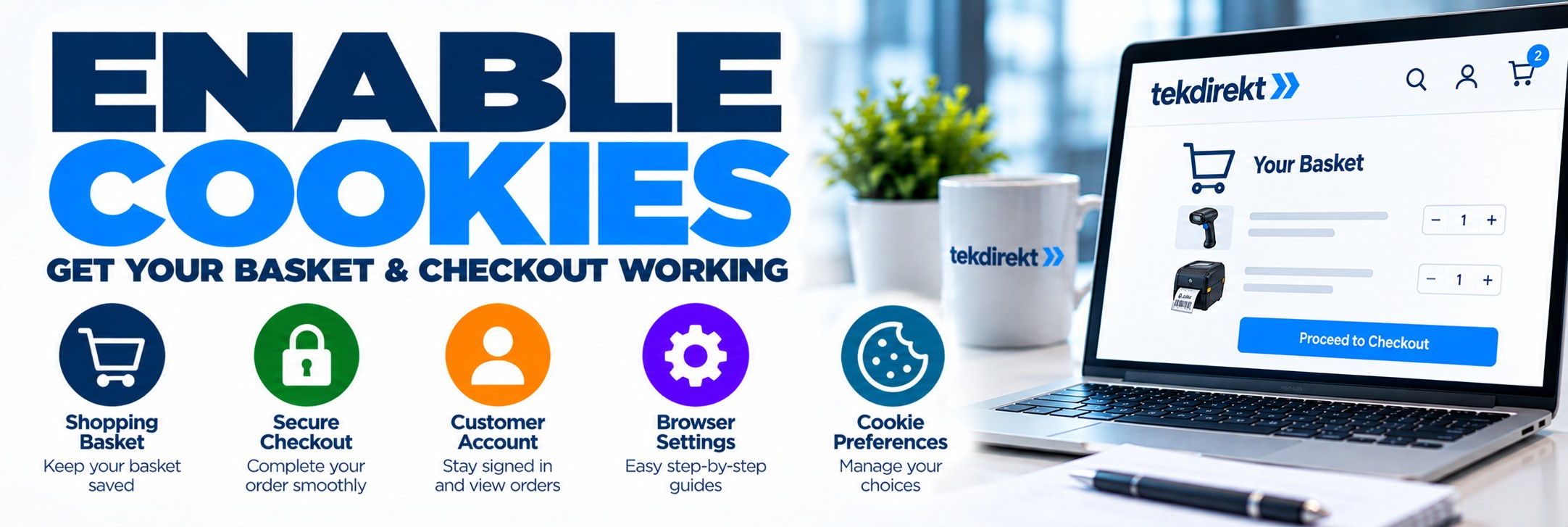
Enable Cookies in Your Browser
Having trouble with your basket, checkout, account or website preferences?
Tek Direkt uses essential cookies and similar technologies to keep important parts of our website working correctly. If cookies are blocked completely in your browser, some ecommerce functions may not work as expected.
This page explains how to check your browser settings and get back to shopping.
Shopping Basket
Cookies can help the website remember products added to your basket.
Checkout
Essential website technologies help maintain your session while completing an order.
Customer Account
Browser storage and session technologies can support secure account functionality.
Your Preferences
Cookies may also be used to remember certain website and consent choices.
Essential Cookies vs Optional Cookies
You do not need to accept every optional cookie simply to use Tek Direkt.
Essential Website Cookies
Some cookies and similar technologies are required for core ecommerce functionality such as website sessions, security, shopping baskets and checkout.
Blocking these at browser level can prevent parts of the website from working correctly.
Optional Cookies
Analytics, advertising and other optional technologies are different.
Where a choice is required, you can manage those through Tek Direkt's cookie preferences without needing to block all cookies in your browser.
Before Changing Your Browser Settings
If Tek Direkt is generally working but you simply want to control analytics or advertising cookies, you do not normally need to change your browser's global cookie settings.
Instead, use the cookie preferences available on tekdirekt.uk to manage optional categories.
Only change your browser settings if cookies are being blocked and this is preventing the website from working properly.
How to Enable Cookies
Browser menus can change as browsers are updated, but the following will help you locate the relevant settings in the most commonly used browsers.
Google Chrome
In Chrome:
- Open Chrome.
- Select the three-dot menu.
- Open Settings.
- Select Privacy and security.
- Open the relevant cookie or site-data settings.
- Check that tekdirekt.uk is not blocked from storing the data required for the website to operate.
Microsoft Edge
In Microsoft Edge:
- Open Edge.
- Select the three-dot menu.
- Open Settings.
- Open the privacy, cookies or site-permissions settings.
- Find the cookie and site-data controls.
- Check that tekdirekt.uk is not being blocked.
Apple Safari
Safari settings differ slightly between Mac, iPhone and iPad.
- Open Safari settings or your device's Safari settings.
- Locate the privacy settings.
- Review the settings controlling cookies and website data.
- Check that settings are not preventing tekdirekt.uk from using essential website storage.
Mozilla Firefox
In Firefox:
- Open Firefox.
- Open the menu.
- Select Settings.
- Open Privacy & Security.
- Review Enhanced Tracking Protection and cookie/site-data settings.
- Check whether tekdirekt.uk is being blocked or has an exception applied.
Still Having Problems?
If cookies appear to be enabled but Tek Direkt is still not working correctly, try these steps.
1
Refresh the Page
Refresh tekdirekt.uk after changing your browser settings.
2
Close and Reopen Your Browser
Closing and reopening the browser can start a fresh website session.
3
Check Site-Specific Blocking
Your browser may allow cookies generally while specifically blocking tekdirekt.uk. Check the browser's site permissions or exceptions.
4
Check Privacy Extensions
Browser extensions, privacy tools, ad blockers or security software can sometimes block website storage or scripts required for ecommerce functionality.
5
Clear Tek Direkt Website Data
If old or corrupted website data is causing a problem, clearing stored data for tekdirekt.uk and then revisiting the website may create a fresh session.
Clearing website data may remove your current basket, sign you out and reset saved website preferences.
Private & Incognito Browsing
Private or incognito browser modes handle cookies and website storage differently from a normal browser session.
Cookies may still be used during the private session but are normally removed when that private browsing session ends.
If your basket or account appears to disappear after closing a private window, try using a normal browser window instead.
Using Tek Direkt on a Phone or Tablet?
iPhone & iPad
Safari privacy and website-data settings are controlled through your Apple device settings.
If Tek Direkt is not retaining your session or basket, check that Safari's privacy settings are not blocking the website from storing required information.
Android
Most Android devices use Chrome, although Samsung Internet and other browsers are also available.
Open the browser's privacy or site settings and check the cookie and site-data permissions for tekdirekt.uk.
Why Does an Online Store Need Cookies?
Maintain Your Session
Website technologies help recognise your browser as you move between pages.
Remember Your Basket
The store needs to associate products added to your basket with your current shopping session.
Support Checkout
Session and security technologies help maintain the checkout process as you move through the required steps.
Protect the Website
Some technologies help protect website forms, sessions and ecommerce functionality from misuse.
Your Privacy & Cookie Choices
Enabling the browser functionality needed for Tek Direkt to work does not mean you have to accept every optional analytics or advertising technology.
Cookie Policy
Our Cookie Policy explains the types of cookies and similar technologies used on tekdirekt.uk and how cookie choices work.
Privacy Policy
Our Privacy Policy explains how LCOM Ltd trading as Tek Direkt collects, uses, shares and protects personal data.
Cookie & Browser FAQs
Do I need cookies enabled to place an order?
Core ecommerce functions rely on essential website technologies. Completely blocking cookies or site storage in your browser may prevent the basket, account or checkout from working correctly.
Do I have to accept advertising cookies?
No. Enabling the essential browser functionality required by the store is different from choosing whether to allow optional advertising technologies.
Why does my basket keep disappearing?
This can happen if website data is blocked, deleted between visits, affected by private browsing or interfered with by a browser extension or privacy tool.
Why can't I sign in?
Blocked or corrupted session data can sometimes affect account access. Check site permissions, refresh the website and try starting a new browser session.
Will clearing cookies delete my Tek Direkt account?
No. Clearing browser cookies does not delete your Tek Direkt account, although it can sign you out and remove locally stored website preferences or basket information.
Can I change my cookie choices later?
Yes. Where Tek Direkt relies on your consent for optional technologies, you can change or withdraw those choices through the website's cookie controls.
Still Can't Use the Website?
If you've checked your browser settings and are still having trouble with your basket, checkout or Tek Direkt account, contact us and tell us what is happening.
Email: sales@tekdirekt.uk
Telephone: 01904 890308
Customer Support: Monday to Friday, 9:00am–5:00pm