
EPOS Equipment Buying Guide: What Hardware Do You Need?
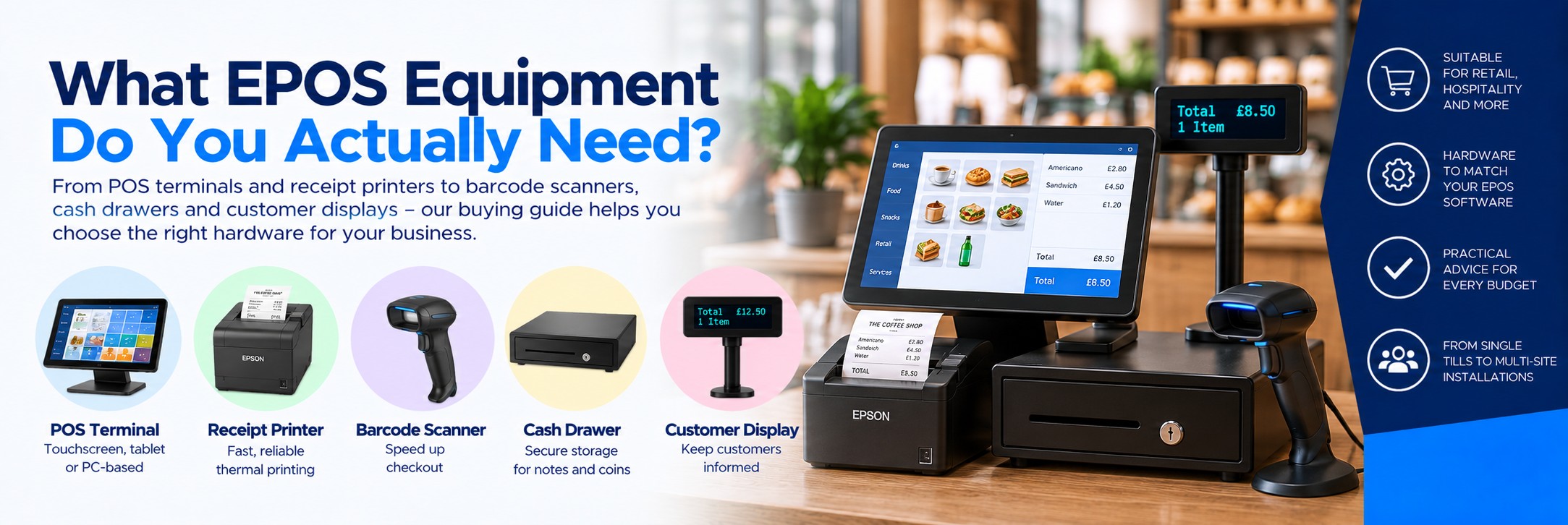
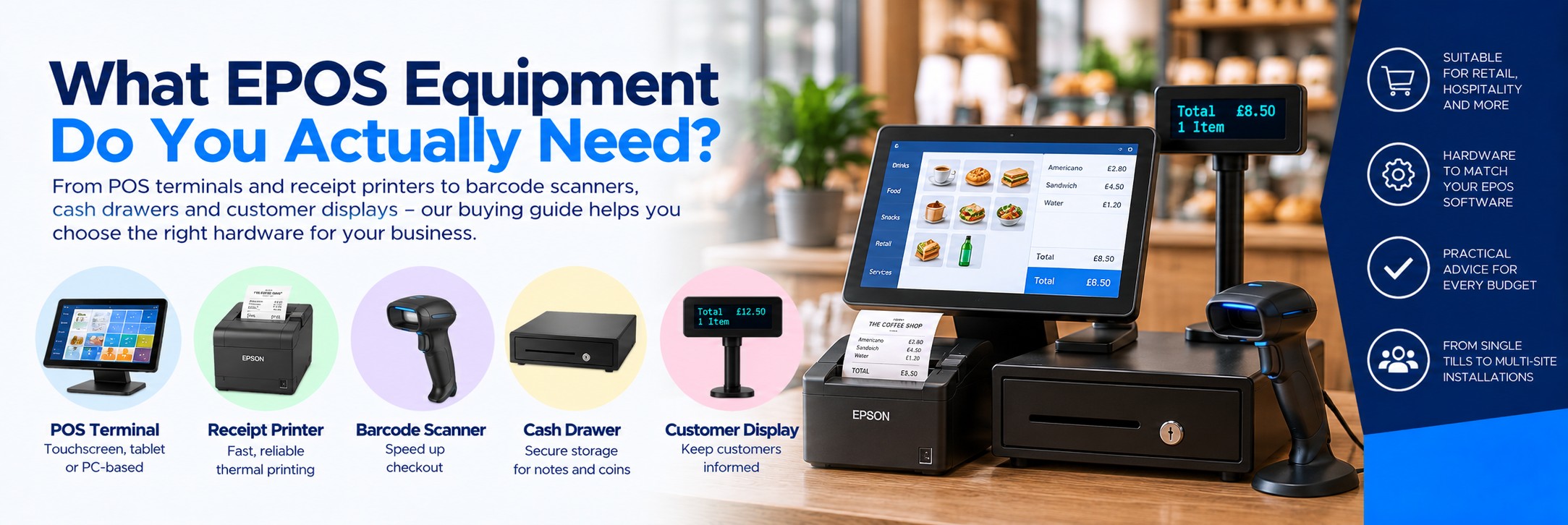
An EPOS system is more than a till. Depending on your business, a complete point-of-sale setup can include a touchscreen terminal or tablet, receipt printer, cash drawer, barcode scanner, customer display, payment terminal and other peripherals.
This guide explains what each piece of EPOS hardware does, what you actually need and what to check before buying equipment for a shop, restaurant, café, bar or other customer-facing business.
Quick Answer: What Equipment Does an EPOS System Need?
POS Terminal
Runs your EPOS software.
This could be a dedicated touchscreen terminal, PC, tablet or compatible mobile device.
Receipt Printer
Prints customer receipts.
Usually an 80mm thermal printer for a conventional retail or hospitality counter.
Payment Terminal
Processes card payments.
May operate separately or integrate with your EPOS software, depending on the provider.
Cash Drawer
Stores notes and coins.
Still useful wherever the business accepts cash.
Typical setup: POS terminal + receipt printer + payment terminal + cash drawer. Retailers may also need a barcode scanner, while hospitality businesses may need kitchen or order printers.
The Main Parts of an EPOS System
Touchscreen POS Terminal
The main device used by staff to enter sales, find products, process orders and access the EPOS software.
Receipt Printer
Produces customer receipts, order tickets and other transaction documents.
Cash Drawer
Stores cash securely at the point of sale and can often be triggered automatically by compatible POS hardware.
Barcode Scanner
Speeds up product entry by scanning barcodes instead of requiring staff to search for each item manually.
Customer Display
Shows customers transaction information such as products, quantities and prices where supported by the EPOS system.
Payment Terminal
Handles debit, credit and contactless payments. Compatibility and integration depend on your payment and EPOS providers.
1. Choosing an EPOS Terminal
The POS terminal is the device staff interact with throughout the day. There are several approaches.
TRADITIONAL
Touchscreen POS Terminal
A dedicated all-in-one touchscreen terminal provides a permanent checkout workstation.
Good for: busy retail, restaurants, bars, cafés and fixed checkout locations.
FLEXIBLE
Tablet POS
A compatible tablet can create a compact, modern checkout and is popular with cloud-based EPOS systems.
Good for: independent retail, cafés, pop-ups and businesses with limited counter space.
MOBILE
Handheld POS
Mobile devices can allow staff to take orders or process transactions away from a fixed counter.
Good for: table service, queue-busting, events and mobile selling.
Check the software first. Your EPOS software provider may specify supported operating systems, terminals and peripherals. Confirm compatibility before buying hardware.
2. Choosing a Receipt Printer
For most businesses, a thermal receipt printer is the standard choice because it prints quickly without ink or toner.
Current POS printer ranges include models designed for traditional PC-based systems as well as tablet, mobile and cloud-connected environments. Connectivity options can include USB, Ethernet, Bluetooth and Wi-Fi depending on the printer.
80mm Thermal Printer
The standard choice for many retail and hospitality counters, offering familiar receipt width and fast printing.
58mm Thermal Printer
A more compact option where counter space is limited or narrower receipts are suitable.
Mobile Receipt Printer
Battery-powered wireless models can support mobile transactions, table service and queue-busting.
3. USB, Ethernet, Bluetooth or Wi-Fi?
The connection between your POS software and printer matters just as much as print speed.
USB
A straightforward choice where one receipt printer is physically connected to one POS terminal.
Ethernet
Useful for networked installations and where multiple systems need access to a printer.
Bluetooth
Common in tablet and mobile POS environments where compatible devices connect wirelessly.
Wi-Fi
Useful where network cabling isn't convenient, provided the printer and EPOS platform support the required setup.
Don't assume two versions of the same receipt printer have the same interfaces. Check the exact manufacturer part number before ordering.
4. Do You Need a Cash Drawer?
If you accept cash, you'll normally still need somewhere secure to store notes and coins.
Standard Cash Drawer
A robust drawer is suitable for fixed retail and hospitality counters handling regular cash transactions.
Compact Cash Drawer
Smaller drawers can suit tablet POS and businesses where counter space is limited.
Many POS cash drawers connect through a compatible receipt printer or other POS interface. Check the connector and triggering method required by your equipment before ordering.
5. Does Your EPOS System Need a Barcode Scanner?
For businesses selling barcoded products, a scanner can make checkout significantly faster and reduce manual product selection.
Handheld Scanner
A flexible option where staff need to pick up the scanner and scan products of different shapes and sizes.
Presentation Scanner
Sits on the counter and allows products to be presented to the scanner, making it useful for faster checkout environments.
2D Barcode Scanner
Worth considering where you need to scan QR codes, 2D codes or barcodes displayed on compatible digital screens as well as conventional product barcodes.
6. What Is a Customer Display?
A customer-facing display gives the person making the purchase visibility of transaction information.
Depending on the EPOS software and display, it can show:
Products
Items being added to the transaction.
Items being added to the transaction.
Prices
Individual prices and transaction totals.
Individual prices and transaction totals.
Promotions
Supported systems may show promotional or branded content.
Supported systems may show promotional or branded content.
Payment information
Relevant transaction messages where supported.
Relevant transaction messages where supported.
Customer displays are available as standalone peripherals, integrated second screens and displays designed to work with specific POS printer ecosystems.
7. EPOS Hardware for Retail
Retail environments typically prioritise fast product entry and efficient checkout.
Typical Retail Setup
- Touchscreen POS terminal
- 80mm thermal receipt printer
- Barcode scanner
- Cash drawer
- Payment terminal
- Optional customer display
Useful Retail Upgrades
- 2D presentation scanner
- Customer-facing second display
- Label printer
- Additional mobile checkout device
- Network receipt printing
8. EPOS Hardware for Hospitality
Restaurants, pubs, cafés and other hospitality businesses often need a different setup because orders have to move from front-of-house staff to preparation areas.
Typical Hospitality Setup
- Touchscreen POS terminal
- Receipt printer
- Cash drawer
- Payment terminal
- Kitchen or order printer
For Table Service
- Tablet or handheld ordering devices
- Mobile payment terminals
- Wireless or network printing
- Kitchen order printing
- Portable receipt printing where required
9. Thermal or Impact Printer for the Kitchen?
Thermal printing is the normal choice for customer receipts, but some hospitality applications still use impact printers for kitchen order tickets.
Thermal Printer
Fast and quiet, with no ink ribbon required. Ideal for customer receipts and many order-printing applications.
Impact Printer
Uses an ink ribbon and impact mechanism. These printers continue to be used for particular kitchen and hospitality applications.
Choose the kitchen printer based on your EPOS software, kitchen environment and workflow rather than assuming the same printer used at the front counter should automatically be used in the kitchen.
10. Tablet POS vs Traditional EPOS Terminal
| Consideration | Tablet POS | Dedicated POS Terminal |
|---|---|---|
| Counter Space | Very compact | Usually requires more space |
| Mobility | Excellent | Primarily fixed |
| Peripheral Connections | May rely more heavily on wireless or hubs | Often provides more physical connectivity |
| Fixed Checkout | Can work very well | Purpose-built for the job |
| Table Service | Excellent | Usually remains at the service point |
| Installation | Can create a clean minimal setup | Traditional all-in-one workstation approach |
11. Check Software Compatibility Before Buying Hardware
This is the most important part of an EPOS hardware purchase.
A receipt printer may have the right paper width and connection, but that doesn't automatically mean your EPOS software supports it.
Before ordering, check:
Operating system
Windows, Android, iOS or another supported platform.
Windows, Android, iOS or another supported platform.
Printer models
Check your EPOS provider's supported hardware list.
Check your EPOS provider's supported hardware list.
Printer interface
USB, Ethernet, Bluetooth or Wi-Fi.
USB, Ethernet, Bluetooth or Wi-Fi.
Scanner support
Confirm the required barcode types and connection.
Confirm the required barcode types and connection.
Cash drawer connection
Check how the drawer is triggered.
Check how the drawer is triggered.
Payment integration
Confirm this directly with your EPOS and payment providers.
Confirm this directly with your EPOS and payment providers.
Best practice: get the supported hardware list from your EPOS software provider first. Then buy the correct hardware configurations rather than choosing equipment independently and hoping it integrates afterwards.
12. Choosing an EPOS Receipt Printer Brand
Epson POS Printers
Epson offers receipt-printing solutions for conventional PC POS, tablet and mobile POS, kiosk applications and other retail and hospitality environments.
Popular Epson POS ranges include traditional TM-series receipt printers and compact models designed around modern mPOS installations.
Star Micronics POS Printers
Star Micronics produces receipt printers and related POS hardware for retail and hospitality, including equipment designed for traditional, tablet, mobile and cloud-based systems.
Its ranges include 58mm and 80mm receipt printers plus cash drawers, customer displays and other POS peripherals.
13. Don't Buy More Hardware Than You Need
A small card-only business may not need a cash drawer. A café without barcoded products may not need a barcode scanner. A tablet-based checkout may not need a large traditional POS terminal.
Start with the workflow rather than a shopping list.
What Do You Sell?
Barcoded retail products create different hardware requirements from restaurant menus or service transactions.
How Do Customers Pay?
Consider cash, card and any other payment methods your EPOS platform supports.
Where Are Transactions Taken?
A fixed checkout, restaurant table, pop-up shop and mobile event all require different hardware choices.
EPOS Equipment Checklist
| Equipment | Do You Need It? | What to Check |
|---|---|---|
| POS Terminal | Usually | Software compatibility, OS, ports, screen size |
| Receipt Printer | Usually | 58/80mm, interface, software compatibility |
| Cash Drawer | If accepting cash | Size, connection, note/coin layout |
| Barcode Scanner | Common in retail | 1D/2D, handheld/presentation, connection |
| Customer Display | Optional | Software and hardware compatibility |
| Payment Terminal | For card payments | Payment provider and EPOS integration |
| Kitchen Printer | Hospitality | Software support, location, thermal/impact |
| Label Printer | Application dependent | Label size, media, software and print volume |
EPOS Equipment FAQs
What equipment do I need for an EPOS system?
A basic system normally requires a device running the EPOS software plus the appropriate payment equipment. Depending on the business, you may also need a receipt printer, cash drawer, barcode scanner and customer display.
What is the difference between POS and EPOS?
POS simply means point of sale. EPOS usually refers to an electronic point-of-sale system combining software and hardware to process transactions and manage related business information.
Do I need a receipt printer?
That depends on your business, customer requirements and EPOS workflow. Many businesses still use thermal receipt printers, while others may also provide digital receipts.
What size receipt printer should I buy?
80mm thermal printers are widely used for conventional retail and hospitality receipts. Compact 58mm printers can suit smaller counters and particular mobile POS applications.
Can I use any receipt printer with my EPOS software?
No. Always check the printer models and connection types supported by your EPOS software provider before purchasing.
Can a receipt printer open the cash drawer?
Many POS installations use a compatible receipt printer to trigger the cash drawer, but you need to check the connection and compatibility of the specific printer and drawer.
Do I need a 2D barcode scanner for EPOS?
If you only scan conventional 1D product barcodes, it may not be essential. A 2D scanner provides greater flexibility for QR codes and other 2D symbologies and can be useful where barcodes need to be read from phone screens.
Can I use an iPad or Android tablet as an EPOS terminal?
Yes, if your chosen EPOS software supports the device and operating system. You also need compatible printers, scanners and other peripherals.
What EPOS equipment does a restaurant need?
A typical setup may include one or more POS terminals, receipt printers, payment terminals, cash drawers and kitchen or order printers. Table-service businesses may also use tablets or handheld ordering devices.
Can Tek Direkt quote for EPOS hardware?
Yes. If you have the manufacturer part numbers and quantities you need, send them to us and we can provide another business price to compare.
Buying EPOS Hardware?
Already have an equipment list from your EPOS provider? Send us the manufacturer part numbers and quantities and we'll see what we can do on the hardware.
Receipt printers, barcode scanners, cash drawers, POS terminals and peripherals can often be quoted together.
No calls. No meetings. No messing about. Just another price to compare.