
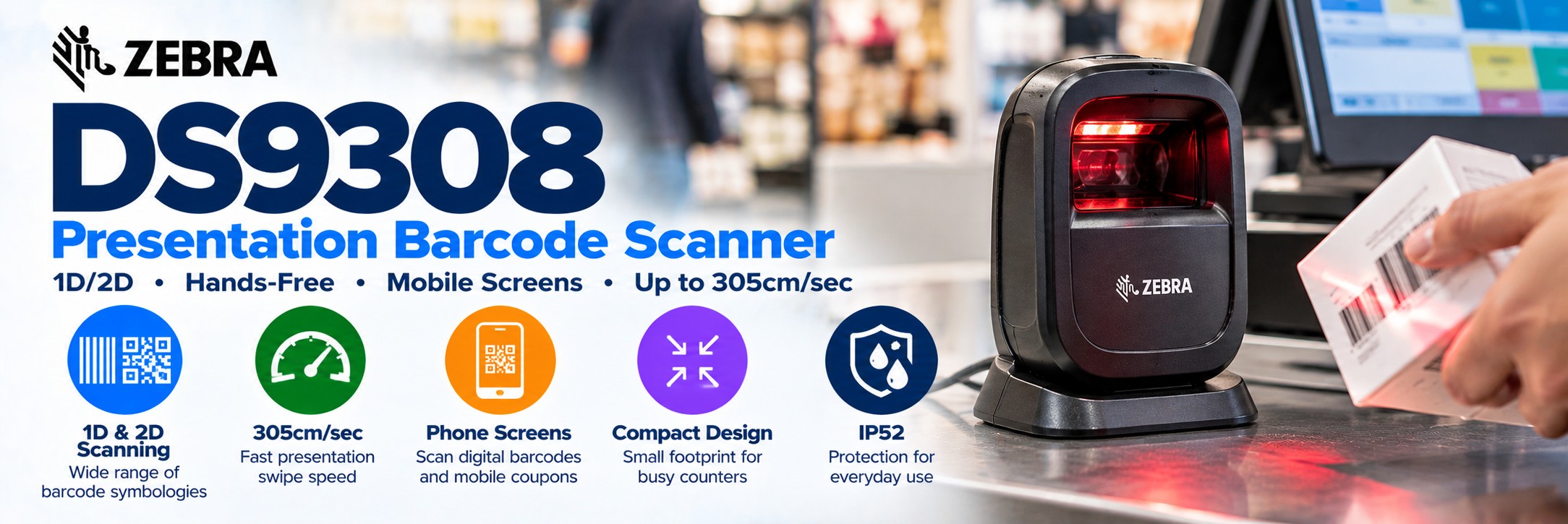
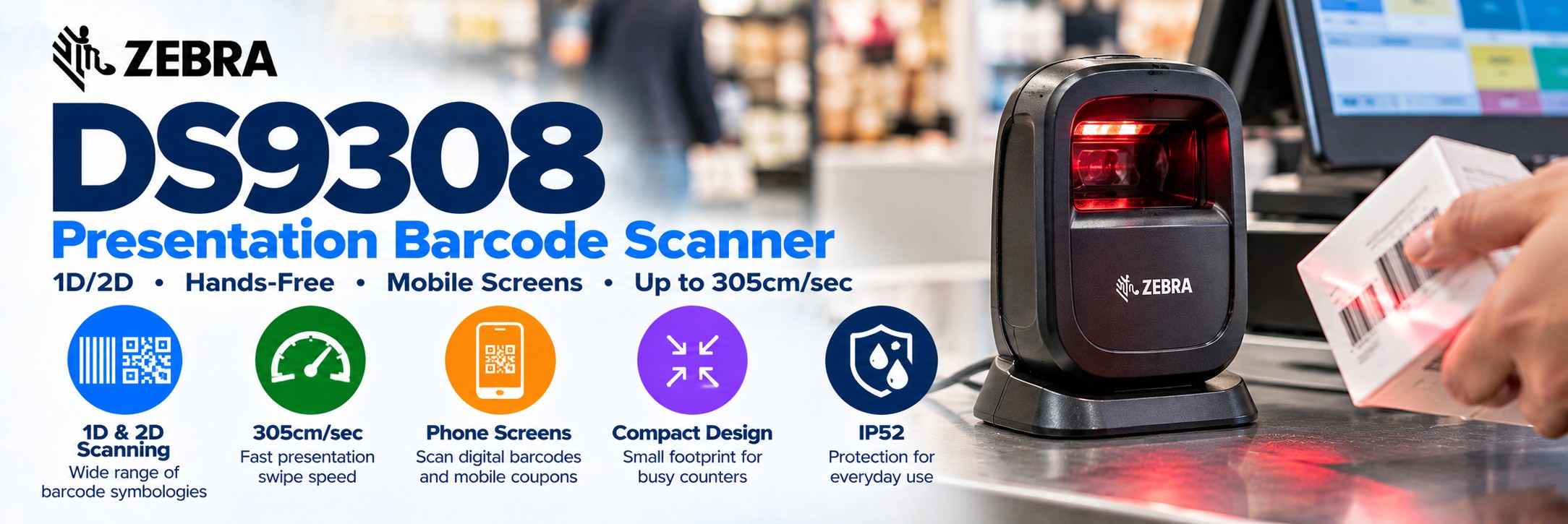
Zebra DS9308 Presentation Barcode Scanner
Compact hands-free 1D and 2D barcode scanning for retail checkouts, pharmacies, hospitality, reception desks and customer-facing counters.
The Zebra DS9308 is designed for businesses that need fast barcode capture without repeatedly picking up a handheld scanner.
Its compact presentation design occupies very little counter space while providing a wide scanning field, rapid barcode capture and support for both printed barcodes and codes displayed on mobile devices.
With presentation swipe speeds up to 305cm per second, the DS9308 is particularly suited to busy counter environments where products, loyalty cards, vouchers and digital barcodes need to be processed quickly.
Zebra DS9300 Series Barcode Scanners
The Zebra DS9308 forms part of Zebra's DS9300 Series of compact presentation barcode scanners. Searches for the Zebra DS9300, DS9300 Series and DS9308 commonly refer to this family of hands-free counter scanners designed for fast 1D and 2D barcode capture.
The DS9308 is particularly suited to retail tills, EPOS workstations, pharmacies, hospitality counters and other fixed scanning positions where barcodes are brought to the scanner rather than the scanner being taken to the barcode.
Zebra DS9308 at a Glance
1D & 2D
Capture traditional product barcodes, QR codes, Data Matrix, PDF417 and other common symbologies.
Hands-Free Scanning
Products can be presented directly to the scanner without repeatedly lifting and replacing a handheld device.
Up to 305cm/sec
Fast presentation swipe speed helps process barcodes quickly in busy checkout environments.
Phone Screens
Capture compatible digital barcodes displayed on smartphones as well as codes printed on labels and packaging.
1280 × 800 Imager
High-resolution imaging supports demanding everyday barcode capture.
Wide Field of View
A 52° horizontal by 33° vertical field of view provides a generous presentation scanning area.
Compact Footprint
Designed to fit onto space-constrained retail, pharmacy and hospitality counters.
IP52
Provides protection suitable for everyday commercial counter environments.
Why Choose a Presentation Barcode Scanner?
A presentation scanner is designed around repetitive counter scanning. Instead of aiming and triggering the scanner for every item, the operator simply presents the barcode to the scanning area.
Hands-Free Operation
Keep both hands available for handling products, payments, packaging or customer orders.
Faster Checkout Flow
Products can be moved naturally past the scanner during repeated transactions.
Less Scanner Handling
The scanner can remain positioned on the counter instead of being constantly picked up and put down.
Small Counter Footprint
The compact DS9308 works particularly well where available till or service-counter space is limited.
Zebra DS9308 for Retail & EPOS
The DS9308 is particularly well suited to fixed retail and EPOS workstations where barcode scanning takes place repeatedly throughout the day.
Retail Checkout
Scan product barcodes quickly as items are presented at the till.
Convenience Stores
The small footprint is useful where checkout space is limited but frequent scanning is required.
Pharmacies
Compact presentation scanning for product, prescription and customer-facing counter workflows.
Boutiques
Modern compact hardware for retail environments where counter appearance and available space both matter.
Hospitality
Capture tickets, vouchers, customer codes and compatible product barcodes at service counters.
Customer Service
Scan returns, customer documentation, loyalty cards and other supported barcodes.
Ticketing
Capture printed or digital QR and other supported 2D ticket barcodes.
Reception
Use at fixed desks for suitable visitor, membership, booking and identification workflows.
Scan Barcodes from Mobile Phones
Modern checkout workflows increasingly involve barcodes that never exist on paper.
Digital Loyalty Cards
Capture compatible loyalty barcodes presented on a customer's smartphone.
Mobile Coupons
Scan compatible digital promotional and discount codes directly from mobile displays.
QR Tickets
Read supported QR and 2D codes used for tickets, bookings and customer access.
Digital Vouchers
Process compatible voucher barcodes without requiring customers to print them first.
Why 2D matters: a 2D presentation scanner provides much greater flexibility than a traditional 1D-only checkout scanner because it can capture both conventional retail barcodes and modern QR-based digital workflows.
1D & 2D Barcode Scanning
UPC / EAN
Scan common retail product barcodes used across shops and point-of-sale environments.
Code 128
Capture Code 128 and GS1-128 barcodes used across business and supply-chain applications.
QR Code
Read standard QR and Micro QR codes from compatible printed and digital sources.
Data Matrix
Capture compact Data Matrix codes used across product, healthcare and commercial applications.
PDF417
Supports PDF417 and MicroPDF417 stacked barcode formats.
GS1 DataBar
Capture supported GS1 DataBar formats used in retail and product identification.
Aztec
Supports Aztec barcodes alongside other commonly used 2D formats.
DotCode
Supports DotCode for suitable specialist barcode applications.
Designed for Rapid Presentation Scanning
The DS9308 is designed to capture barcodes as products and other items are moved naturally through its scanning field.
305cm/sec Swipe Speed
Zebra specifies presentation swipe speeds up to 120 inches / 305cm per second for 13 mil UPC in optimised mode.
52° × 33° Field of View
The wide imaging area reduces the need to precisely position every barcode in one narrow scanning sweet spot.
1280 × 800 Sensor
The megapixel imaging platform supports high-performance barcode capture across common retail and commercial applications.
Built to Handle Challenging Barcodes
Retail barcodes are not always perfectly printed, flat or clean. The DS9308 is designed to handle more than pristine labels.
Poorly Printed
Advanced imaging helps capture supported barcodes where print quality is less than ideal.
Damaged
Designed to improve capture of damaged or compromised barcodes encountered during normal retail operations.
Crinkled
Useful where barcodes are printed on flexible packaging that may not remain completely flat.
Low Contrast
The imaging system is designed to capture challenging supported codes with relatively low contrast.
Adaptive Illumination for Customer-Facing Counters
The DS9308 uses adaptive illumination designed to provide effective barcode capture without keeping bright scanner lighting constantly active.
Activates When Required
The scanner's LEDs dynamically respond to the scanning environment and barcode presentation.
Designed for Customer-Facing Use
Recessed illumination helps make the scanner more comfortable for employees and customers in environments where it remains on the counter throughout the day.
Compact Doesn't Mean Fragile
The DS9308 is a commercial presentation scanner, but Zebra has still designed it to withstand the knocks and drops associated with everyday counter use.
1.5m Drop Resistance
Designed to withstand multiple drops from 1.5 metres onto concrete.
1,000 Tumbles
Specified to withstand 1,000 tumbles from 0.5 metres.
IP52
Provides defined protection against dust ingress and dripping water for everyday commercial environments.
DS9308 Presentation Scanner vs Handheld Scanner
The right choice depends largely on how products and barcodes move through the workstation.
| Requirement | DS9308 Presentation Scanner | Handheld Scanner |
|---|---|---|
| Hands-Free Checkout | Excellent fit | Usually requires operator handling |
| Small Counter Footprint | Excellent fit | Requires scanner / stand space |
| Rapid Repetitive Scanning | Designed for it | Depends on workflow |
| Large / Awkward Items | Scanner can be tilted or removed where appropriate | Easy to move scanner to item |
| Mobile Phone Barcodes | Yes | Yes with suitable 2D scanner |
| QR Codes | Yes | Yes with suitable 2D scanner |
| Typical Environment | Checkout / fixed counter | General-purpose scanning |
Choose the DS9308 when barcodes normally come to the scanner.
Choose a handheld scanner when the operator normally needs to take the scanner to the barcode.
Zebra DS9308 vs Honeywell Genesis XP 7680g
The Zebra DS9308 and Honeywell Genesis XP 7680g are both compact presentation scanners designed for fast hands-free barcode capture at retail, EPOS and customer-facing counters.
Both are designed to scan 1D and 2D barcodes, including compatible codes displayed on mobile devices. For many businesses, the choice comes down to the existing scanner estate, host system, preferred manufacturer and exact interface requirements.
| Requirement | Zebra DS9308 | Honeywell Genesis XP 7680g |
|---|---|---|
| Scanner Type | Presentation / hands-free area imager | Presentation / hands-free area imager |
| 1D Barcodes | Yes | Yes |
| 2D / QR Codes | Yes | Yes |
| Mobile Screen Scanning | Yes | Yes |
| Typical Application | Retail, EPOS, pharmacy and service counters | Retail, EPOS, pharmacy and service counters |
| Manufacturer | Zebra Technologies | Honeywell |
Already standardised on Zebra?
The DS9308 is a natural choice for businesses using Zebra scanning hardware elsewhere in their operation. Businesses comparing platforms should also consider the Honeywell Genesis XP 7680g before selecting their presentation scanner.
Flexible Counter Positioning
The DS9308's presentation format does not mean it must remain fixed at one angle.
Adjustable Position
The scanner can be positioned to suit the counter layout and natural presentation angle of products and digital barcodes.
Compact Cable Routing
The DS9300 design uses angled cable routing to help minimise the amount of counter space required.
Mounting Options
Optional mounting accessories support applications where the scanner needs to remain positioned on a counter or other surface.
Zebra DS9308 Connectivity
The DS9308 supports several host interfaces for integration with EPOS terminals and business systems.
USB
Common connection option for modern EPOS terminals, PCs and compatible business systems.
RS-232
Serial connectivity supports compatible EPOS and legacy systems.
Keyboard Wedge
Supports keyboard-wedge integration for compatible host environments.
IBM 46XX
TGCS / IBM 46XX over RS485 is supported for compatible retail environments.
Check the complete MPN and kit contents.
Scanner configurations and included interface cables can differ. Confirm the connection required by your EPOS or host system before ordering.
Retail Features Beyond Basic Barcode Scanning
The DS9308 platform includes additional capabilities specifically relevant to retail environments.
Checkpoint EAS
The DS9308 is compatible with Checkpoint Electronic Article Surveillance deactivation systems for suitable retail installations.
Preferred Symbol
Where several barcodes are visible, supported configuration features can help the scanner prioritise the barcode the application actually requires.
Decode Feedback
Visual LEDs and an adjustable audible beeper provide clear feedback when a barcode has been successfully captured.
Zebra DS9308 Specifications
| Specification | Zebra DS9308 |
|---|---|
| Scanner Type | Presentation / hands-free area imager |
| Barcode Types | 1D and 2D |
| Image Sensor | 1280 × 800 pixels |
| Presentation Swipe Speed | Up to 305cm/sec / 120in/sec for 13 mil UPC in optimised mode |
| Field of View | 52° horizontal × 33° vertical nominal |
| Minimum Print Contrast | 15% |
| Pitch Tolerance | ±60° |
| Skew Tolerance | ±60° |
| Roll Tolerance | 360° |
| Interfaces | USB, RS-232, Keyboard Wedge and TGCS / IBM 46XX over RS485 |
| Environmental Sealing | IP52 |
| Drop Specification | Multiple 1.5m drops to concrete |
| Tumble Specification | 1,000 tumbles at 0.5m |
| Operating Temperature | 0°C to 50°C |
| Storage Temperature | -40°C to 70°C |
| Ambient Light Immunity | Up to 107,700 lux |
| Dimensions | Approximately 145 × 86 × 83mm |
| Weight | Approximately 318g |
| Colours | Midnight Black or Alpine White depending on configuration |
Which Zebra DS9308 Should I Buy?
DS9308 configurations can look very similar while differing in colour, interface, cable and kit contents.
1. Black or White?
Choose Midnight Black or Alpine White according to the available configuration and counter environment.
2. Host Interface
Confirm whether the scanner needs USB, RS-232 or another supported connection.
3. Cable Included?
Check whether the MPN is scanner-only or supplied with the required interface cable.
4. Counter Position
Decide whether the standard counter position is sufficient or whether an additional mounting accessory is required.
5. EPOS Compatibility
Confirm that the required interface is supported by the existing till, terminal or host system.
6. Quantity
For larger retail rollouts, send the complete MPN and quantity for business pricing.
Already replacing an existing DS9308?
Use the complete Zebra MPN from the existing scanner or purchase documentation where possible. It is the safest way to match the configuration.
Available Zebra DS9308 products and current pricing should remain directly below this guide.
DS9308 Application Guide
| Application | Why DS9308 Fits |
|---|---|
| Retail checkout | Fast hands-free product barcode scanning |
| Convenience store | Very compact footprint for smaller counters |
| Pharmacy | 1D/2D capture in a compact customer-facing format |
| Mobile loyalty | Reads compatible barcodes displayed on phone screens |
| Digital coupons | 2D imaging supports modern digital checkout workflows |
| Ticketing | Suitable for supported printed and mobile ticket barcodes |
| Hospitality counter | Compact hands-free barcode and QR capture |
| Customer service desk | Suitable for returns, loyalty, vouchers and general barcode capture |
Build a Complete EPOS Workstation
The barcode scanner is one part of a complete checkout setup.
EPOS Terminal
Run the retail, hospitality or business application used at the workstation.
DS9308 Scanner
Capture product, loyalty, coupon and other supported barcodes.
Receipt Printer
Produce customer receipts using a compatible POS receipt printer.
Cash Drawer
Complete a conventional cash-handling workstation where required.
Zebra DS9308 FAQs
Does the Zebra DS9308 scan QR codes?
Yes. The DS9308 is a 1D and 2D area imager and supports QR Code, Data Matrix, PDF417, Aztec and other common 2D barcode formats.
Can the DS9308 scan a barcode from a phone?
Yes. The DS9308 is designed to capture compatible barcodes displayed on mobile devices as well as conventional printed barcodes.
Is the DS9308 hands-free?
Yes. Its primary role is presentation scanning, allowing products and digital barcodes to be presented to the scanner while it remains on the counter.
How fast is the Zebra DS9308?
Zebra specifies presentation swipe speeds up to 305cm per second for a 13 mil UPC barcode in optimised mode.
Does the DS9308 use USB?
USB is supported, along with RS-232, Keyboard Wedge and TGCS / IBM 46XX over RS485. Check the exact MPN and included cable before ordering.
Is the DS9308 suitable for a warehouse?
It can be useful at fixed packing or workstation applications, but it is primarily a compact commercial presentation scanner. For demanding warehouse-floor use, compare Zebra's rugged scanner ranges.
What is the Zebra DS9300 Series?
The Zebra DS9300 Series is Zebra's compact presentation-scanner family designed for fast hands-free 1D and 2D barcode capture. The DS9308 is a key model in the DS9300 Series and is commonly used at retail, EPOS, pharmacy and customer-service counters.
Should I choose the Zebra DS9308 or Honeywell Genesis XP 7680g?
Both are compact presentation scanners designed for customer-facing counter applications. The best choice depends on your existing hardware estate, host interfaces, preferred manufacturer and deployment requirements.
Buy Zebra DS9308 Scanners from Tek Direkt
Exact MPN Sourcing
Send us the complete Zebra manufacturer part number and quantity and we'll provide a price.
Interface Help
Check USB, serial and other host requirements before selecting the scanner configuration.
EPOS Hardware
Source barcode scanners alongside receipt printers and other business EPOS equipment.
Single Units or Rollouts
Buy an individual replacement scanner or request pricing for larger retail and multi-site deployments.
Need a Price on Zebra DS9308 Scanners?
Send us the Zebra MPN and quantity and we'll provide a price.
Not sure which configuration you need? Tell us what the scanner will connect to and whether you require USB, serial or another interface.
Already have another supplier's quote? Send that over too.
No calls. No meetings. No messing about. Just another price.
Request a DS9308 Quote