
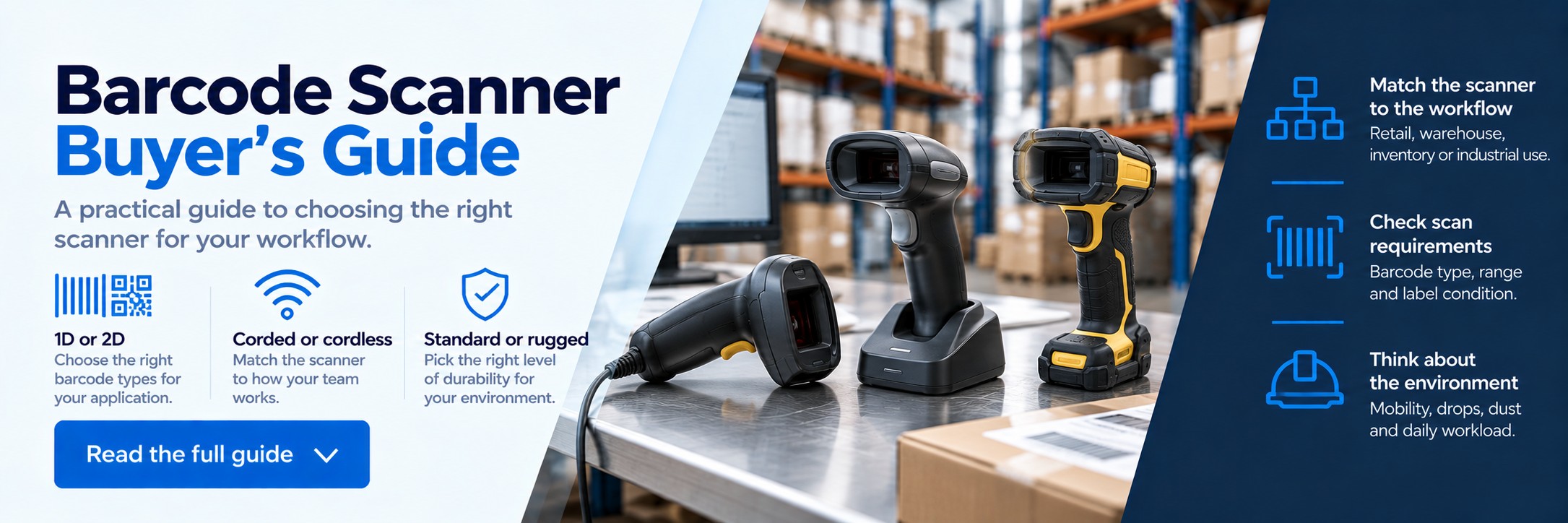
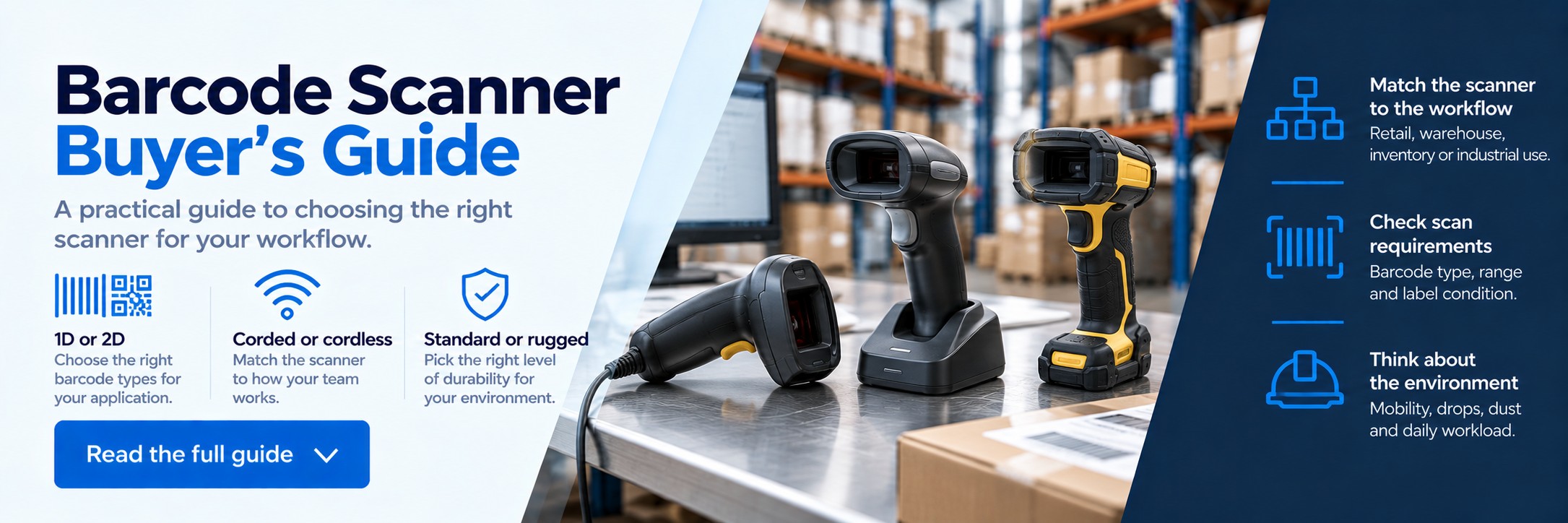
Barcode Scanner Buyer's Guide
Choosing the right barcode scanner starts with understanding what you need to scan, where scanning takes place and how your team works. A scanner designed for a retail counter has very different requirements from one used on warehouse racking, a production line or during stock counts.
This guide takes you through the main decisions so you can narrow down the right scanner type before comparing individual models.
Quick advice: don't start with a brand or model number. Start with the workflow. Barcode type, mobility, scanning distance and environment will quickly narrow down the scanners that make sense.
FREE INTERACTIVE BUYING TOOL
Find the right barcode scanner in a few clicks
Not sure which scanner is right for your business? Our Barcode Scanner Selector helps you explore suitable Zebra, Honeywell, Datalogic and Newland models based on your application and requirements.
✓ Barcode type ✓ Wired or cordless ✓ Scanning distance ✓ Working environment
Try the Barcode Scanner Selector → Step 1
Where will the scanner be used?
Retail & POS
Checkout, product lookup, stock enquiries and customer-facing scanning.
Consider: handheld or presentation 2D scanners.
Warehouse
Goods-in, picking, packing, stock counts, pallet and location scanning.
Consider: rugged handheld scanners or mobile computers.
Manufacturing
Components, production, traceability, work-in-progress and finished goods.
Consider: rugged scanners suited to the working environment.
Office & Healthcare
Documents, assets, patient workflows, samples and general identification.
Consider: compact 2D scanners matched to the barcode type.
Step 2
Do you need a 1D or 2D barcode scanner?
1D Barcode Scanners
1D barcodes are the traditional linear barcodes commonly found on retail products and inventory labels.
Examples include:
- EAN
- UPC
- Code 128
- Code 39
A 1D scanner may still be suitable where the application exclusively uses conventional linear barcodes.
2D Barcode Scanners
2D imagers can typically read conventional 1D barcodes as well as two-dimensional codes.
Examples include:
- QR codes
- Data Matrix
- PDF417
- GS1 DataMatrix
They are particularly useful where you need to scan newer barcode formats or codes displayed on screens.
For many new deployments, a 2D imager provides greater flexibility. But always check the scanner's supported symbologies against the exact barcode formats used by your organisation.
Step 3
Choose the right scanner format
Handheld
The familiar trigger-style scanner. Suitable for tills, packing benches, inventory and general business use.
Presentation
Sits on a counter and allows products or codes to be presented to the scanner for hands-free reading.
Fixed Mount
Designed to be integrated into kiosks, machinery, production lines or automated scanning workflows.
Wearable
Designed for hands-free workflows where employees need to scan while continuing to handle goods.
Step 4
Corded or cordless barcode scanner?
Choose corded when...
- The scanner stays at a fixed workstation
- You are scanning at a checkout or packing bench
- You don't need to manage batteries
- Simplicity is more important than mobility
- You want a straightforward USB-connected setup
Choose cordless when...
- Employees move around while scanning
- You carry the scanner to the item
- You perform stock counts
- You scan large or awkward goods
- The workflow covers a wider physical area
Check the exact kit or MPN. Cordless scanners may be supplied as scanner-only configurations or as kits containing a cradle, cable and other accessories.
Step 5
How far away are the barcodes?
Scanning distance can be one of the most important requirements in a warehouse or industrial environment.
Close Range
Typical retail, desktop, packing and general-purpose scanning where the barcode is close to the scanner.
Extended Range
Useful where users need more flexibility when scanning cartons, stock or warehouse locations.
Long Range
Designed for applications such as pallet labels or warehouse racking where barcodes may be several metres away.
Actual scan range depends on the scanner, barcode size, barcode quality and symbology. Don't assume that a scanner described as “warehouse” automatically supports the distance required by your application.
Step 6
What condition are the barcodes in?
Real-world barcodes aren't always perfectly printed and presented on a flat surface.
Damaged Labels
Wrinkles, scratches, tears and poor print quality can make decoding more difficult.
Small or Dense Codes
Small barcodes can require different scanner capabilities from large carton or pallet labels.
Screens
If you scan tickets, loyalty cards or order information from phones and tablets, confirm screen-reading capability.
Step 7
Standard or rugged barcode scanner?
The environment should determine how much durability you need.
Standard Business Scanner
Suitable for environments such as retail counters, offices, reception areas and relatively clean packing stations.
Rugged Scanner
Designed for more demanding warehouse, logistics, manufacturing and industrial environments.
For demanding environments, check:
Drop Rating
How well the device is designed to withstand repeated drops.
IP Rating
The level of protection against dust and moisture.
Temperature
Important for cold stores, outdoor areas and temperature-sensitive environments.
Daily Workload
Heavy use can justify more durable hardware even in relatively clean environments.
Step 8
Check connectivity and system compatibility
A scanner needs to work with the hardware and software already used by your business.
USB
A common option for scanners connected directly to PCs, POS terminals and workstations.
Bluetooth
Useful for compatible cordless scanners connecting to PCs, tablets and other devices.
Other Interfaces
Some business and industrial applications may require alternative interfaces or specialist configurations.
Check compatibility with your POS, WMS, ERP, inventory system, PC, tablet or mobile device before ordering. Connection options can differ between configurations within the same scanner family.
Barcode scanner or mobile computer?
Sometimes a standalone barcode scanner isn't the best tool for the job.
Choose a barcode scanner when...
- The user already has a PC, till or workstation
- The main requirement is simply to capture a barcode
- The scanner remains connected to another device
- You want a simple scanning peripheral
Consider a mobile computer when...
- Employees need a screen while moving around
- Users need access to WMS or inventory applications
- Scanning and data entry happen away from a workstation
- You want scanning and computing in one handheld device
Barcode scanner types by application
| Application | Typical Scanner Type | Important Considerations |
|---|---|---|
| Retail checkout | Handheld or presentation 2D scanner | Fast everyday scanning, screen reading and ease of use |
| Packing bench | Corded handheld scanner | Simple connection, reliable repeated scanning |
| Stock counting | Cordless handheld or mobile computer | Mobility, battery life and system connectivity |
| Warehouse picking | Rugged cordless scanner or mobile computer | Durability, mobility and scan range |
| Warehouse racking | Long-range rugged scanner | Barcode size, distance and angle |
| Manufacturing | Rugged handheld or fixed scanner | Durability, integration and barcode condition |
| Healthcare | 2D scanner matched to application | Barcode size, workflow and specialist requirements |
Popular ranges
Barcode scanners worth comparing
Once you've identified the type of scanner you need, you can start comparing suitable model families.
Zebra DS2208 / DS2278
General-purpose 1D and 2D scanning for retail, office, POS and everyday business applications.
Zebra DS9308
Compact presentation scanner for hands-free scanning at retail counters, pharmacies and customer-facing workstations.
Honeywell Xenon Ultra 1960g
General-purpose 2D handheld scanning for commercial and customer-facing environments.
Datalogic QuickScan
General-purpose corded and cordless scanner options for retail and business workflows.
Zebra DS3600 Series
Ultra-rugged scanners designed for warehouse, logistics and industrial applications.
Datalogic PowerScan
Rugged industrial scanning options for demanding warehouse, logistics and manufacturing workflows.
Common barcode scanner buying mistakes
Choosing on price alone
A scanner that doesn't suit the workflow can cost more through failed scans, downtime and early replacement.
Ignoring scan distance
A standard scanner may not read warehouse racking or pallet labels from the distance your team needs.
Buying the wrong kit
Scanner-only, USB kit and cordless cradle configurations can look very similar online.
Assuming every scanner reads everything
Always confirm supported barcode formats and application requirements.
Underestimating the environment
A standard retail scanner may not survive repeated warehouse drops and exposure to dust or moisture.
Ignoring the wider workflow
The scanner still needs to connect correctly to the software and device receiving the data.
Barcode scanner buying checklist
1. What barcodes do you scan?
1D, 2D, QR, Data Matrix or another symbology?
2. Where is scanning done?
Retail counter, office, warehouse, vehicle or production area?
3. How far away are the codes?
Close range, cartons, pallets or high warehouse racking?
4. Do employees need mobility?
Fixed workstation or moving around the site?
5. How demanding is the environment?
Consider drops, dust, moisture and temperature.
6. What are you connecting to?
PC, POS terminal, tablet, mobile computer or another system?
7. What accessories are required?
Cables, cradles, stands, batteries and chargers may be separate.
8. Have you checked the exact MPN?
Confirm scanner, interface, colour, kit and included accessories before ordering.
Build the complete barcode solution
Barcode Scanners
Handheld, presentation and industrial scanners for business data capture.
Mobile Computers
Combine barcode scanning with mobile applications and data access.
Label Printers
Create barcode, shipping, stock and identification labels in-house.
Already know which scanner you need?
Send us the manufacturer part number and quantity, or forward an existing quote.
We'll give you another price to compare. No calls or meetings needed.