
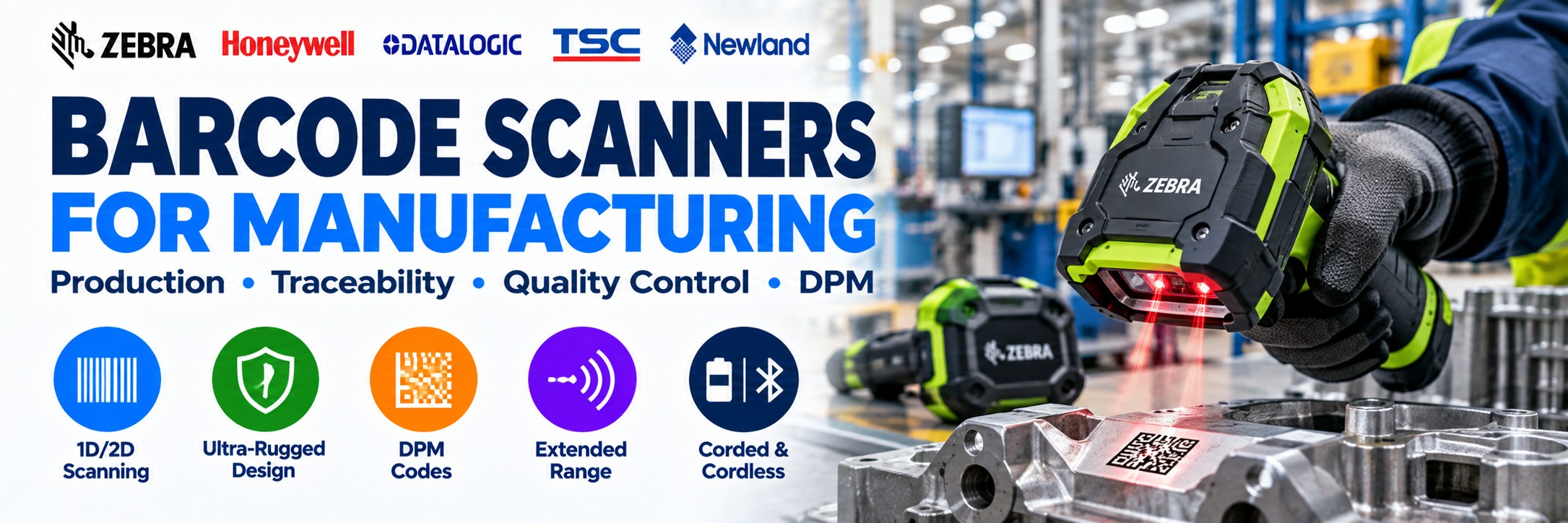
Barcode Scanners for Manufacturing
Industrial, rugged and DPM barcode scanners for production, component identification, quality control and manufacturing traceability.
Barcode scanning can connect physical materials, components and finished products with the digital systems used to manage manufacturing.
Tek Direkt supplies corded, cordless, rugged, extended-range and Direct Part Marking barcode scanners for factory floors, production lines, inspection stations, goods-in and finished-goods operations.
Whether you're scanning a printed component label at a workstation or a permanently marked Data Matrix code on a metal part, the scanner needs to match the code, surface, distance and working environment.
Barcode Scanning Throughout Manufacturing
A barcode can provide a consistent identifier as materials and products move through different stages of production.
Goods-In
Identify incoming raw materials, components, containers and supplier-labelled goods as they enter the facility.
Raw Materials
Capture material, batch, lot and inventory identifiers before components enter production.
Work-in-Progress
Identify products and components as they move between production stages.
Assembly
Scan components as part of suitable assembly, verification and production workflows.
Quality Control
Identify the item being inspected and connect it with the appropriate digital quality record.
Traceability
Capture batch, lot, serial and component identifiers throughout production.
Finished Goods
Identify completed products before storage, packing and dispatch.
Assets & Tools
Use barcode technology to identify suitable tools, equipment and operational assets.
From Raw Material to Finished Product
Scanning can provide identification checkpoints throughout the manufacturing process.
1
Receive
Scan materials and components entering the manufacturing operation.
2
Produce
Capture identifiers as components move through production and assembly.
3
Verify
Use barcode data within suitable inspection, quality-control and verification processes.
4
Dispatch
Identify finished products as they move into storage, packing and distribution.
Which Type of Manufacturing Barcode Scanner Do You Need?
Don't start with the scanner model. Start with what the operator needs to scan.
General-Purpose 2D Scanner
For standard printed 1D and 2D barcodes used at cleaner production, packing and inspection workstations.
Best for: printed labels, close-range scanning and fixed workstations.
Production Workstations →Ultra-Rugged Scanner
Designed for demanding environments where scanners may experience drops, knocks, dust and intensive daily use.
Best for: factory floors, heavy manufacturing, goods-in and industrial operations.
Rugged Scanners →DPM Scanner
Specialist imaging and illumination for difficult codes permanently marked directly onto components.
Best for: laser-etched, dot-peen, engraved and other direct-part marks.
Explore DPM Scanners →Extended-Range Scanner
For applications where operators need to capture barcodes positioned further away.
Best for: pallets, containers, large components and high storage locations.
Scanning Distance →Quick Manufacturing Scanner Guide
| What Are You Scanning? | Scanner Type to Consider |
|---|---|
| Standard printed product labels | General-purpose 2D area imager |
| Printed labels on a demanding factory floor | Ultra-rugged industrial 2D scanner |
| Laser-etched Data Matrix on metal | DPM-capable barcode scanner |
| Dot-peen codes | DPM-capable barcode scanner |
| Damaged or dirty labels | Higher-performance industrial imager, tested against representative labels |
| Pallet or rack labels further away | Extended-range industrial scanner |
| Large components where the operator needs to move | Cordless rugged scanner |
| Fixed inspection workstation | Corded scanner |
| Operator also needs production software | Enterprise mobile computer rather than scanner alone |
| Automated production line | Fixed industrial scanning or machine-vision technology |
Ultra-Rugged Barcode Scanners for Factory Floors
Manufacturing can expose scanning equipment to conditions that ordinary office and retail scanners were never intended to handle.
Repeated Drops
Industrial scanners are designed around more demanding drop and tumble requirements than conventional general-purpose hardware.
Dust & Dirt
Check the scanner's environmental sealing where equipment will be used around dusty or dirty production areas.
Intensive Use
Rugged hardware is suited to applications where scanning forms part of the operator's working day rather than an occasional task.
Industrial Temperatures
Check the operating-temperature specification where scanners will be exposed to particularly cold or hot working conditions.
Zebra DS3600 Series for Manufacturing
The Zebra DS3600 Series is designed for demanding industrial barcode scanning and is one of the strongest starting points for manufacturing applications.
The family includes different scan-engine configurations for different jobs, so DS3600 is a platform rather than one universal scanner specification.
Standard Range
For conventional printed 1D/2D labels captured at normal handheld working distances.
Extended Range
For appropriate applications requiring barcode capture from substantially further away.
DPM
Specialist configurations are available for direct-part marks and challenging industrial codes.
Corded or Cordless
DS3608 models provide corded operation, while DS3678 configurations provide cordless operation.
Check the complete Zebra MPN. A standard-range DS3608 and a specialist DPM configuration may look similar but are intended for very different barcode applications.
Direct Part Marking (DPM) Scanners
Manufacturers sometimes need an identifier to remain permanently associated with a component throughout production and its later working life.
Instead of attaching a conventional label, a machine-readable code can be marked directly onto the component.
Laser Marking
Machine-readable marks created using laser-based processes can require specialist imaging depending on the material and finish.
Dot Peen
Dot-peen marks can create challenging Data Matrix codes where specialist illumination and imaging become particularly important.
Etching
Chemically or otherwise etched marks may present different contrast characteristics from printed labels.
Engraving
Engraved identifiers may require a scanner designed to deal with uneven surfaces and challenging reflections.
Supporting Data Matrix does not automatically make a scanner suitable for DPM. A standard 2D scanner is normally optimised for printed codes. DPM scanning introduces different lighting, contrast, surface and marking challenges.
For DPM, Test the Actual Part
DPM applications are one area where choosing solely from a specification sheet can be risky.
A scanner that reads one Data Matrix extremely well may perform differently with another marking process or material.
Marking Method
Laser, dot peen, etching and engraving create different optical characteristics.
Material
Steel, aluminium, plastic and other materials can present different scanning challenges.
Surface Finish
Matt, polished, curved, reflective and textured surfaces can influence readability.
Code Size
Small Data Matrix codes may require a different scanner configuration from larger marks.
Small & High-Density Barcode Scanning →
Where DPM scanning is business-critical, test the intended scanner against representative production parts before a larger deployment.
Manufacturing Traceability
Barcode scanning provides the physical data-capture layer that can connect products and components with a manufacturer's chosen traceability system.
Batch & Lot
Capture identifiers associated with materials, batches and production lots.
Serial Numbers
Identify individual products or components where serialisation forms part of the production process.
Component Usage
Scan components within suitable production processes where usage needs to be recorded.
Production Stage
Capture identifiers at suitable checkpoints as items progress through manufacturing.
Assembly
Use scanning within suitable assembly and verification workflows.
Inspection
Associate the item being inspected with the relevant quality or inspection process.
Finished Product
Identify completed goods before packing, storage and dispatch.
Aftermarket
Permanent identifiers can continue to support suitable service, maintenance and warranty workflows.
Damaged, Dirty & Difficult Barcodes
Real manufacturing barcodes do not always look like perfect demonstration labels.
Damaged Labels
Labels can become scratched, torn or partially obscured during production and handling.
Dirty Labels
Dust, grease and other contamination can make conventional barcode capture more challenging.
Low Contrast
Some printing and marking processes provide less contrast than conventional black-on-white barcode labels.
Reflective Surfaces
Metallic and polished components can introduce reflections that complicate imaging.
For difficult applications, the best scanner is not simply the one with the longest specification sheet. Performance against your actual barcodes is what matters.
How Far Away Do You Need to Scan?
Working distance is one of the easiest requirements to overlook when choosing industrial scanning hardware.
Close Range
Components, labels and documents deliberately presented to an operator at a workstation.
A standard-range scanner is often appropriate.
General Industrial Range
Cartons, containers and items around a production or storage area where the operator can approach the barcode.
Consider a suitable rugged standard-range or flexible-range scanner.
Extended Range
Pallets, large components, storage locations and labels positioned further away.
Choose a scanner configuration specifically designed for extended-range capture.
Scanner-family names are not enough. Manufacturers frequently offer several scan engines within the same family, so the exact MPN determines the actual scanning capability.
Corded or Cordless for Manufacturing?
Corded Scanner
A corded scanner is a strong choice where the operator works at a defined production, assembly, inspection or packing station.
Advantages:
No scanner battery to manage
Continuous connection to the workstation
Straightforward fixed-station deployment
Ideal for repetitive scanning in one area
Consider: Zebra DS3608 and other appropriate corded industrial scanners.
Cordless Scanner
A cordless scanner gives the operator freedom to move around products, components, pallets and larger assemblies.
Advantages:
Greater operator mobility
Easier scanning around large components
Useful where products cannot be moved to the scanner
Fewer cables around the immediate working area
Remember to plan charging, batteries, cradles and wireless range as part of the deployment.
Barcode Scanners for Production Workstations
Not every production area needs an ultra-rugged scanner.
For cleaner assembly, inspection, packing and administrative workstations, a conventional high-quality 2D area imager may provide everything required.
Standard Printed Labels
Where codes are clean, conventional and presented at normal scanning distances, a general-purpose scanner may be sufficient.
Fixed Workstation
A corded scanner can provide a simple solution where the operator remains at a PC or terminal.
Small & High-Density Barcodes
Small component labels, electronics and densely printed 2D codes can require higher-performance imaging and the correct scan engine.
Scanning Small & High-Density Barcodes →Barcode Scanner or Mobile Computer?
Choose a Barcode Scanner When...
The operator primarily needs to capture barcode data and send it to a connected PC, workstation or other host.
Typical applications include:
Production stations
Assembly benches
Inspection stations
Packing areas
Fixed goods-in positions
Choose a Mobile Computer When...
The employee needs to move throughout the facility while also interacting directly with inventory, production or manufacturing software.
Typical applications include:
Materials movement
Inventory
Replenishment
Mobile quality processes
Work-in-progress
Asset tracking
When Handheld Scanning Isn't Enough
High-volume or automated manufacturing processes may need the barcode reader to become part of the production line rather than something held by an operator.
Fixed Industrial Scanning
Install readers at controlled points where products move through a predictable scanning position.
Machine Vision
More complex inspection and automated-identification applications may require machine-vision technology rather than a conventional handheld scanner.
Automated Production
Consider fixed technology where scan volumes, line speed or process design make manual scanning impractical.
Datalogic's wider manufacturing portfolio includes handheld scanners alongside fixed industrial readers, machine vision and sensing technology, illustrating how identification requirements can extend beyond handheld barcode capture.
Printing & Scanning Work Together
A barcode scanner can only work with the identifier it is given.
For printed production labels, consider the printer, media, barcode dimensions and scanner as one identification workflow .
Component Labels
Identify components and materials with appropriate printed barcodes and 2D codes.
Work-in-Progress
Create labels as items enter or move through different production stages.
Serial & Batch
Print variable identification including serial, batch and lot information where required.
Finished Goods
Produce product, packaging and logistics labels for completed goods.
Barcode or RFID in Manufacturing?
RFID does not automatically replace barcode scanning. Many manufacturing operations can use both technologies for different processes.
Barcode
A strong fit where an operator needs to deliberately identify a particular component, material, product or location.
Common uses: component identification, assembly, quality control, serial numbers, batch codes, packing and finished goods.
RFID
Worth considering where compatible tagged items need to be identified without individually aligning every item with a barcode scanner.
Potential uses: work-in-progress, tools, assets, containers, inventory and suitable goods-movement applications.
RFID Readers & Scanners →Manufacturing Asset & Tool Tracking
Barcode scanners used for production can also form part of wider asset-management processes around the factory.
Tools
Identify suitable tools issued to employees, departments or production areas.
Test Equipment
Connect physical equipment with inspection, maintenance or calibration records.
Machinery
Identify manufacturing assets and link them with suitable service and maintenance processes.
Returnable Assets
Track suitable containers, totes, cases and other reusable operational equipment.
Explore Barcode Scanners for Manufacturing
Compare professional and ultra-rugged barcode scanners for production, assembly, quality control, component identification and manufacturing traceability. Choose the correct scanning engine and configuration for your barcode type and working environment.
Zebra Industrial Barcode Scanners
Zebra DS3608
Ultra-rugged corded scanning
Designed for demanding manufacturing and industrial environments, with specialist configurations available for different barcode applications.
Explore Zebra DS3608 →Zebra DS3678
Ultra-rugged cordless scanning
Provides greater operator mobility when scanning components, containers, pallets and industrial labels.
Explore Zebra DS3678 →Zebra DS4608
General-purpose production scanning
Suitable configurations support printed 1D and 2D barcode capture at cleaner production, assembly and inspection workstations.
Explore Zebra DS4608 →Honeywell Industrial Barcode Scanners
Honeywell Granit 1990i
Ultra-rugged corded scanning
Industrial barcode scanner for manufacturing, component identification, warehouse operations and demanding production environments.
Explore Granit 1990i →Honeywell Granit 1991i
Ultra-rugged cordless scanning
Rugged wireless barcode scanning for production areas, large components, logistics and industrial goods handling.
Explore Granit 1991i →Datalogic Industrial Barcode Scanners
Datalogic PowerScan 9600
Industrial barcode scanning family
Ultra-rugged scanning solutions for manufacturing, warehouse operations and industrial identification.
Explore PowerScan 9600 →Datalogic PowerScan PD9630
Industrial corded scanning
Rugged corded scanner for manufacturing and industrial applications, with specialist DPM configurations available.
Explore PowerScan PD9630 →Datalogic PowerScan PBT9600
Industrial Bluetooth scanning
Rugged cordless barcode scanner for demanding production environments and industrial workflows.
Explore PowerScan PBT9600 →Datalogic PowerScan PM9600
Industrial cordless scanning
Rugged wireless barcode scanner for manufacturing, component tracking and industrial data capture.
Explore PowerScan PM9600 →Manufacturing Barcode Scanner Brands
Zebra
General-purpose, high-performance and ultra-rugged barcode scanning, including the DS3600 industrial family and specialist DPM configurations.
Explore Zebra →Honeywell
Professional barcode scanners for production, warehousing and industrial applications, including rugged scanning options.
Explore Honeywell →Datalogic
Handheld and industrial identification technology for manufacturing, traceability, logistics and automated data capture.
Explore Datalogic →Need Help Choosing a Manufacturing Barcode Scanner?
Our interactive Barcode Scanner Selector helps you narrow down suitable models based on your barcode type, scanning distance, connectivity and working environment.
For specialist Direct Part Marking applications, we recommend confirming the exact scanner configuration and testing representative production parts before ordering.
How to Choose a Manufacturing Barcode Scanner
1. What Code?
1D barcode, QR code, Data Matrix or another 2D symbology?
2. Printed or DPM?
Is the barcode printed on a label or permanently marked directly onto the component?
3. What Surface?
Paper, plastic, cardboard, painted material, metal or another surface?
4. Barcode Condition?
Clean and high contrast, or scratched, dirty, reflective, low contrast or damaged?
5. What Distance?
Close-range component scanning or longer-range pallet and location scanning?
6. What Environment?
Clean workstation, production floor, heavy manufacturing or another demanding environment?
7. Corded or Cordless?
Will the operator remain at one station or need freedom to move around the product?
8. Which Host?
PC, workstation, industrial terminal, tablet or mobile computer?
Why the Exact Scanner MPN Matters
This is particularly important with industrial barcode scanners.
Two scanners from the same family can have very different capabilities because of their scan engine, working range, DPM capability, interface, wireless configuration or regional bundle.
Scan Engine
Standard-range, high-density, extended-range and DPM engines can be designed for very different applications.
Connectivity
USB, serial, Bluetooth and other interfaces can vary between configurations and kits.
Kit Contents
Cables, cradles, power supplies and accessories may differ between apparently similar product listings.
When comparing supplier prices, compare the complete manufacturer part number rather than the family name alone.
Manufacturing Barcode Scanner FAQs
What is the best barcode scanner for manufacturing?
It depends on the barcode, working distance and environment. Standard printed labels at a clean workstation may only require a general-purpose 2D scanner, while demanding factory applications may require an ultra-rugged scanner or specialist DPM model.
Do I need a rugged barcode scanner?
Consider rugged hardware where the scanner will be exposed to repeated drops, dust, dirt or intensive industrial use. Cleaner production workstations may not require the same level of protection.
Can a normal 2D scanner read DPM codes?
Supporting Data Matrix does not guarantee reliable DPM performance. Codes marked directly onto components can require specialist illumination and imaging, so a DPM-specific scanner should be considered.
Help with Barcodes on Metal Parts →Should I choose corded or cordless?
Corded scanners work well at fixed production and inspection stations. Cordless scanners are useful where operators need to move around large products, pallets or components.
Can scanners read damaged barcodes?
Higher-performance scanners can provide better capture of difficult barcodes, but performance depends on the type and severity of the damage. Testing representative labels is advisable for challenging applications.
Can I scan barcodes from several metres away?
Yes, with an appropriate extended-range scanner and suitable barcode. Actual working distance depends on barcode size, symbology, print quality and the specific scan engine.
Do I need a scanner or mobile computer?
Use a scanner where the operator primarily needs to capture barcode data into a nearby host. Consider a mobile computer where the employee also needs to use applications while moving around the facility.
Can Tek Direkt quote an existing scanner MPN?
Yes. Send the complete manufacturer part number and quantity. If you already have another supplier quote, send the same MPN and quantity for another price to compare.
Manufacturing Barcode Scanners from Tek Direkt
Production Scanning
Professional 1D/2D scanners for production, inspection, assembly and packing workstations.
Industrial Scanning
Ultra-rugged hardware for demanding factory and manufacturing environments.
DPM Scanning
Specialist scanners for laser-marked, dot-peen and other direct-part identification applications.
Explore Metal Part Scanning →Complete Identification
Source scanners alongside label printers, mobile computers, RFID and related Auto-ID hardware.
Related Manufacturing Solutions
Explore specialist solutions for manufacturing identification, traceability, labelling and shop-floor workflows.
Barcodes on Metal Parts
Specialist DPM scanning for laser-marked, etched, engraved and dot-peen codes on industrial components.
Explore DPM Metal Scanning →Small & High-Density Barcodes
Scan tiny and densely printed barcodes used on electronic components, PCBs and other space-constrained items.
Explore High-Density Scanning →GHS Chemical Label Printing
Explore on-demand colour label printing for chemical identification and GHS labelling applications.
Explore GHS Label Printing →Durable Asset Labels
Create asset identifiers for equipment exposed to demanding industrial and outdoor environments.
Explore Durable Asset Labels →Need Barcode Scanners for Manufacturing?
Tell us what you're scanning, whether the code is printed or directly marked, the approximate scanning distance and the working environment.
For DPM applications, tell us the marking method, material and approximate code size. Representative sample parts can be particularly useful when assessing difficult applications.
If you've already selected the hardware, send the manufacturer part number and quantity and we'll price the exact configuration.
Already have another supplier quote? Send it over and we'll give you another price to compare.
No calls. No meetings. No messing about. Just straightforward help and a price.