
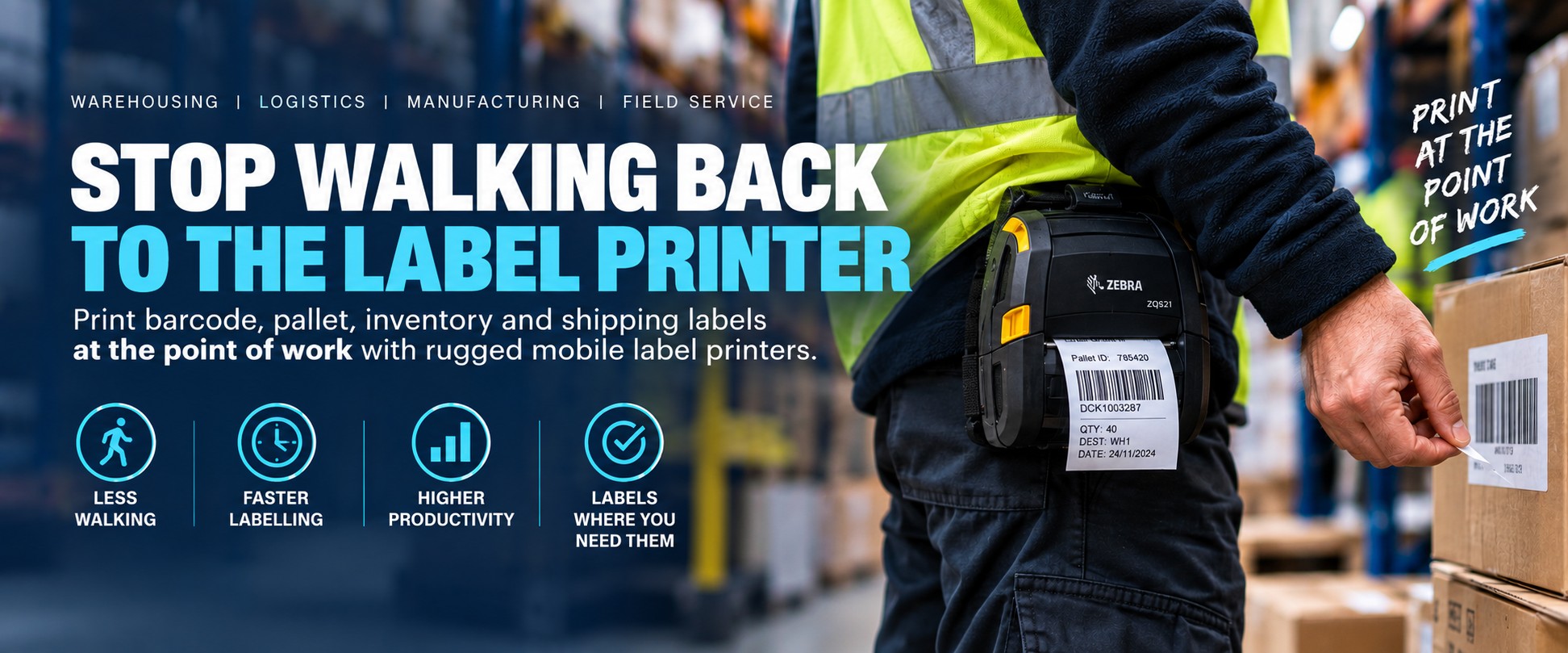
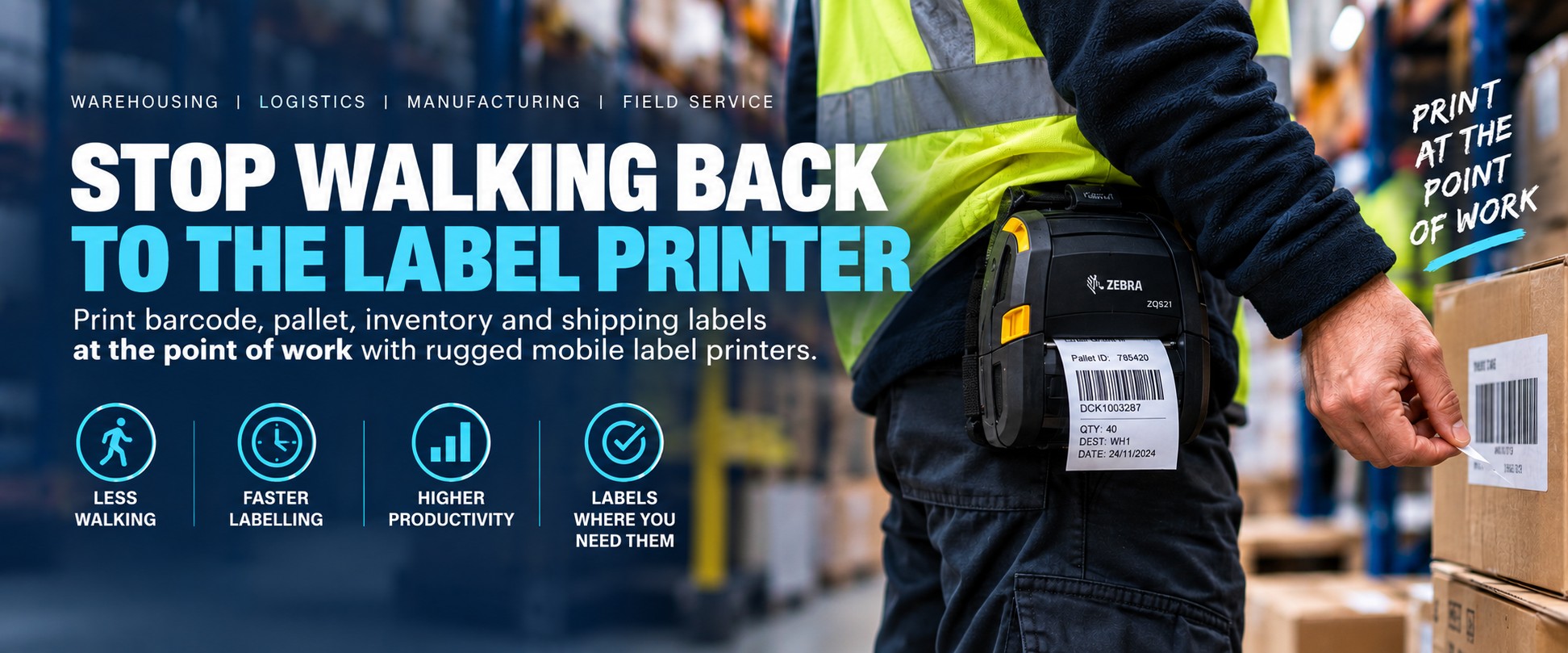
Warehousing • Logistics • Manufacturing • Field Service
Stop Walking Back to the Label Printer
If your workers have to leave the job, walk to a fixed printer, collect a label and then walk back again, the problem might not be the label.
The printer may simply be in the wrong place.
Mobile label printers allow barcode, inventory, pallet and identification labels to be produced where the work is actually happening — at the rack, pallet, loading bay, production line, vehicle or customer site.
How Far Is Your Label Printer From the Job?
A fixed desktop or industrial printer makes perfect sense when labels are produced centrally in batches.
It can make less sense when an operator needs a single label while standing somewhere else in the warehouse.
1
Need Label
Worker identifies something that needs labelling.
2
Walk
Leave the task and go to the fixed printer.
3
Find Label
Print or locate the correct label.
4
Walk Back
Return to the pallet, rack, item or job.
5
Apply
Finally apply the label where it was needed.
Now Multiply That Across a Shift
One trip to the printer may not matter.
But if warehouse or production workers repeatedly leave their work area just to collect individual labels, those small journeys become part of the workflow every day.
Bring the Printer to the Work
A mobile label printer travels with the operator, allowing labels to be produced at the point they're actually required.
At the Rack
Print stock, location or replacement labels while the worker is already in the warehouse aisle.
At the Pallet
Produce pallet or inventory labels where goods are being received, moved or prepared for dispatch.
At Goods-In
Label incoming stock as it is received rather than sending the operator elsewhere to collect labels.
On the Production Floor
Produce identification, work-in-progress and process labels close to the manufacturing task.
At Dispatch
Print identification and operational labels where goods are being staged and prepared for movement.
In the Field
Produce labels at customer sites, service locations, vehicles or other places away from a fixed printer.
What Can You Print at the Point of Work?
Barcode Labels
Create identification and tracking labels exactly where the item is being handled.
Pallet Labels
Label pallets during receiving, movement, staging and warehouse operations.
Inventory Labels
Produce replacement or new stock-identification labels during inventory work.
Location Labels
Print rack, bin or location identification during warehouse setup and maintenance.
WIP Labels
Identify work-in-progress and components as they move through manufacturing.
Asset Labels
Print identification labels during installation, service or asset-management work.
Mobile Label Printers for Demanding Workflows
The right mobile printer depends on label width, print volume, environment, connectivity and how the worker will carry and use the device.
RUGGED MOBILE
Zebra ZQ511
A rugged mobile printer designed for demanding applications where workers need portable label printing as they move around the operation.
- Warehouse operations
- Inventory labelling
- Manufacturing
- Transport and logistics
- Field applications
WIDER LABELS
Zebra ZQ521
A rugged mobile printing option where the application requires greater label width while retaining the flexibility of point-of-work printing.
- Pallet and inventory labels
- Warehouse identification
- Manufacturing applications
- Logistics workflows
- Mobile workforce use
Where Mobile Printing Can Make Sense
- Workers regularly walk to a fixed printer for individual labels
- Labels need to be created during goods-in or put-away
- Pallets are labelled while moving through the warehouse
- Replacement labels are required during inventory checks
- Production staff need labels away from a central print station
- Field workers need to print identification at customer sites
- Operators move across large warehouse or manufacturing areas
- Labels need to be created at the point an item is handled
The Question Isn't “Do We Need Another Printer?”
The useful question is whether putting a printer closer to the work could remove unnecessary movement from a task your team performs repeatedly.
Mobile Printer or Fixed Printer?
Mobile printing isn't intended to replace every desktop or industrial label printer. The two approaches solve different workflow problems.
POINT OF WORK
Mobile Label Printer
Best suited to applications where the worker moves around the warehouse, production area or customer site and needs labels in different locations.
- Individual labels printed when required
- Worker moves between locations
- Goods-in and put-away
- Inventory and replacement labelling
- Pallet and stock identification
- Field-based work
CENTRAL PRINTING
Fixed Label Printer
Usually the better choice where labels are produced centrally, in larger batches or as part of a fixed workstation process.
- Batch label production
- Fixed packing stations
- Higher-volume central printing
- Operators remain at one workstation
- Large or specialist label requirements
- Automated or production-line printing
You May Need Both
A warehouse can use fixed printers for planned batch production while mobile printers handle labels that need to be created dynamically around the operation.
Where Is Mobile Label Printing Used?
Warehousing & 3PL
Print labels during receiving, put-away, stock movement, picking, inventory work and dispatch.
Manufacturing
Produce component, work-in-progress and identification labels close to the production process.
Transport & Logistics
Create labels while goods are being handled at depots, loading areas, yards and distribution points.
Automotive & Parts
Label components, bins, inventory and orders while workers move through large parts-storage operations.
Field Service
Print identification, service and asset labels while engineers are working away from a fixed printer.
Retail Operations
Support mobile stock, product and operational labelling where printing needs to happen around the store or stockroom.
How Many Trips to the Printer Happen Every Day?
Before changing any hardware, look at what your workers actually do when they need a label.
- How many individual labels are printed during a shift?
- How far is the fixed printer from the work area?
- How often does someone leave a task just to collect a label?
- Are labels printed individually or mainly in batches?
- Do workers sometimes collect the wrong label?
- Do several workers share the same fixed printer?
- Are labels required across multiple warehouse zones?
- Could the label be printed when the item is actually handled?
Thirty Seconds Doesn't Sound Like Much
But the important number isn't the time taken for one journey. It's how often that journey is repeated across every worker, every shift and every working day.
How to Choose a Mobile Label Printer
Start with the application rather than the printer model. A few basic details can quickly narrow down the right type of mobile printer.
1. Label Width
Tell us the approximate width and height of the labels you need to produce.
2. Print Volume
How many labels will each mobile printer typically produce during a working shift?
3. Environment
Will the printer be used in a warehouse, manufacturing environment, vehicle, outdoors or at customer sites?
4. Connectivity
What device or system will send the print job to the mobile printer?
5. Media Type
Consider the label material, adhesive, durability and environment in which the finished label will be used.
6. How It's Carried
Consider whether the worker needs a belt clip, shoulder strap, vehicle mount or another carrying arrangement.
The Printer Is Only One Part of the Workflow
Mobile printing works best when the complete process is considered: where the label data comes from, how the print job reaches the printer and what the worker does next.
Mobile Computers
Pair mobile printers with handheld computers for warehouse workflows involving scanning, inventory and label printing.
Tablets & Other Devices
Depending on the application and printer configuration, printing may form part of a wider mobile workflow.
Warehouse Systems
Consider how the printer fits with the WMS, inventory, ERP or other software generating the label.
Need Mobile RFID Label Printing?
Some mobile printing applications require more than a conventional barcode label.
Selected mobile printer configurations can support RFID applications, allowing suitable RFID labels or tags to be encoded and printed closer to the point where they're required.
Check the Exact Configuration
RFID capability is configuration-specific. If you require mobile RFID printing, tell us the label/tag, application and quantity so we can identify the appropriate printer configuration rather than assuming every model in a product family supports RFID.
Don't Forget the Accessories
If a printer is going to travel with a worker throughout the day, the accessories can be just as important as the printer itself.
Carrying Options
Belt clips, straps and other carrying options can make the printer easier to use while the worker moves.
Charging
Think about how devices will be charged between shifts and whether multiple printers need to be managed together.
Spare Batteries
Higher-use applications may require a battery strategy that matches the length and intensity of the working shift.
How Many Times Do Your Workers Walk to a Printer?
If labels are mainly printed centrally in batches, your existing fixed printer may already be exactly where it needs to be.
But if workers repeatedly stop what they're doing and walk across the warehouse for individual labels, it's worth looking at whether mobile printing could move the printer closer to the task.
Tell us what you're labelling, label size, approximate quantity and where the label is needed.
Discuss Your Label WorkflowIs Mobile Printing Worth Considering?
Probably Worth Looking At
- Workers move around a large site
- Individual labels are printed throughout the day
- Staff repeatedly walk to fixed printers
- Labels are needed during receiving or stock movement
- Printing happens away from a workstation
A Fixed Printer May Still Be Better
- Labels are mainly printed in large batches
- Operators remain at fixed workstations
- Very high print volumes are produced centrally
- The application requires a larger specialist printer
- There is little benefit from moving the printer
Bring the Printer to the Job
If your workers are walking around the warehouse just to collect labels, tell us what the workflow looks like.
Send us the label dimensions, approximate number of labels per shift, working environment and the device or system you're printing from.
We'll help narrow down whether mobile printing makes sense and which type of printer is worth considering.
Help Me Choose a Mobile Printer Shop Mobile Label PrintersAlready Know Which Printer You Need?
If you've already identified the exact mobile printer or accessory, send us the manufacturer part number and quantity and we'll provide another business price to compare.
Choosing a mobile label printer: suitability depends on the complete application, including label dimensions, media type, print volume, connectivity, environment, host device, software and required accessories.
RFID capability, environmental ratings and other specialist features can vary between configurations within the same product family. Check the specification of the exact manufacturer part number required.
For larger deployments, testing the proposed printer with the actual labels, devices and workflow is recommended before rolling it out across the full operation.