
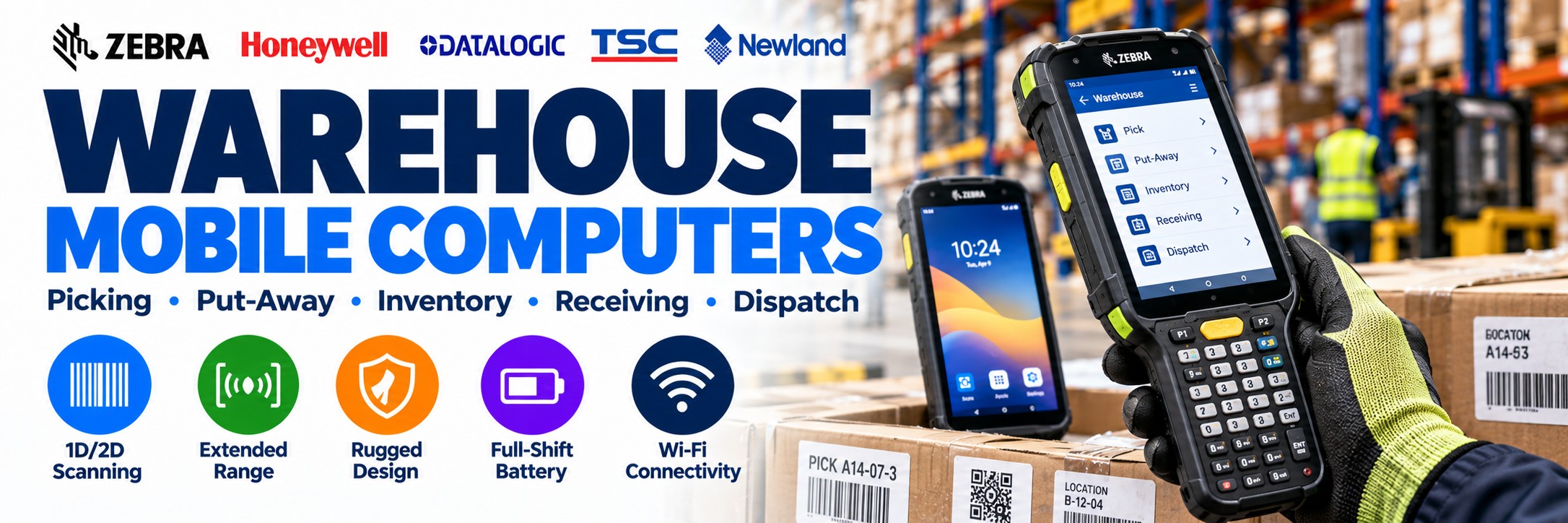
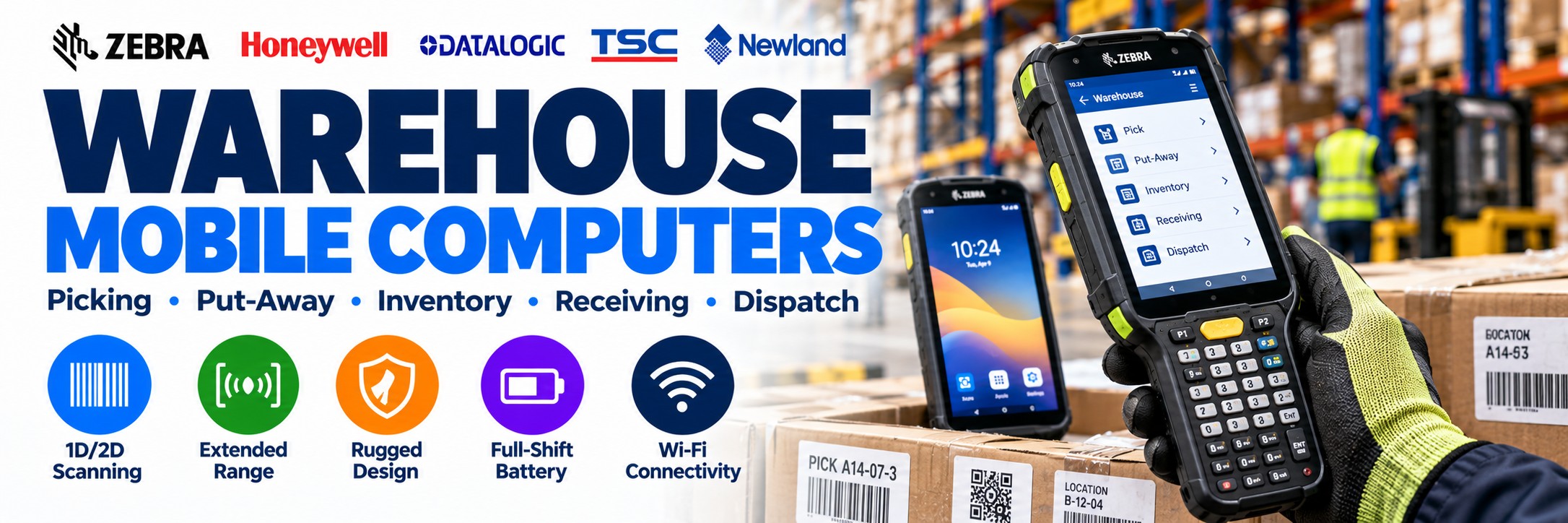
Warehouse Mobile Computers & Rugged Handheld Computers
Rugged handheld computers for warehouse picking, receiving, put-away, replenishment, inventory and dispatch.
Warehouse mobile computers combine enterprise barcode scanning, Android applications and wireless connectivity in one device, allowing employees to capture stock information and interact with warehouse systems while they work.
Tek Direkt supplies touchscreen, keypad and pistol-grip mobile computers from leading manufacturers including Zebra and Honeywell, with options for standard-range and extended-range barcode scanning.
Whether you're replacing an existing warehouse terminal or equipping a new operation, choose the device around the workflow, scan distance, ergonomics, battery requirement and software rather than the brand name alone.
Rugged Android Mobile Computers for Warehouses
Rugged handheld computers give warehouse employees barcode scanning, Android applications and wireless access to warehouse systems in one mobile device. They are designed for workflows where workers need to scan and interact with stock, picking or inventory applications while moving around the site.
Choose from touchscreen Android mobile computers, keypad warehouse terminals, pistol-grip devices and ultra-rugged handhelds. The right configuration depends on scan distance, ergonomics, ruggedness, battery requirements and the software being used.
Android Mobile Computers
Touchscreen enterprise handhelds for modern warehouse, inventory and logistics applications.
Explore Android Mobile Computers →Rugged Handheld Computers
Warehouse-focused devices designed for intensive scanning, repeated handling and demanding operational environments.
Warehouse Mobile Computers
Choose devices around picking, receiving, put-away, replenishment, stock counting and dispatch workflows.
Read the Mobile Computer Buyer's Guide →Mobile Computing Throughout the Warehouse
A warehouse mobile computer gives the employee access to data and barcode scanning at the point where the work is actually happening.
Goods Receiving
Scan incoming cartons, pallets and products while checking received stock against the appropriate warehouse application.
Put-Away
Scan stock and storage locations as products are moved from receiving into the warehouse.
Order Picking
Give pickers access to pick instructions while scanning products and warehouse locations.
Replenishment
Move inventory between reserve and picking locations while updating stock through the warehouse system.
Stock Counts
Capture inventory while employees move through aisles, bins and storage locations.
Stock Transfers
Record products moving between locations, departments or operational areas.
Packing
Verify items at packing stations and support suitable order-completion workflows.
Dispatch
Scan completed orders, parcels, pallets and other identifiers before goods leave the operation.
From Goods-In to Dispatch
The same mobile-computing platform can support multiple warehouse workflows throughout the working day.
1
Receive
Scan products, cartons and pallets arriving at goods-in.
2
Store
Scan stock and locations during put-away and replenishment.
3
Pick
Follow suitable picking instructions while confirming products and locations.
4
Dispatch
Verify completed orders and capture final identifiers before shipment.
Which Type of Warehouse Mobile Computer Do You Need?
The biggest decision is often not the manufacturer. It is how the warehouse employee will physically use the device for an entire shift.
Touchscreen Handheld
Smartphone-style mobile computers combine a large touchscreen with professional barcode scanning.
Best for: modern Android warehouse applications, inventory, receiving and mixed workflows.
Consider: Zebra TC53, TC73 and TC501 families.
Keypad Mobile Computer
Physical keys remain useful for applications requiring frequent data entry, shortcuts or legacy terminal-emulation workflows.
Best for: picking, inventory, manufacturing and scan-intensive operations.
Consider: Zebra MC3400 Series and comparable warehouse devices.
Pistol-Grip Computer
A gun-style grip places the scan trigger in a comfortable position for repeated barcode capture.
Best for: high-volume order picking and continuous scanning.
Consider: suitable MC3400 configurations.
Ultra-Rugged Handheld
For particularly demanding warehouse, yard and industrial environments where durability is a major priority.
Best for: distribution centres, cold or demanding areas and heavy-duty operations.
Consider: Zebra TC73 and Honeywell CK67.
Quick Warehouse Mobile Computer Guide
| Warehouse Requirement | Device Type to Consider |
|---|---|
| High-volume picking | Rugged pistol-grip or keypad mobile computer |
| Modern touchscreen WMS | Rugged touchscreen mobile computer |
| Physical data entry | Keypad mobile computer |
| Goods receiving | Touchscreen or keypad device with appropriate 2D scanner |
| High-rack barcode scanning | Mobile computer with extended-range scan engine |
| Multi-shift operation | Device with removable battery and suitable charging infrastructure |
| Demanding industrial warehouse | Ultra-rugged mobile computer |
| Warehouse plus yard | Rugged device with suitable outdoor scanning and connectivity |
| Wi-Fi warehouse only | WLAN configuration |
| Warehouse plus road / field work | Consider a cellular-capable configuration |
Zebra MC3400 Series – Built Around Warehouse Work
The Zebra MC3400 and MC3450 are particularly strong options for traditional warehouse environments where scanning performance, physical data entry and ergonomics are priorities.
Straight-Shooter
Traditional handheld form factor for scanning, data entry and general warehouse tasks.
Gun / Pistol Grip
Designed for scanning-intensive workflows where employees repeatedly pull the scan trigger throughout a shift.
Physical Keypads
Multiple keypad layouts allow the hardware to be matched more closely to the warehouse application and data-entry requirement.
Multiple Scan Engines
Choose the scan engine around normal picking distances, indoor/outdoor scanning or extended-range warehouse capture.
Standard or Extended-Range Scanning?
The scan engine can matter more than the processor, memory or screen specification in a warehouse deployment.
Standard-Range Scanning
Designed for conventional handheld barcode capture where the worker can approach the product, carton or location label.
Typical applications:
Product picking
Goods receiving
Stock checking
Packing
Parcel scanning
Close-range location scanning
Extended-Range Scanning
Designed for applications where suitable barcodes need to be captured from significantly further away.
Typical applications:
High warehouse racks
Pallet locations
Forklift workflows
Large distribution centres
High-bay storage
Scanning without climbing or repositioning
Do not buy on the model name alone. A mobile-computer family can contain several scan-engine options with very different working ranges. Check the complete manufacturer part number before ordering.
Zebra MC3400 Scanning Options
The MC3400 Series illustrates why the exact scan engine matters. Zebra offers configurations designed for very different warehouse scanning distances.
SE4710
Standard-range scanning for conventional product, carton and location barcode capture.
SE4770
Designed for suitable indoor and outdoor barcode-capture applications.
SE55
Provides greater working range for applications where warehouse barcodes cannot always be approached closely.
SE58
Zebra's long-range option for demanding applications such as high warehouse racks and distant location labels.
This is why two devices both described as a "Zebra MC3400" may not provide the same real-world scanning performance.
Zebra TC73 – Ultra-Rugged Touchscreen Warehouse Computing
Not every warehouse wants a traditional keypad terminal. The Zebra TC73 provides a large touchscreen interface while retaining the ruggedness and dedicated barcode capture expected from an enterprise warehouse device.
6-Inch Touchscreen
Well suited to graphical Android warehouse, inventory and logistics applications.
Enterprise Scanning
Different scan-engine configurations allow the device to be selected around the warehouse scanning requirement.
Wi-Fi 6E
Modern enterprise wireless connectivity for warehouse and distribution deployments.
Ultra-Rugged Platform
Designed for more demanding operating environments than slimmer mainstream enterprise handhelds.
Touchscreen or Physical Keypad?
Choose Touchscreen When...
Your warehouse application is designed around modern Android interfaces, larger screens and touchscreen interaction.
Touchscreen devices can work particularly well for:
Graphical WMS applications
Inventory management
Goods receiving
Mixed scanning and information tasks
Photo capture
Modern Android deployments
Consider: Zebra TC73, TC53 and TC501-style platforms.
Choose a Keypad When...
Workers perform frequent physical data entry or the existing application is designed around keyboard commands and shortcuts.
Keypad devices can work particularly well for:
High-volume picking
Inventory counting
Terminal emulation
Gloved operation
Repeated numeric entry
Scan-intensive workflows
Consider: Zebra MC3400 Series and comparable warehouse terminals.
When Does a Pistol Grip Make Sense?
For an employee scanning hundreds or thousands of barcodes during a shift, ergonomics can be more important than appearance.
Repeated Scanning
A trigger-style grip can provide a natural scan position for high-frequency barcode capture.
Order Picking
Pistol-grip configurations are particularly relevant to scan-intensive picking and fulfilment workflows.
Warehouse Ergonomics
Evaluate how the device will actually be held, scanned and carried throughout a complete working shift.
A sleek touchscreen device may look more modern, but that does not automatically make it the better tool for an employee performing continuous warehouse scanning.
Honeywell Mobile Computers for Warehousing
Honeywell offers rugged Android mobile computers for warehouse inventory, order picking, manufacturing, goods receiving and distribution. Choose between touchscreen handhelds and physical keypad devices depending on your working environment and software requirements.
Honeywell CK65
A rugged Android mobile computer with physical keypad options for warehouse stock control, inventory, manufacturing and industrial barcode scanning.
Explore Honeywell CK65 →Honeywell CK67
A newer ultra-rugged Android mobile computer with Wi-Fi 6E, physical keypad options and advanced barcode scanning for demanding warehouse operations.
Explore Honeywell CK67 →Honeywell CT47
An ultra-rugged touchscreen mobile computer offering Wi-Fi 6E, optional 5G connectivity and advanced barcode scanning for warehouse, logistics and field applications.
Explore Honeywell CT47 →Battery Life & Multi-Shift Warehouses
A mobile computer is not productive while it is sitting on a charger.
For intensive warehouse deployments, think about the complete battery and charging strategy before purchasing the devices.
Removable Batteries
Allow suitable devices to return to work with a charged battery rather than waiting for the complete device to recharge.
Spare Batteries
Useful for long shifts, intensive scanning and operations running beyond a conventional working day.
Multi-Slot Charging
Centralise charging for larger device fleets and help keep equipment organised between shifts.
Battery Management
Plan for battery ageing and replacement as part of the longer-term mobile-computer deployment.
How Rugged Does a Warehouse Mobile Computer Need to Be?
Not every warehouse has the same environment. Choose ruggedness around the actual operation rather than simply buying the device with the most extreme specification.
Drops
Consider how frequently devices are likely to be dropped and onto what type of surface.
Dust
Check environmental sealing where mobile computers will operate in dusty storage or production areas.
Moisture
Consider suitable ingress protection where devices may be exposed to moisture or regular cleaning.
Temperature
Check operating-temperature specifications for chilled, outdoor or otherwise demanding environments.
Wi-Fi or Cellular?
Warehouse Wi-Fi
For devices that remain inside a warehouse with suitable wireless coverage, a WLAN configuration is usually the natural starting point.
This avoids paying for cellular capability that may never be used.
Check coverage across receiving bays, aisles, mezzanines, packing areas and other operational zones rather than assuming office Wi-Fi coverage represents the whole building.
Cellular / 5G
Cellular capability becomes more relevant when the device moves beyond warehouse Wi-Fi.
Examples include:
Yard operations
Ports and terminals
Outdoor stock areas
Transport operations
Delivery workflows
Field service
Models such as the Zebra MC3450, TC78 and suitable other enterprise configurations provide options for wider-area connectivity.
Don't Forget the Accessories
The handheld is only one part of a working warehouse deployment.
Charging Cradles
Single-slot and multi-slot cradles can simplify device charging and storage.
Spare Batteries
Keep appropriate devices running through intensive or multi-shift operations.
Pistol Grips
Selected touchscreen mobile computers support optional trigger handles for more scanning-intensive use.
Protective Boots
Add further protection where the device family supports a compatible rugged boot.
Holsters
Give workers a practical way to carry and access handheld devices throughout a shift.
Hand Straps
Improve handling and help secure appropriate handheld devices during mobile use.
Power Supplies
Check whether the quoted cradle or charging hardware includes the power components required.
Replacement Cables
Plan suitable connectivity and replacement accessories around the actual deployment.
When comparing supplier quotes, compare the complete deployment. One quote may include only the handheld while another includes cradles, batteries, power supplies and accessories.
Check Your Warehouse Software Before Choosing Hardware
The best mobile computer is useless if it does not work properly with the software your warehouse depends on.
Operating System
Confirm the application supports the Android version and enterprise device environment being deployed.
Screen Layout
Check whether the software is designed for touchscreen use, physical keys or both.
Terminal Emulation
Legacy warehouse applications may depend heavily on physical keys, shortcuts and terminal-emulation software.
Barcode Handling
Confirm how barcode data needs to be captured and passed into the application.
Mobile Computer or Barcode Scanner?
Choose a Barcode Scanner When...
The worker primarily needs to capture barcode data and send it to a nearby computer, terminal or workstation.
Good examples include:
Packing benches
Fixed goods-in stations
Dispatch workstations
Desktop inventory tasks
Choose a Mobile Computer When...
The employee needs both barcode scanning and direct access to the warehouse application while moving around the operation.
Good examples include:
Picking
Put-away
Replenishment
Inventory counts
Stock transfers
Mobile receiving
Mobile Computers & Warehouse Label Printing
Mobile computing and label printing often form part of the same warehouse workflow.
Receiving
Capture incoming stock and produce suitable identification labels where required.
Location Labels
Scan and identify warehouse locations used for put-away, picking and replenishment.
Shipping Labels
Combine warehouse data capture with suitable packing and dispatch label printing.
Mobile Printing
Consider portable label printers where labels need to be produced at the point of activity.
Barcode, RFID or Both?
Warehouse mobile computing does not have to be limited to conventional barcode capture.
Barcode Workflows
Barcode scanning is a strong fit where workers deliberately identify individual products, cartons, pallets and locations.
It remains central to receiving, picking, packing, stock counts and dispatch.
RFID Workflows
RFID may be worth considering where suitable tagged inventory or assets need to be identified without individually aligning each tag with a barcode scanner.
Handheld RFID readers such as Zebra RFD40 and RFD90 can also be paired with compatible mobile-computing workflows.
RFID Readers & Scanners →Choosing by Warehouse Operation
| Operation | Priorities | Device Style |
|---|---|---|
| Small Stockroom | Simple inventory, receiving and stock checks | Compact touchscreen mobile computer |
| General Warehouse | Picking, put-away, inventory and replenishment | Rugged touchscreen or keypad handheld |
| High-Volume Fulfilment | Scanning speed, ergonomics and battery life | Pistol-grip or scan-intensive warehouse computer |
| High-Bay Warehouse | Extended-range barcode capture | Mobile computer with suitable long-range scan engine |
| Industrial Warehouse | Ruggedness, scanning and physical data entry | Ultra-rugged keypad or touchscreen device |
| Warehouse & Yard | Outdoor operation, connectivity and scanning range | Ultra-rugged handheld; cellular where required |
| Multi-Shift Distribution Centre | Battery strategy, charging, ruggedness and ergonomics | Enterprise warehouse computer with removable battery |
How to Choose a Warehouse Mobile Computer
1. What Is the Workflow?
Picking, put-away, receiving, replenishment, inventory, packing or a mixture?
2. How Often Will It Scan?
Occasional stock checking or continuous scanning throughout the shift?
3. How Far Away?
Products at arm's length or location labels on high warehouse racks?
4. Touch or Keypad?
Modern touchscreen application or data-entry-heavy workflow requiring physical keys?
5. Straight or Pistol?
Consider the ergonomics of repeated scanning across an entire working day.
6. How Rugged?
Consider realistic drops, dust, moisture, temperature and daily handling.
7. How Long Is the Shift?
Plan batteries and charging around the actual operating schedule.
8. Which Software?
Confirm application, operating-system and input compatibility before ordering hardware.
Why the Exact MPN Matters
Warehouse mobile computers can have a large number of manufacturer configurations that look almost identical online.
Scan Engine
Standard-range and extended-range versions can provide dramatically different barcode performance.
Memory
RAM and storage configurations can vary within the same mobile-computer family.
Connectivity
Wi-Fi-only and cellular configurations may exist within related product families.
Form Factor
Keypad, straight-shooter, pistol-grip and other configurations may use different manufacturer part numbers.
If you already have an MPN, send us the complete manufacturer part number and quantity. That lets us compare the exact configuration rather than another device with the same family name.
Warehouse Mobile Computer FAQs
What is a warehouse mobile computer?
A warehouse mobile computer is a professional handheld device that combines computing, wireless connectivity and enterprise barcode scanning so workers can interact with warehouse applications while moving around the operation.
Which mobile computer is best for warehouse picking?
For high-volume picking, consider a rugged device with a capable scan engine, comfortable ergonomics, sufficient battery life and the right touchscreen, keypad or pistol-grip configuration for the workflow.
Do I need a physical keypad?
Not necessarily. Touchscreens work well with modern graphical applications. Physical keypads remain useful where workers perform frequent data entry or use software designed around keyboard shortcuts.
Do I need a pistol grip?
A pistol grip is particularly useful for repeated barcode scanning. For lower-frequency scanning and mixed application use, a straight handheld may be more appropriate.
Can mobile computers scan high warehouse racks?
Yes, when equipped with an appropriate extended-range scan engine and used with suitable barcodes. Check the exact scan-engine configuration rather than assuming every device in a family has the same range.
Do warehouse mobile computers need 5G?
Usually not if the devices remain inside a warehouse with suitable Wi-Fi coverage. Cellular connectivity is more useful where workers move into yards, transport operations or other areas outside the wireless network.
What's the difference between a scanner and mobile computer?
A barcode scanner primarily captures barcode data for another host. A mobile computer can scan barcodes while also running the warehouse application directly on the device.
Can Tek Direkt quote multiple warehouse devices?
Yes. Send the manufacturer part numbers and quantities. If you already have another supplier quote, send the same MPNs and quantities for another price to compare.
Warehouse Mobile Computing from Tek Direkt
Mobile Computers
Touchscreen, keypad and pistol-grip enterprise handhelds for warehouse operations.
Barcode Scanners
Standard and ultra-rugged scanning hardware for fixed and mobile warehouse workflows.
Label Printing
Desktop, industrial and mobile label printers for receiving, inventory, packing and dispatch.
RFID
Handheld RFID readers and related technology for suitable inventory and asset applications.
Explore Mobile Computers & Warehouse Hardware
Compare rugged Android handhelds, keypad mobile computers and touchscreen devices for warehouse picking, inventory management, manufacturing and industrial barcode scanning.
Zebra Warehouse Mobile Computers
Honeywell Warehouse Mobile Computers
Datalogic Warehouse Mobile Computers
Buying Guides & Related Hardware
Equipping a Warehouse Team?
Tell us what the workers are doing, how frequently they scan, how far away the barcodes are, whether they need a touchscreen or keypad and how many devices are required.
If you've already selected the hardware, send the manufacturer part numbers and quantities and we'll price the exact configurations.
Already have another supplier quote? Send it too and we'll give you another price to compare.
No calls. No meetings. No messing about. Just straightforward help and a price.