
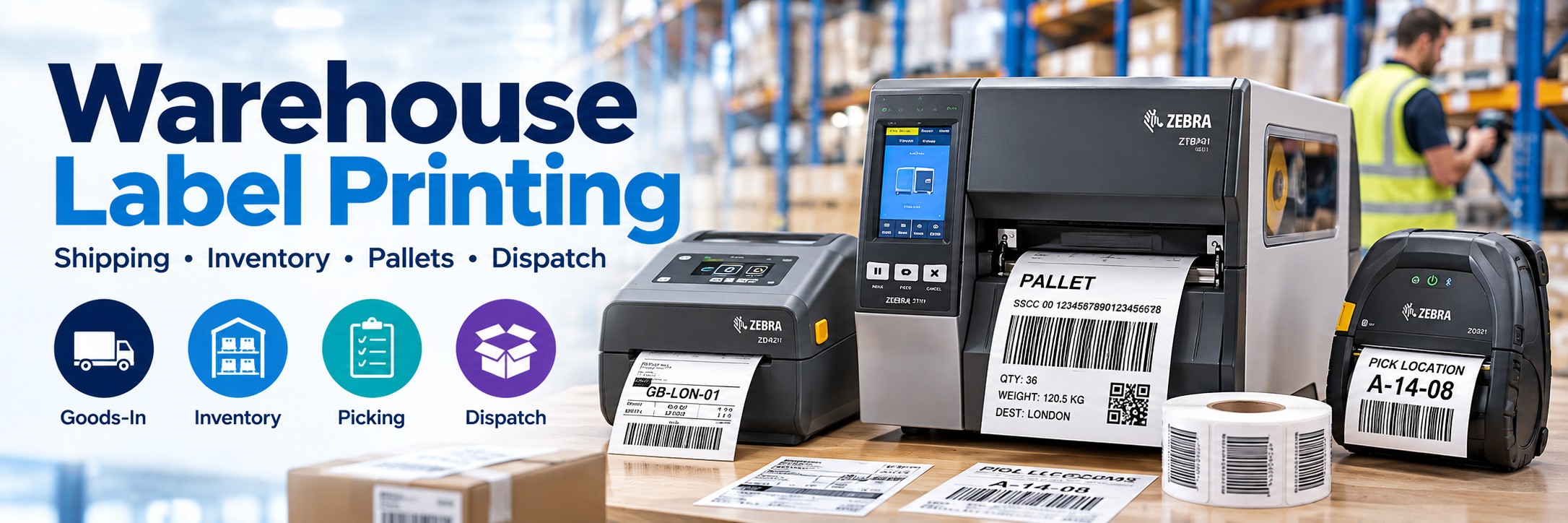
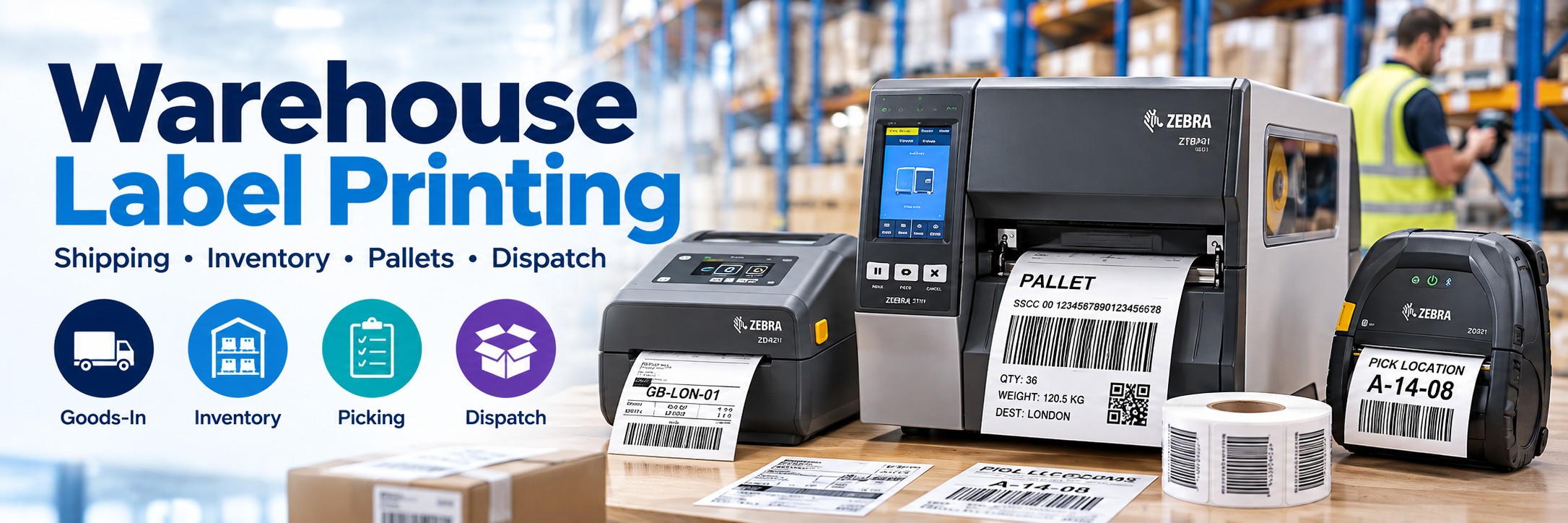
Warehouse Label Printers
Desktop, industrial and mobile label printers for shipping, inventory, picking, packing, pallet and warehouse identification.
The right warehouse label printer depends on where you print, how many labels you produce and how long those labels need to remain readable.
Tek Direkt supplies professional warehouse label printers from Zebra, TSC, Honeywell and other leading manufacturers for everything from individual packing stations to high-volume distribution centres.
Label Printing Throughout the Warehouse
Warehouse labelling isn't restricted to the packing desk. Labels can be created and used throughout the movement of inventory.
Goods-In
Put-Away
Inventory
Picking
Packing
Dispatch
Shipping Labels
Courier, carrier, carton and dispatch labels produced at packing and shipping stations.
Inventory Labels
Barcode labels for products, stock, cartons, bins, shelving and storage locations.
Pallet Labels
Identification and logistics labels for pallets moving through warehouse and distribution operations.
Asset Labels
Longer-life identification labels for equipment and operational assets.
Desktop, Industrial or Mobile?
This is usually the first decision to make when choosing a warehouse label printer.
Desktop Label Printer
Best for: packing benches, goods-in desks, shipping stations and lower-to-medium print volumes.
Compact, economical and easy to position beside a PC or warehouse terminal.
Industrial Label Printer
Best for: busy warehouses, distribution centres, manufacturing and high-volume or multi-shift operations.
Greater media capacity and robust construction make industrial printers better suited to sustained label production.
Mobile Label Printer
Best for: receiving, put-away, inventory, re-labelling and other workflows where labels need to be printed on the warehouse floor.
Print at the point of activity instead of repeatedly returning to a fixed workstation.
Quick Warehouse Printer Recommendations
Packing Station
Consider: Zebra ZD421
A compact professional desktop printer for shipping, inventory and general warehouse labels.
High-Volume Warehouse
Consider: Zebra ZT411
A 4-inch industrial printer designed for demanding warehouse and manufacturing environments.
Budget Industrial
Consider: Zebra ZT231
An industrial option for organisations moving beyond desktop label printing.
Mobile Warehouse Printing
Consider: Zebra ZQ521
A rugged mobile printer for producing labels away from a fixed workstation.
Warehouse Shipping Label Printers
Shipping and courier labels are among the most common labels produced in warehouse environments.
Fixed Packing Station
A desktop direct-thermal printer can be a practical choice where employees print conventional shipping labels at a dedicated packing workstation.
For many operations this provides the right balance between footprint, cost and printing capability.
High-Volume Dispatch
Where thousands of labels are produced or the printer operates across multiple shifts, an industrial model provides greater media capacity and is designed for more intensive workloads.
Don't choose purely on printer price. A desktop printer that works perfectly for a moderate-volume packing station may create unnecessary media changes and downtime in a high-volume dispatch operation.
Barcode Label Printers for Inventory & Stock Control
Barcode labels connect physical warehouse inventory with stock-control, ERP and warehouse-management systems.
Products & Cartons
Identify individual products, cases, cartons and other inventory units.
Bins & Shelves
Create barcode labels for storage bins, shelving and pick locations.
Warehouse Locations
Produce larger location labels used during put-away, replenishment and picking.
Assets & Equipment
Identify warehouse equipment and other operational assets for inventory and tracking.
Print quality matters. A barcode needs to remain sufficiently clear for the scanners and mobile computers used throughout the warehouse.
Direct Thermal or Thermal Transfer?
Both technologies are widely used in warehouse environments, but they solve different labelling requirements.
Direct Thermal
No ribbon required.
Commonly used for shorter-life applications such as shipping, courier, dispatch and temporary inventory labels.
A practical choice where the label only needs to remain readable for the required logistics journey.
Thermal Transfer
Uses a printer ribbon.
Consider thermal transfer when labels need greater durability or a longer useful life.
Typical applications include location labels, asset identification, manufacturing and long-term inventory labels.
203 dpi, 300 dpi or 600 dpi?
203 dpi
Best starting point for most warehouse labels.
Suitable for many standard shipping, pallet, inventory and barcode labels where fine detail isn't required.
300 dpi
More detail for smaller labels.
Useful for smaller barcodes, fine text and applications where more information needs to fit into a limited label area.
600 dpi
Specialist high-resolution printing.
Available on selected printers for very small labels or particularly dense information. Most warehouse shipping applications won't require it.
Higher resolution isn't automatically better. For a conventional 4-inch shipping label, 203 dpi may be entirely appropriate. Choose resolution according to the actual label rather than simply buying the highest number available.
Zebra ZT411 for Industrial Warehouse Printing
The Zebra ZT411 is one of the strongest starting points for a warehouse that has outgrown desktop label printing.
4-Inch Printing
Designed for labels up to the conventional 4-inch class used across shipping, inventory and logistics applications.
Up to 356 mm/sec
High-speed printing supports demanding operational and high-volume warehouse workflows.
203 / 300 / 600 dpi
Choose print resolution according to barcode size, label dimensions and the level of detail required.
Direct Thermal + Thermal Transfer
Support for both printing methods gives the ZT411 flexibility across short-life and more durable label applications.
Zebra ZD421 for Warehouse Packing Stations
Not every warehouse needs an industrial printer at every workstation. For packing benches, goods-in desks and lower-volume shipping stations, a desktop printer can make much more sense.
Compact Workstation Printer
The ZD421 occupies considerably less space than an industrial printer, making it easier to position alongside a computer, barcode scanner and other packing equipment.
Multiple Configurations
ZD421 models are available in different print technologies, resolutions and connectivity configurations. Always compare the complete Zebra MPN rather than the family name alone.
Zebra ZT231 Industrial Label Printer
The ZT231 provides another route into industrial label printing for warehouses and production environments.
Industrial Format
Designed for organisations that need a more substantial printing platform than a typical desktop label printer.
Warehouse Applications
Suitable configurations can support shipping, inventory, product identification and operational labelling.
Check the MPN
Print resolution, connectivity and other specifications vary between individual ZT231 configurations.
Mobile Label Printing on the Warehouse Floor
Not every label should be printed at a desk. Mobile printers allow employees to create labels closer to the point where they are actually required.
Goods-In
Print identification or internal stock labels as goods are received.
Put-Away
Create labels during stock-placement and warehouse-location workflows.
Inventory
Replace damaged or missing labels without returning to a central printing station.
Pallet Labelling
Produce labels closer to the pallet or load when the workflow allows mobile printing.
A mobile workflow can combine a mobile computer + barcode scanner + portable printer, allowing an employee to scan an item, process the transaction and produce the required label while remaining on the warehouse floor.
Warehouse Label Printer Brands
Zebra
Desktop, industrial and mobile printing covering everything from packing stations to high-volume warehouse and logistics operations.
Explore Zebra →TSC
Desktop and industrial thermal printers covering shipping, inventory, logistics and high-volume label production.
Explore TSC →Honeywell
Desktop, industrial and mobile printing technology for logistics, distribution, manufacturing and warehouse applications.
Explore Honeywell →Explore Warehouse Label Printers by Manufacturer
Compare desktop and industrial label printers for shipping, inventory, pallet identification, manufacturing and high-volume warehouse operations. Explore individual printer families before selecting the exact configuration.
Zebra Industrial Label Printers
TSC Label Printers
Honeywell Industrial Label Printers
Bixolon & SATO Industrial Label Printers
Zebra Desktop Label Printers
Which Warehouse Label Printer Do You Need?
| Requirement | Printer Type | Model to Consider |
|---|---|---|
| Standard packing station | Desktop | Zebra ZD421 |
| Higher-performance desktop printing | Desktop | Zebra ZD621 |
| High-volume 4-inch warehouse labels | Industrial | Zebra ZT411 |
| Entry industrial printing | Industrial | Zebra ZT231 |
| Wide-format warehouse labels | Industrial wide-format | Zebra ZT421 |
| Mobile warehouse printing | Mobile | Zebra ZQ521 |
| Basic shipping labels | Desktop direct thermal | TSC DA220 / similar |
| Durable inventory or location labels | Thermal transfer | Desktop or industrial according to volume |
| Very small or detailed labels | Higher-resolution thermal printer | 300 dpi / specialist 600 dpi model |
Warehouse Printer Connectivity
Connectivity matters because the printer needs to work with the systems and devices actually used in the warehouse.
USB
A straightforward option for a printer connected directly to a single PC or packing workstation.
Ethernet
Useful for networked printers shared by warehouse systems, workstations or multiple users.
Wi-Fi
Provides more installation flexibility where network cabling isn't convenient or practical.
Bluetooth
Available on selected printer configurations for compatible local and mobile workflows.
Always check the complete MPN. Two printers carrying the same family name can have different connectivity, resolution, print technology and media-handling options.
Build a Complete Warehouse Workstation
Label printing works best when it forms part of the wider warehouse data-capture workflow.
Barcode Scanner
Capture product, carton, location and shipment barcodes.
Mobile Computer
Access warehouse applications and process inventory away from a fixed PC.
Label Printer
Produce shipping, inventory, location and identification labels where required.
Labels & Ribbons
Match the media and ribbon to the printer, application and required label life.
Warehouse Label Printer Buying Checklist
What Are You Printing?
Shipping labels, pallets, products, bins, locations, assets or something else?
How Many Labels?
Daily print volume is one of the strongest indicators of whether desktop or industrial hardware is appropriate.
How Wide?
Check the actual label width before selecting a 2-inch, 4-inch or wider printer.
How Long Must It Last?
Label lifespan helps determine whether direct thermal or thermal transfer is more appropriate.
Which Resolution?
203 dpi suits many warehouse applications; smaller or more detailed labels may benefit from 300 dpi or higher.
Which Connectivity?
USB, Ethernet, Wi-Fi and Bluetooth availability varies by exact configuration.
Fixed or Mobile?
Consider whether employees should return to a printer or produce labels at the point of activity.
What System Prints It?
Confirm compatibility with your WMS, ERP, shipping software, PC or mobile-computing workflow.
Why Buy Warehouse Label Printers from Tek Direkt?
Barcode & Label Specialists
Compare printers alongside the scanners, mobile computers and media used throughout warehouse operations.
Exact MPN Sourcing
Already know the printer configuration you require? Send us the manufacturer part number and quantity.
Multiple Manufacturers
Compare Zebra, TSC, Honeywell and other professional label-printing manufacturers.
Single Printers or Rollouts
Source one replacement printer or request pricing for larger warehouse, distribution-centre or multi-site deployments.
Need a Price on Warehouse Label Printers?
Send us the printer MPN and quantity and we'll provide a price.
Replacing an existing printer? Send us its MPN and we can help identify the same model or an appropriate alternative.
Already have another supplier's quote? Send that over too.
No calls. No meetings. No messing about. Just another price.
Request a Warehouse Printer Quote