
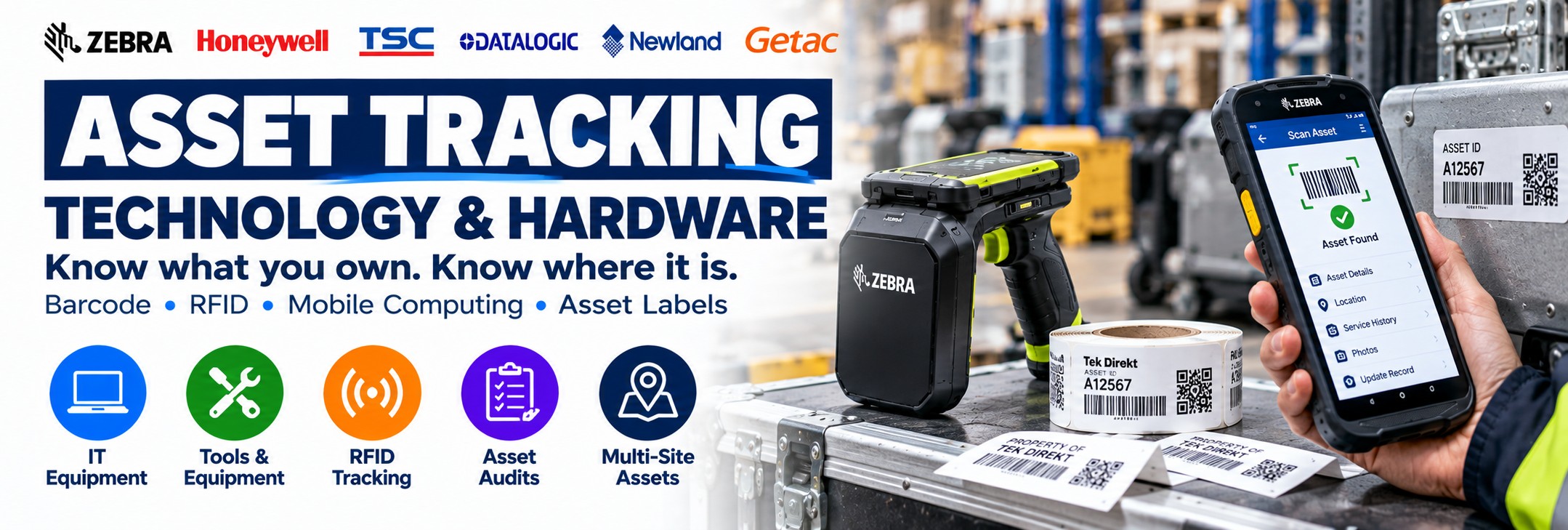
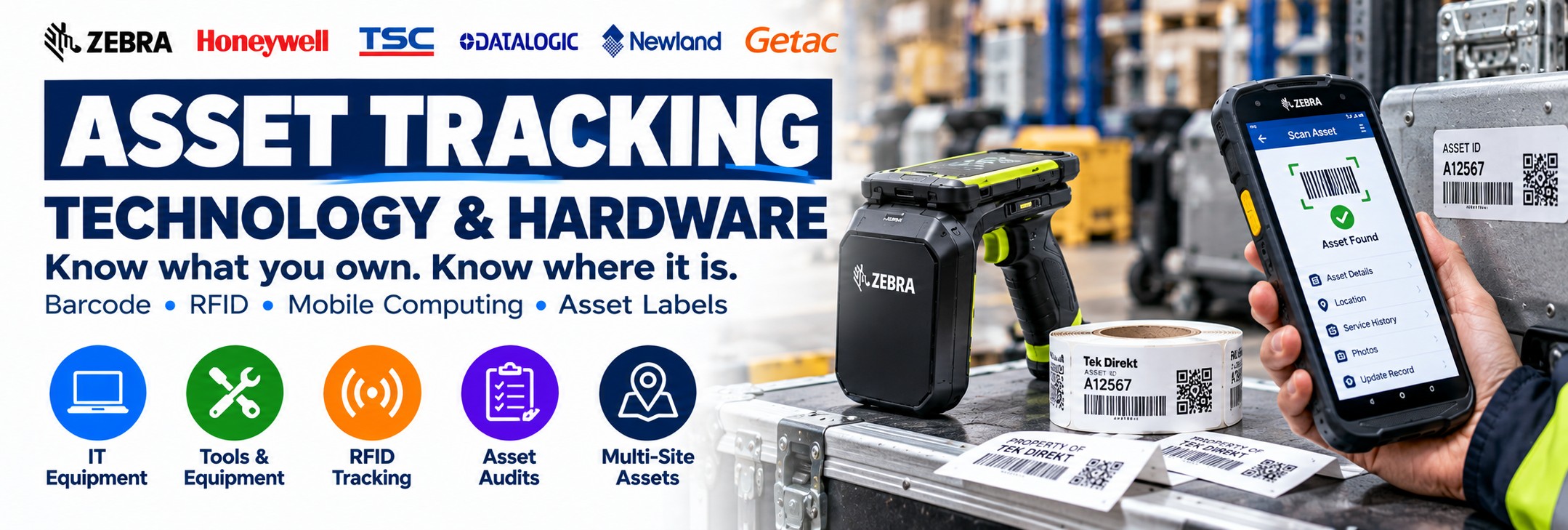
Asset Tracking Technology & Hardware
Track tools, IT equipment, machinery and valuable business assets using barcode, QR code, RFID and mobile data-capture technology.
Knowing what equipment your business owns is only part of asset management. You may also need to know where it is, who has it, when it was inspected, when it was serviced and whether it has been returned.
Tek Direkt supplies the hardware used to identify and capture asset information, including barcode scanners, rugged mobile computers, RFID readers, label printers and mobile printing technology.
Whether you're introducing asset identification for the first time or replacing hardware in an existing system, start with the workflow rather than the device.
What Do You Need to Track?
Asset tracking can be applied to almost any physical equipment that needs a unique identity and a corresponding digital record.
IT Equipment
Laptops, desktop computers, monitors, tablets, networking equipment and other business technology.
Tools
Power tools, hand tools, test equipment and specialist equipment issued to employees or teams.
Machinery
Production machinery, workshop equipment and other operational assets requiring identification.
Test Equipment
Identify equipment where calibration, inspection, servicing or usage records need to be maintained.
Mobile Devices
Barcode scanners, mobile computers, tablets, printers and other equipment moving around an organisation.
Medical Equipment
Identify suitable equipment and assets across departments and facilities.
Containers & Cages
Track suitable reusable containers, totes, cages, cases and other returnable assets.
Field Equipment
Equipment carried between depots, vehicles, customer locations and remote working sites.
Asset Tracking Starts with a Simple Workflow
The hardware is there to make the identification process quicker and more reliable. Your asset-management software controls the record itself.
1
Identify
Give the asset a unique barcode, QR code, RFID tag or other suitable identifier.
2
Capture
Read the identifier using a barcode scanner, mobile computer or RFID reader.
3
Update
Use the relevant business application to view or update the asset record.
4
Audit
Repeat the process during asset checks to confirm equipment remains where your records say it should be.
Which Asset Tracking Technology Do You Need?
Barcode & QR Codes
Give each asset a unique printed identifier and deliberately scan it when the asset needs to be recorded or updated.
Best for: straightforward asset registers, IT equipment, tools, inspections and issue/return workflows.
Barcode Asset Tracking →RFID
Attach compatible RFID tags and use radio-frequency technology to identify tagged assets without requiring the same direct visual alignment as barcode scanning.
Best for: larger audits, asset searches and workflows where individual line-of-sight scanning is inconvenient.
RFID Asset Tracking →Mobile Computers
Combine barcode scanning and the asset-management application in one portable enterprise device.
Best for: mobile audits, inspections, maintenance and multi-site asset management.
Mobile Computers →Asset Labels
Create durable identification labels carrying asset numbers, barcodes, QR codes and other required information.
Best for: organisations creating or replacing their own physical asset identifiers.
Asset Labels & Printing →Barcode or RFID for Asset Tracking?
Neither is automatically better. They support different workflows, and some organisations use both.
| Requirement | Barcode / QR Code | RFID |
|---|---|---|
| Individual asset identification | Excellent fit | Suitable |
| Requires line of sight | Normally yes | Not in the same way as barcode scanning |
| Asset audits | Scan each asset deliberately | Can support rapid identification of compatible tagged assets |
| Finding assets | Usually relies on the recorded location | Handheld RFID can assist with searches for tagged assets |
| Simple deployment | Often simpler | Requires greater consideration of tags, environment and software |
| Tag / label cost | Conventional printed labels can be inexpensive | RFID tags introduce additional considerations and cost |
| Metal / liquids | Usually primarily a label-material issue | Can significantly affect RFID tag and system design |
| Bulk identification | Assets normally scanned individually | A major reason to consider suitable UHF RFID systems |
Start with the process. If an employee can easily walk up to an asset and deliberately scan its label, barcode tracking may be all you need. If you're trying to audit or locate larger numbers of tagged assets, RFID may justify the additional complexity.
Barcode & QR Code Asset Tracking
Barcode-based asset tracking is one of the most straightforward approaches to physical asset identification.
Each asset receives a unique barcode or QR code. An employee scans that identifier and the associated application determines what happens next.
Equipment Registers
Associate a physical asset with its digital record without manually entering the complete asset number.
Issue & Return
Scan equipment as it is issued to and returned by employees, departments or locations.
Inspections
Scan an asset before opening or updating the relevant inspection record.
Maintenance
Use the asset identifier to access suitable service and maintenance information.
Barcode Scanner or Mobile Computer?
Choose a Barcode Scanner When...
The employee is working at or close to a computer and simply needs to capture the barcode or QR code.
A scanner can provide a straightforward data-capture layer for asset registers and desktop applications.
Depending on the environment, consider corded, cordless or rugged 2D scanners.
Barcode Scanner Buyer's Guide →Choose a Mobile Computer When...
The employee needs to move around while both scanning assets and interacting with the application.
A mobile computer combines a professional barcode scan engine with a portable computing platform.
This is particularly useful for asset audits, inspections, maintenance, multi-site work and field service.
Mobile Computer Buyer's Guide →Mobile Computers for Asset Management
A mobile computer can put the entire asset workflow into one device:
Scan asset → Open record → Check details → Update information → Save
Integrated Scanner
Capture 1D/2D barcodes and QR codes using a professional enterprise scan engine.
Business Applications
Run compatible asset, inspection, maintenance and inventory applications on the device.
Camera
Capture photographs where the application requires condition or proof-of-work documentation.
Wireless Connectivity
Connect to suitable business systems using Wi-Fi or cellular connectivity on appropriate configurations.
RFID Asset Tracking
RFID can be particularly useful where organisations need to identify or search for larger numbers of compatible tagged assets.
Handheld RFID
Take the reader to the assets during audits, inventory checks and asset searches.
Zebra RFD40 and RFD90 readers are examples of handheld UHF RFID platforms for professional asset and inventory applications.
Compare Zebra RFD40 & RFD90 →Fixed RFID
Install RFID infrastructure around defined locations where tagged assets move through a controlled read point.
Potential locations include entrances, exits, doorways, storage areas and operational checkpoints.
Integrated RFID
Selected enterprise mobile devices can combine mobile computing, barcode scanning and RFID capability in one workflow.
Always check the exact configuration and MPN because RFID capability can vary within a product family.
Asset Tracking by Application
IT Asset Tracking
Track laptops, desktops, monitors, tablets, networking hardware and other business technology.
Tool Tracking
Record tools as they move between stores, employees, vehicles, workshops and customer sites.
Tool & equipment hire tracking →Equipment Tracking
Identify machinery, test equipment and other operational assets throughout the organisation.
Returnable Assets
Identify suitable cages, containers, cases, totes and other reusable equipment.
Inspection Assets
Connect physical equipment with inspection, service and calibration records.
Field Assets
Track equipment that moves between depots, engineers, vehicles and customer sites.
Warehouse Equipment
Identify scanners, printers, mobile computers, tools, handling equipment and reusable assets.
Manufacturing Assets
Identify tools, machinery, production equipment and suitable returnable assets.
Tool & Equipment Tracking
Tools can be difficult to manage because they regularly move between people and locations. This is particularly important for hire and rental businesses where equipment may move between depots, customers and sites. See our dedicated guide to tool & equipment hire asset tracking →
A suitable tracking system can associate each uniquely identified tool with information such as:
Current Location
Record the site, store, vehicle, workshop or other location associated with the equipment.
Assigned Employee
Record who has been issued the equipment where the software supports that workflow.
Inspection Status
Connect the asset with appropriate inspection information and dates.
Maintenance
Associate the equipment with maintenance, repair or servicing information.
IT Asset Tracking
Computers and other IT equipment can represent a substantial business investment, particularly across larger or multi-site organisations.
Asset Number
Give each physical device its own unique internal identifier.
Serial Number
Associate manufacturer serial information with the internal asset record.
Location
Record the office, building, department or other assigned location.
Assigned User
Associate equipment with a user where this is part of the organisation's asset-management process.
Purchase Information
Keep purchasing information within the appropriate asset-management system.
Warranty
Store suitable warranty and lifecycle information against the asset record.
Service History
Record maintenance, repairs and other relevant service activity.
Replacement Status
Use asset information as part of equipment refresh and lifecycle planning.
Asset Labels & Identification
The identifier has to remain readable for as long as the asset needs to be tracked.
A label applied to an office monitor has very different requirements from one attached to machinery, tools or equipment used outdoors. For demanding applications, see our guide to durable asset labels for harsh & outdoor environments →
Surface
Plastic, painted metal, textured surfaces and other materials can require different label and adhesive choices.
Abrasion
Consider how frequently the label will be handled, rubbed or exposed to physical wear.
Moisture
Labels used in damp, outdoor or frequently cleaned environments may need greater resistance.
Chemicals
Industrial and cleaning environments may expose labels to substances that ordinary media cannot tolerate.
Temperature
Consider the conditions during application and throughout the expected life of the asset.
Label Size
The available physical area can determine barcode size, text size and the printer required.
Barcode Type
Asset labels may use linear barcodes, QR codes or Data Matrix depending on the system and available space.
Expected Life
Match the label construction to how long the identifier needs to remain usable.
Printing Asset Labels In-House
If you're creating your own barcode or QR asset labels, the printer should match the volume, media and working environment.
Desktop Label Printer
Suitable for many centralised office, IT and lower-volume asset-labelling applications.
Industrial Label Printer
Designed for more demanding printing environments and higher production requirements.
Mobile Label Printer
Useful where the label needs to be created at the asset rather than returning to a fixed printing station.
Mobile label printing at the point of work → For long-life asset labels, printer choice is only part of the decision. The label material, adhesive, ribbon where applicable, surface and environment all affect the durability of the finished identifier.
Asset Tracking for Field Service
Assets don't always stay inside the building. Engineers may need to identify customer equipment, tools and company-owned assets while working remotely.
Scan Equipment
Identify customer or company equipment using suitable barcodes or QR codes.
Access Records
Use a mobile computer to interact with compatible maintenance or asset applications.
Capture Photos
Record condition or proof of work using the device camera where supported by the application.
Update in the Field
Use suitable cellular connectivity where information needs to be updated away from business Wi-Fi.
Asset Tracking in Warehouses
Warehouses contain much more than saleable inventory. The equipment used to operate the warehouse may itself need to be tracked.
Barcode Scanners
Identify and audit handheld scanners assigned to workers or operational areas.
Mobile Computers
Track enterprise handhelds, wearable devices and other mobile technology.
Printers
Identify desktop, industrial and mobile printers deployed around the operation.
Tools & Equipment
Track operational tools, test equipment and other valuable warehouse assets.
Cages & Totes
Identify suitable reusable containers and handling equipment.
IT Hardware
Track computers, displays, access points and other technology around the facility.
Handling Equipment
Maintain identification records for suitable operational equipment.
Multi-Site Assets
Record which depot, warehouse or location currently holds the asset.
Asset Tracking in Manufacturing
Manufacturing environments may need to identify equipment throughout production, engineering, maintenance and stores.
Tools
Track tools and specialist equipment across stores and working areas.
Machinery
Associate machinery with service, inspection and maintenance information.
Calibration Equipment
Connect suitable equipment with calibration and inspection records.
Returnable Containers
Identify reusable containers and other suitable assets moving around the facility.
Where identifiers are permanently marked directly onto components rather than applied as labels, specialist Direct Part Marking (DPM) barcode scanning may be required. See our guide to scanning barcodes marked directly on metal parts →
Multi-Site Asset Tracking
For organisations with multiple premises, knowing that an asset exists may not be enough. You also need to know where it is assigned.
Sites
Associate assets with individual offices, warehouses, factories or other locations.
Departments
Record the department or operational team responsible for the asset.
Employees
Associate suitable issued equipment with employees where required by the business process.
Vehicles
Record equipment assigned to vans, service vehicles or other mobile operations.
Make Asset Audits Easier
A physical asset audit compares what is actually present with what the asset-management system says should be present.
Barcode Audit
An employee moves through the location and deliberately scans each asset identifier.
This creates a controlled process where each physical item is individually confirmed.
RFID Audit
A handheld RFID reader can be used to capture compatible tagged assets without individually aligning every tag with a scanner.
This can be valuable where asset quantities make conventional one-by-one scanning inefficient.
Build the Complete Asset Tracking Hardware Setup
Not every organisation needs every component. Build the system around the actual workflow.
Label Printer
Produce barcode or QR asset labels internally where required.
Barcode Scanner
Capture individual asset identifiers at a workstation or suitable operational location.
Mobile Computer
Combine barcode scanning and the business application in one portable device.
RFID Reader
Capture compatible RFID-tagged assets using handheld or fixed technology.
RFID Tags
Choose suitable tags for the asset, environment and required RFID performance.
Accessories
Add batteries, chargers, cradles and other hardware required by the deployment.
Asset Software
The software controls the asset records, workflow, history and reporting.
Hardware vs Asset Management Software
This distinction is important when planning an asset-tracking project.
Asset Tracking Hardware
The physical technology used to identify, scan, read, label and interact with assets.
This includes barcode scanners, mobile computers, RFID readers, label printers, labels and related Auto-ID equipment.
Asset Management Software
The application that determines what the asset is, where it belongs, who has it, its status and its history .
The chosen hardware must be compatible with the identification method and software workflow.
Tek Direkt specialises in the hardware and Auto-ID technology used to capture physical asset information.
How to Choose Asset Tracking Hardware
1. What Are the Assets?
IT equipment, tools, machinery, medical equipment, containers or another asset type?
2. How Many?
The number of assets can influence whether straightforward barcode scanning or RFID deserves consideration.
3. Barcode or RFID?
Choose the identification technology around the actual workflow.
4. Where Are They?
Office, warehouse, factory, vehicle, outdoors, multiple sites or customer locations?
5. Scanner or Computer?
Does the worker only need to capture an identifier or interact with the complete application while mobile?
6. How Rugged?
Match the hardware protection to the real working environment.
7. Do You Need Labels?
Determine whether existing assets are already identified or whether new labels need to be produced.
8. Which Software?
Confirm compatibility with the application responsible for the asset records before selecting hardware.
Quick Asset Tracking Hardware Guide
| Requirement | Technology to Consider |
|---|---|
| Basic IT asset register | Barcode / QR labels + 2D barcode scanner |
| Mobile asset audits | Enterprise mobile computer with integrated 1D/2D scanner |
| Large RFID asset audit | Handheld UHF RFID reader + suitable RFID tags |
| Locate RFID-tagged assets | Suitable handheld RFID reader |
| Track assets through a doorway | Fixed RFID infrastructure where appropriate |
| Field equipment management | Rugged mobile computer, potentially with cellular connectivity |
| Create durable asset labels | Suitable label printer + appropriate media and ribbon where required |
| Print labels at the asset | Mobile label printer |
| Direct marks on industrial components | DPM-capable barcode scanner |
| Mixed barcode and RFID environment | Combination of mobile computing, barcode and RFID hardware |
Asset Tracking Technology FAQs
What is asset tracking technology?
Asset tracking technology provides a way to give physical equipment a unique identity and capture that identifier so the associated digital asset record can be viewed or updated.
Should I use barcodes or RFID?
Barcode tracking is often a straightforward option where individual assets can be deliberately scanned. RFID can be useful where larger quantities of tagged assets need to be identified or located without the same line-of-sight process.
Can QR codes be used for asset tracking?
Yes. A QR code can carry an asset identifier and can be read by compatible 2D barcode scanning equipment.
Do I need a mobile computer?
Consider a mobile computer where employees need to scan assets and interact with
Asset Tracking Hardware from Tek Direkt
Barcode Scanning
Professional 1D/2D scanners for asset identification, audits and operational data capture.
Explore Barcode Scanners →Mobile Computing
Enterprise mobile computers for asset management, inspections and mobile workflows.
Explore Mobile Computing →RFID
Handheld and fixed RFID technology for suitable asset-identification applications.
Explore RFID →Label Printing
Desktop, industrial and mobile label printers for creating physical asset identifiers.
Explore Label Printers →Related Asset Tracking Solutions
Explore practical solutions for specific asset identification, tracking and labelling requirements.
Tool & Equipment Hire
Track tools and equipment moving between depots, customers, vehicles and sites.
Tool & Equipment Hire Tracking →Durable Asset Labels
Identify assets exposed to weather, abrasion, moisture and demanding working environments.
Durable Asset Labels →Mobile Label Printing
Produce labels at the asset, warehouse location or point of work rather than returning to a fixed printer.
Mobile Label Printing →Direct Part Marks
Read permanent barcodes and Data Matrix codes marked directly onto metal parts and industrial components.
Scanning Barcodes on Metal Parts →Building an Asset Tracking System?
Tell us what you're tracking, how many assets are involved, whether you're using barcode or RFID and where the equipment will be used.
If you already know the hardware required, send us the manufacturer part numbers and quantities and we'll price the requirement.
Already have another supplier quote? Send that too and we'll give you another price to compare.
No calls. No meetings. No messing about. Just straightforward help and a price.