
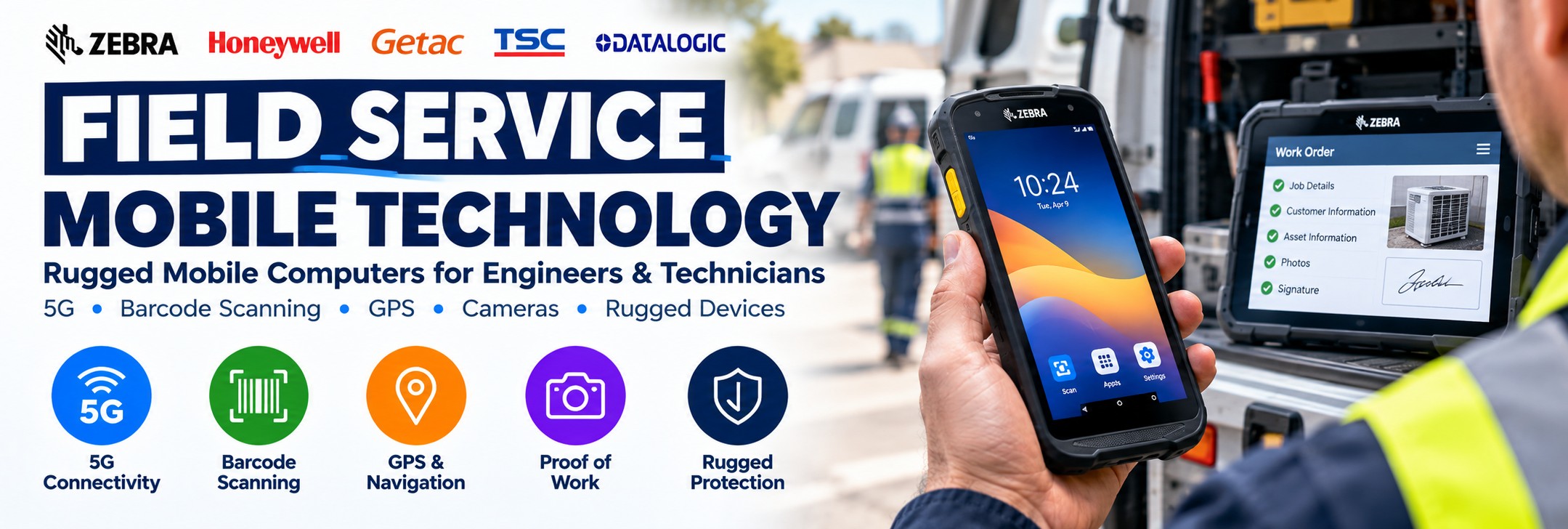
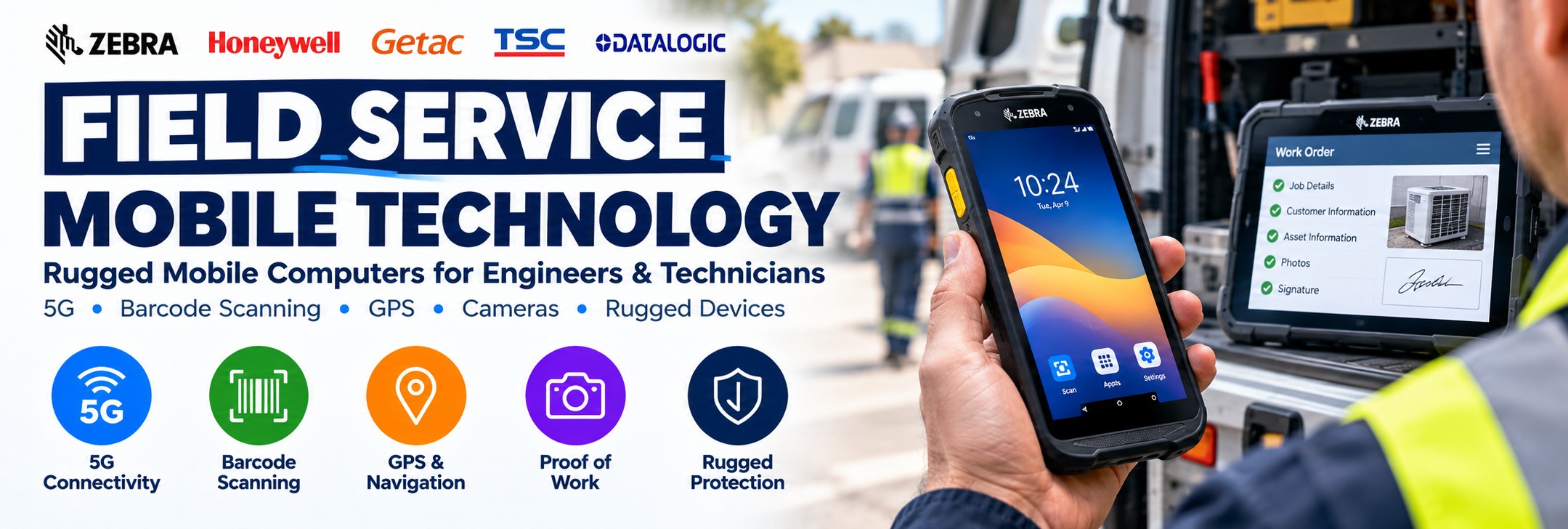
Field Service Mobile Technology
Rugged mobile computers, tablets, barcode scanners and mobile technology for engineers, technicians and field-based teams.
Field workers need reliable access to jobs, customer information, parts, asset records and business applications wherever the working day takes them.
Tek Direkt supplies professional field service mobile computers and rugged technology designed for mobile work – including devices with 5G connectivity, enterprise barcode scanning, cameras, GPS, rugged protection and replaceable or extended battery options.
Equip engineers to receive jobs, identify assets, scan parts, capture photographs, update service records, collect signatures and complete work in the field.
One Device for the Working Day
A field-service mobile device can replace several separate pieces of equipment and keep the engineer connected to the business while away from the office.
Receive Jobs
Access schedules, work orders, customer information and service instructions while mobile.
Scan Assets
Use integrated barcode scanning to identify equipment, assets, parts and inventory.
Capture Photos
Record equipment condition, completed work, installations, damage and proof of service.
Update Records
Enter job notes, inspection results and other information directly into suitable field-service applications.
Check Parts
Access parts information and scan components used during repairs, maintenance or installation.
Navigation
Use location and navigation functionality available on suitable cellular field devices.
Customer Sign-Off
Capture suitable customer acknowledgements and signatures digitally within the business application.
Stay Connected
Use Wi-Fi and cellular connectivity on appropriate configurations to keep field teams connected.
From Job Allocation to Job Completion
The right mobile device allows information to follow the engineer throughout the entire service visit.
1
Receive
Receive the job, customer details, location and required work through the appropriate application.
2
Identify
Scan the asset, equipment, serial number or parts required for the job.
3
Complete
Carry out the service, inspection, installation, repair or maintenance work.
4
Record
Capture photographs, notes, parts used and suitable customer confirmation before closing the job.
Which Type of Field Service Device Do You Need?
Rugged Handheld Mobile Computer
A strong choice for engineers who need a pocketable device combining business applications, barcode scanning, camera and wireless connectivity.
Best for: general field service, maintenance, inspections and asset work.
Rugged Tablet
A larger screen can make technical documents, forms, diagrams and more complex applications easier to work with.
Best for: detailed inspections, technical documentation and engineering applications.
Ultra-Rugged Handheld
Consider tougher mobile computers where equipment will be exposed to more demanding working environments.
Best for: utilities, transport, industrial maintenance and demanding outdoor work.
Mobile Printer
Add portable printing where engineers need to produce labels, receipts or other suitable documents at the point of work.
Best for: service labels, identification and mobile documentation.
What Matters in a Field Service Mobile Computer?
5G Connectivity
Cellular connectivity on suitable models allows field workers to access cloud applications and business systems away from company Wi-Fi.
Enterprise Scanning
Dedicated scan engines can provide faster and more practical barcode capture than relying solely on a smartphone camera.
Rugged Construction
Field hardware should be selected for the drops, dust, water and temperature conditions it is likely to encounter.
Battery Life
The device needs to remain productive throughout the working day. Replaceable and extended battery options can be valuable.
Readable Display
Field workers may need to view the screen indoors, outdoors and in changing light conditions.
Camera
Photographs can document condition, completed work, damage, meter readings and other service information.
GPS & Location
Suitable cellular devices can support navigation and location-aware field applications.
Device Lifecycle
Enterprise devices are designed around business deployment, management and longer operational lifecycles rather than consumer replacement cycles.
Field Service Mobile Computers to Consider
Different field teams need different levels of performance, ruggedness and connectivity. These are useful starting points when narrowing down the hardware.
Zebra TC58
Premium field-service handheld with 5G.
The Zebra TC58 combines enterprise barcode scanning, a large 6-inch display, camera, 5G and Wi-Fi 6E connectivity in a rugged Android mobile computer.
It is particularly well suited to field workers who need a professional handheld for asset management, parts inventory, scheduling and proof-of-work capture.
Explore Zebra TC53 & TC58 →Honeywell CT47
Ultra-rugged field mobility.
The Honeywell CT47 combines 5G, Wi-Fi 6E and enterprise data capture with a particularly rugged design for demanding field and transport applications.
Consider the CT47 where the working environment places a high priority on ruggedness, connectivity and professional barcode scanning.
Explore Honeywell →Zebra TC501
Next-generation enterprise mobility.
The TC501 brings the latest Zebra TC5 platform into applications requiring modern wireless connectivity, enterprise scanning and a high-performance mobile computing platform.
Consider it for organisations planning a new field deployment where device lifecycle and next-generation connectivity are priorities.
Explore Zebra TC501 →Zebra TC58 for Field Service
The Zebra TC58 is particularly relevant to field-service deployments because it combines enterprise data capture with cellular connectivity.
5G
Connect to suitable mobile networks while engineers are away from the office or depot.
6-Inch Display
The large FHD+ display provides more working space for job information, applications and forms.
1D/2D Scanning
Capture asset labels, equipment barcodes, parts and other machine-readable information.
16MP Rear Camera
Capture photographs and video for proof of condition, delivery and other field documentation.
IP65 / IP68
Designed for professional environments where ordinary consumer phones may not provide sufficient protection.
Replaceable Batteries
Standard and extended battery options allow deployments to be matched more closely to the working day.
Wi-Fi 6E
Use modern enterprise wireless connectivity when engineers return to depots, warehouses or customer facilities.
Accessories
Suitable cradles, vehicle accessories, trigger handles and other accessories can help build a complete deployment.
Field Service vs Warehouse Mobile Computers
The same enterprise mobile-computer family can sometimes serve both environments, but the priorities are different.
| Requirement | Field Service | Warehouse |
|---|---|---|
| Cellular / 5G | Often important | Often Wi-Fi is sufficient |
| GPS | Frequently useful | Usually less important |
| Camera | Important for proof of work and condition | Useful, but often secondary to scanning |
| Barcode Scanning | Assets, parts and equipment | Inventory, locations, picking and dispatch |
| Screen | Forms, schedules, maps and job information | Warehouse applications and task information |
| Keyboard | Touchscreen commonly suitable | Physical keypads may still be preferred in some workflows |
| Vehicle Charging | Can be particularly useful | Usually less important |
Field Service Applications
Maintenance Engineers
Receive jobs, identify equipment, record repairs and update maintenance histories.
Utilities
Support inspections, maintenance, asset identification and suitable field data-capture applications.
Telecoms
Give field teams mobile access to job information, asset records, photographs and technical workflows.
HVAC
Access service information, scan equipment and record maintenance or installation work.
Facilities Management
Identify assets, receive maintenance tasks and record work completed around customer sites.
Equipment Servicing
Scan serial numbers and parts while recording service history and proof of work.
Transport & Logistics
Use rugged mobile computing for proof of delivery, asset management and mobile workflows.
Inspections
Complete digital forms, capture photographs and record findings directly at the point of inspection.
Why Not Just Give Engineers a Smartphone?
For some light-duty applications, a consumer smartphone may be enough. But professional field-service deployments can place very different demands on the hardware.
Dedicated Scanning
Enterprise scan engines are designed for repeated barcode capture rather than relying only on the camera.
Ruggedness
Professional devices are available with protection against drops, dust, water and demanding operating conditions.
Replaceable Batteries
Selected enterprise devices allow batteries to be replaced rather than making the whole device unavailable for charging.
Enterprise Accessories
Vehicle cradles, charging systems, holsters, trigger handles and multi-device charging can simplify deployment.
Device Management
Enterprise platforms provide tools intended for deploying and managing business fleets.
Longer Deployment
Enterprise hardware is designed around organisational purchasing and managed device lifecycles.
Glove Operation
Selected devices provide touchscreen operation designed for professional working environments.
Business Support
Enterprise support programmes can be considered as part of the complete device deployment.
When Should You Choose a Rugged Tablet?
A handheld is not automatically the right field-service device. Engineers working with complex forms, technical drawings or detailed documentation may benefit from a larger screen.
Choose a Handheld When...
Portability, barcode scanning, one-handed operation and carrying the device throughout the day are the priorities.
Typical applications include asset identification, maintenance, delivery, inventory and general mobile job management.
Choose a Rugged Tablet When...
The worker needs more screen space for forms, diagrams, plans, manuals, inspection information or more complex applications.
Getac rugged tablets such as the UX10 and F110 families are designed for professional mobile deployments where a larger display is required.
Explore Getac Rugged Technology →Mobile Printing for Field Workers
Some field workflows also require something to be printed at the point of service.
Service Labels
Print suitable labels following maintenance, inspection or equipment servicing.
Asset Labels
Produce identification labels where the workflow requires new assets to be labelled in the field.
Receipts
Suitable mobile printers can support receipt and transaction workflows away from a fixed workstation.
Replacement Labels
Replace damaged or missing labels where suitable mobile printing forms part of the service process.
Don't Forget the Field Accessories
The mobile computer is only part of a successful field deployment.
Vehicle Cradles
Secure and charge compatible devices while engineers travel between jobs.
Spare Batteries
Keep suitable devices operating through longer working days and demanding shifts.
Protective Boots
Add further protection where the device family supports an appropriate rugged boot.
Holsters
Keep the device accessible while allowing the engineer to work with both hands.
Charging Cradles
Create a consistent charging location at the depot, office or engineer's base.
Screen Protection
Consider suitable protection where devices are regularly used in demanding working environments.
Mobile Printers
Add printing where the workflow requires labels, receipts or other suitable documents.
Enterprise Support
Consider manufacturer support options where device uptime is important to the field operation.
How to Choose Field Service Mobile Technology
1. Where Will It Be Used?
Indoors, outdoors, vehicles, customer sites or particularly demanding industrial environments?
2. Do You Need 5G?
If engineers work away from Wi-Fi, consider an appropriate cellular mobile computer.
3. What Will Be Scanned?
Assets, serial numbers, parts, equipment, QR codes or barcodes at greater distances?
4. Handheld or Tablet?
Choose according to portability and the amount of information that needs to be displayed.
5. How Rugged?
Consider realistic drop, sealing, temperature and working-environment requirements.
6. How Long Is the Shift?
Battery capacity and charging strategy should match the engineer's actual working day.
7. Which Accessories?
Vehicle charging, cradles, spare batteries and carrying accessories should be planned with the device.
8. Which Software?
Confirm the operating system and device requirements of the field-service application before choosing hardware.
Quick Field Service Device Guide
| Requirement | Device to Consider |
|---|---|
| Premium field-service handheld with 5G | Zebra TC58 |
| Next-generation Zebra deployment | Zebra TC501 or current TC5 Series configuration appropriate to the requirement |
| Ultra-rugged field handheld | Honeywell CT47 |
| Large-screen field application | Getac rugged tablet |
| Barcode-heavy field work | Enterprise handheld with integrated 1D/2D scan engine |
| Field worker away from Wi-Fi | WWAN / 5G mobile computer configuration |
| Detailed inspections and technical documentation | Rugged tablet |
| Mobile labels or receipts | Suitable mobile printer alongside the field device |
Check the exact MPN before ordering. Mobile-computer families can contain Wi-Fi-only and cellular versions, different scan engines, memory options, regional configurations and different accessories.
Field Service Mobile Technology FAQs
What is a field service mobile computer?
It is a professional mobile device used by engineers, technicians and other field workers to access business applications, capture information and communicate while working away from a fixed workstation.
Do field engineers need 5G?
Not always. But cellular connectivity can be particularly valuable when workers need live access to applications and data while away from company or customer Wi-Fi.
Why use a barcode scanner in field service?
Barcode scanning can identify assets, serial numbers, parts and equipment quickly and reduce manual data entry.
Can field devices capture photographs?
Yes. Suitable enterprise mobile computers include cameras that can be used by compatible applications for condition records, proof of work and other documentation.
Should I buy a handheld or tablet?
A handheld is easier to carry and can be ideal for scanning. A rugged tablet provides more screen space for forms, diagrams, manuals and detailed applications.
Can these devices be used outdoors?
Many enterprise and rugged devices are designed for field use, but the exact environmental specifications vary by model and configuration. Check the requirements of the actual working environment before choosing.
Can I use the same device in the warehouse?
Often yes. Some enterprise mobile computers are suitable for both field and warehouse applications, although cellular connectivity and camera functionality may be more important in field deployments.
Can Tek Direkt quote a fleet deployment?
Yes. Send the required device MPNs, quantities and accessories so the complete hardware requirement can be priced together.
Field Service Technology from Tek Direkt
Mobile Computers
Professional handheld devices from enterprise mobility manufacturers including Zebra and Honeywell.
Rugged Tablets
Rugged mobile technology for applications requiring larger screens and demanding working environments.
Accessories
Build the complete deployment with suitable batteries, chargers, cradles and carrying accessories.
Business Pricing
Already have a hardware list or another supplier quote? Send the exact MPNs and quantities for another price to compare.
Equipping a Field Service Team?
Tell us what your engineers do, which software they use, whether they need 5G, what they need to scan and how many devices are required.
If you've already selected the hardware, send the manufacturer part numbers and quantities and we'll price the requirement.
Already have another supplier quote? Send that too and we'll give you another price to compare.
No calls. No meetings. No messing about. Just straightforward help and a price.