We use cookies to make your experience better.
To comply with the new e-Privacy directive, you agree to the privacy policy and our use of cookies.

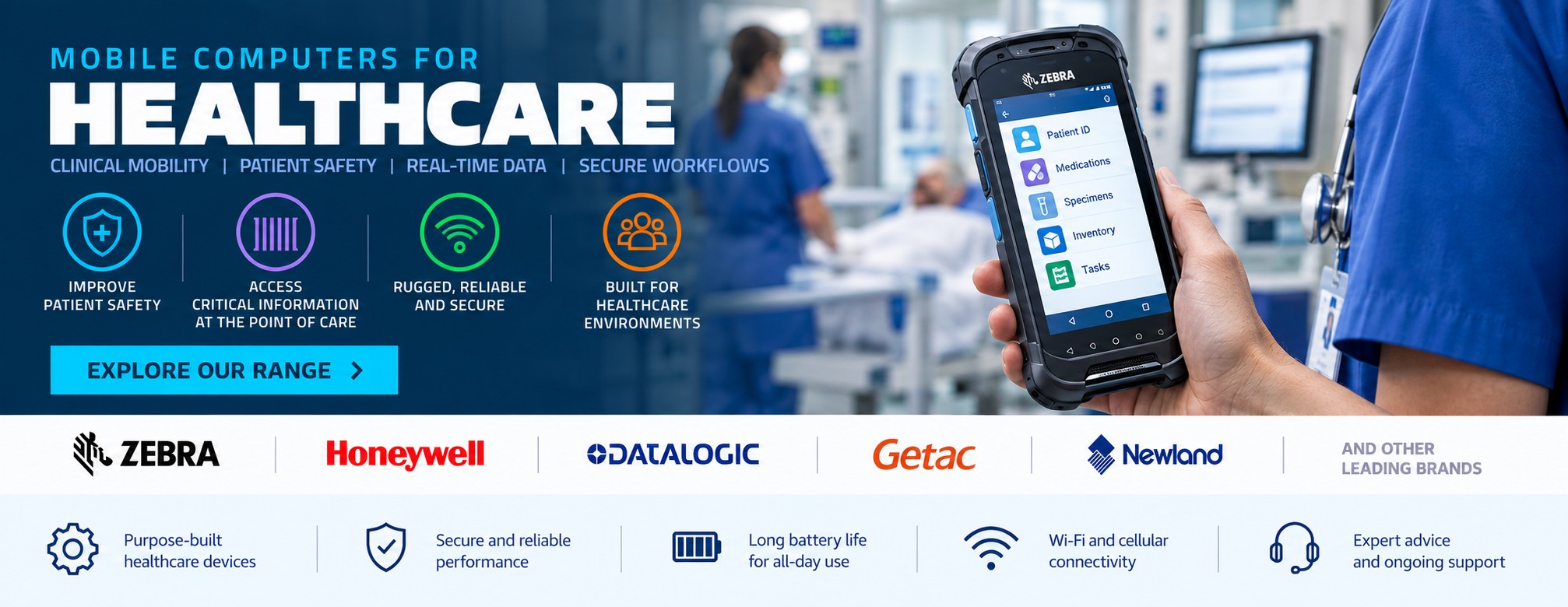
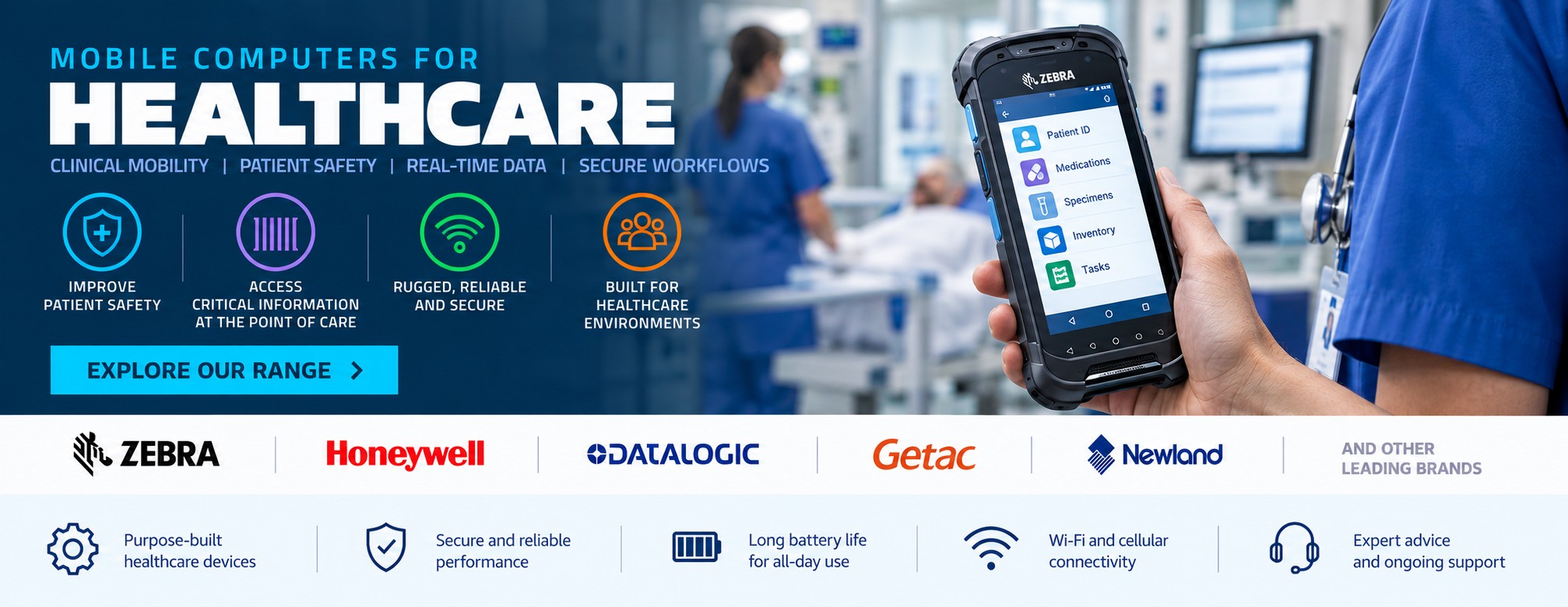
Mobile Computers for Healthcare
Mobile computers give healthcare staff access to barcode scanning, applications and real-time information from a single handheld device.
Unlike a conventional barcode scanner, a mobile computer combines data capture with a touchscreen, processor, wireless connectivity and operating system, allowing healthcare teams to complete workflows while moving around a hospital, clinic, pharmacy, laboratory or other healthcare facility.
Tek Direkt supplies mobile computers from leading manufacturers including Zebra, Honeywell and Datalogic, with options for both specialist healthcare applications and general operational use.
Mobile Computing Throughout Healthcare
Healthcare organisations can use mobile computers across both clinical and non-clinical environments.
Applications can include:
- Patient identification
- Bedside workflows
- Medication administration
- Specimen collection
- Pharmacy operations
- Inventory and stock management
- Medical supply management
- Asset identification
- Admissions
- Facilities management
- Portering and logistics
- Internal deliveries
The right device depends heavily on where it will be used and the applications it needs to run.
Mobile Computers for Patient Identification
Barcode-based patient identification can allow staff to capture information directly at the point of care.
A mobile computer with an integrated barcode imager can scan a patient's wristband while also providing access to the applications required for the workflow.
This removes the need to carry a separate scanner and computer and can make mobile data capture more practical in environments where staff regularly move between patients and locations.
For applications involving patient identification, device choice should take account of scanner performance, ergonomics, cleaning requirements, wireless connectivity and compatibility with the organisation's software.
Bedside Mobile Computing
Bedside care is one of the clearest examples of where a handheld computer can provide an advantage over a conventional workstation.
Depending on the systems deployed by the healthcare organisation, a mobile computer can provide staff with access to relevant applications while also capturing barcode information from patient wristbands, medication or other identified items.
A lightweight device can be particularly valuable where staff use it repeatedly throughout a shift.
Mobile Computers for Medication Workflows
Mobile computers can support barcode-enabled medication workflows by combining barcode scanning and application access in one device.
Instead of scanning information into a fixed PC, staff can capture supported barcodes while moving through the clinical environment.
Where devices will be used around patients, look beyond basic scanner specifications and consider whether the hardware has been designed for healthcare environments and frequent cleaning.
Mobile Computers for Specimen Collection
Specimen collection often requires information to be captured away from a permanent workstation.
A mobile computer can allow staff to scan patient identification and specimen information while using the relevant application on the same device.
Combined with a suitable mobile or desktop label printer, this can form part of a flexible identification and labelling workflow.
Explore our dedicated Healthcare Label Printers page.
Healthcare Mobile Computers & Barcode Scanning
Most enterprise mobile computers incorporate an integrated barcode imager.
Depending on the device, this may support common 1D and 2D barcode symbologies and allow information to be captured from printed labels, patient wristbands and other supported sources.
If the workflow only requires barcode capture at a fixed workstation, a dedicated barcode scanner may be the simpler and more economical option.
If staff also need to view information, run applications and update records while mobile, a mobile computer becomes considerably more useful.
Find out more about scanning on our Barcode Scanners for Healthcare page.
Healthcare Mobile Computer or Standard Enterprise Device?
Not every mobile computer used by a healthcare organisation needs to be healthcare-specific.
The key distinction is where the device will operate.
Hardware used for bedside and patient-facing workflows can have very different requirements from a mobile computer used in a warehouse, central stores or facilities department.
Healthcare-specific devices may offer housings designed around frequent cleaning and other features intended for clinical environments.
For back-office, inventory and logistics applications, a conventional enterprise mobile computer may provide a wider range of options.
Designed for Frequent Cleaning
Shared devices used within clinical environments can require frequent cleaning and disinfection.
Healthcare-specific mobile computers are available with materials and housings designed to tolerate cleaning using manufacturer-approved products and procedures.
Always check the cleaning guidance for the exact model rather than assuming every configuration within a manufacturer's range has the same chemical resistance.
This is particularly important where devices will move between users or clinical areas.
Mobile Computers for Hospitals
A hospital can contain many different mobile-computing environments within one site.
Potential applications include:
Wards and bedside care – patient identification and mobile clinical workflows.
Pharmacy – medication, inventory and stock applications.
Laboratories – specimen and sample identification.
Stores – receiving, stock control and replenishment.
Facilities – equipment, maintenance and asset workflows.
Internal logistics – movement of supplies and other items around the hospital.
This means one device is not necessarily appropriate for every department.
Mobile Computers for Pharmacy
Mobile computers can provide pharmacies with portable access to stock and barcode-enabled workflows.
Potential uses include stock checking, inventory counts, goods receiving and locating products away from a fixed workstation.
Where a pharmacy primarily scans products at a permanent counter, a conventional barcode scanner may remain the better option.
The mobile computer becomes more valuable when the workflow itself needs to move.
Healthcare Inventory & Stock Control
Hospitals, clinics and other healthcare organisations manage substantial quantities of supplies.
Mobile computers can support:
- Goods receiving
- Inventory counts
- Stock location
- Replenishment
- Pharmacy inventory
- Medical consumables
- Internal stores
- Equipment tracking
For these operational environments, standard rugged enterprise mobile computers may sometimes be more appropriate than specialist clinical devices.
Our Mobile Computers for Warehousing & Logistics page covers this type of workflow in more detail.
Mobile Computers for Asset Tracking
Healthcare organisations can have large numbers of valuable assets distributed across multiple departments and locations.
Barcode or other identification technologies can be used to identify equipment, with mobile computers allowing staff to capture asset information while moving through a facility.
The device can then interact with the organisation's chosen asset-management application over its wireless network.
Wi-Fi Connectivity
Reliable wireless connectivity is fundamental to many mobile-computing deployments.
Wi-Fi allows devices to communicate with applications and systems throughout compatible areas of a facility without relying on a fixed workstation.
Before selecting hardware for a large deployment, consider the complete environment including:
- Wi-Fi coverage
- Network security
- Device management
- Application compatibility
- Roaming requirements
- Authentication
The mobile computer is only one part of the overall system.
Cellular Mobile Computers
Some enterprise mobile computers are also available with cellular connectivity.
This can be useful where devices need to operate away from the organisation's Wi-Fi network or across multiple locations.
However, cellular capability isn't automatically necessary for a device that will spend its entire working life within a well-covered hospital or healthcare facility.
Check the exact MPN because Wi-Fi-only and cellular configurations can exist within the same device family.
Battery Life & Shift Working
Healthcare and operational staff may use mobile devices throughout long shifts.
Battery capacity therefore matters.
When comparing mobile computers, consider:
- Expected shift duration
- Scanning frequency
- Screen usage
- Wireless connectivity
- Charging opportunities
- Replaceable battery availability
- Spare batteries
- Charging cradles
For larger deployments, the charging infrastructure can be almost as important as the devices themselves.
Charging Cradles & Accessories
A mobile-computer deployment often requires more than the handheld device.
Accessories can include:
- Single-slot charging cradles
- Multi-slot chargers
- Spare batteries
- Protective cases
- Hand straps
- Screen protectors
- Vehicle or trolley mounts
- Cables and power supplies
Always check accessory compatibility against the full manufacturer part number.
Similar-looking devices or different generations within the same family may use different accessories.
Touchscreen Mobile Computers
Modern enterprise mobile computers increasingly use touchscreen interfaces similar to smartphones while providing hardware designed for commercial environments.
This can make them familiar to users while still providing integrated enterprise barcode scanning, replaceable batteries on selected models and accessories designed around business deployment.
Screen size is worth considering carefully.
Larger displays can make applications easier to use, while smaller devices can be easier to carry throughout a shift.
Zebra Mobile Computers for Healthcare
Zebra Technologies produces mobile computers designed specifically for healthcare alongside its wider enterprise mobility portfolio.
Healthcare-focused models can combine enterprise barcode scanning with clinical mobility features and housings designed for frequent cleaning.
Zebra also offers conventional rugged mobile computers that can suit hospital stores, logistics, inventory and other non-clinical applications.
Check the exact Zebra MPN when ordering because wireless connectivity, memory, scanner configuration and regional options can differ within a product family.
Honeywell Mobile Computers for Healthcare
Honeywell supplies enterprise mobile computers and data-capture hardware used across healthcare, retail, logistics and other sectors.
Depending on the application, Honeywell devices can provide integrated barcode scanning, touchscreen operation and wireless connectivity for mobile healthcare and operational workflows.
Where you are replacing an existing Honeywell device, providing the full MPN makes it much easier to identify the correct configuration.
Datalogic Mobile Computers for Healthcare
Datalogic produces mobile computers and barcode data-capture hardware for a variety of business applications.
For healthcare organisations, suitable devices can support inventory, logistics, pharmacy and other mobile workflows depending on the environment and required specifications.
As with any manufacturer, check whether the particular device is appropriate for patient-facing clinical use if frequent disinfection is required.
Mobile Computer, Barcode Scanner or Tablet?
These devices can overlap, but they're designed around different requirements.
A barcode scanner is usually the simplest choice where the main task is capturing barcodes into another computer or application.
A mobile computer combines enterprise barcode scanning with applications, processing and connectivity in a handheld format.
A tablet provides a larger screen and can be useful where application visibility and data entry are more important than frequent handheld barcode scanning.
The best choice depends on what staff actually need to do during the workflow.
Mobile Computers & Healthcare Label Printing
Mobile computers can also work alongside label printers.
For example, a user may capture information on the handheld device and then send a print job to a compatible networked or mobile printer.
This can support workflows involving specimen identification, inventory, assets and other applications where labels need to be produced away from a permanent workstation.
Explore Label Printers for Healthcare.
Building a Healthcare Data Capture Workflow
Barcode scanners, label printers and mobile computers should not necessarily be considered in isolation.
A healthcare identification workflow may involve:
Printing a patient, specimen or inventory label.
Scanning that barcode at the appropriate stage.
Using a mobile computer to access or update the associated application.
Selecting compatible hardware around the workflow can be more effective than choosing each device independently.
How to Choose a Healthcare Mobile Computer
Before buying, consider:
Where will it be used?
Patient-facing clinical area, pharmacy, laboratory, stores or administration?
What will staff scan?
Patient wristbands, medication, specimens, stock or assets?
Which applications need to run?
Check operating-system and software compatibility.
Does the device need to tolerate frequent cleaning?
If so, look specifically at healthcare-ready models and manufacturer cleaning guidance.
Wi-Fi or cellular?
Choose connectivity around the actual operating environment.
How long is the working shift?
Consider battery life and charging arrangements.
What accessories are required?
Include cradles, chargers, batteries and protective accessories when budgeting.
Are you replacing existing devices?
Send us the complete MPN so we can identify the exact configuration.
Build a Complete Healthcare Technology Solution
Depending on the application, a healthcare data-capture deployment can include:
- Mobile computers
- Barcode scanners
- Label printers
- Patient wristbands
- Barcode labels
- Charging cradles
- Spare batteries
- Scanner accessories
- Printer media
Tek Direkt supplies technology from leading manufacturers across these areas, allowing healthcare organisations to source multiple parts of their identification and mobility infrastructure from one supplier.
Buy Mobile Computers for Healthcare
Tek Direkt supplies mobile computers and data-capture hardware for healthcare organisations across the UK.
Whether you need handheld devices for clinical mobility, pharmacy, inventory, laboratories, asset tracking or general healthcare operations, we can help you compare suitable hardware.
Already know the device you need?
Send us the manufacturer part number and quantity and we'll price the exact configuration.
Already have a supplier quote? Give us another price to compare through Beat My Quote.

