
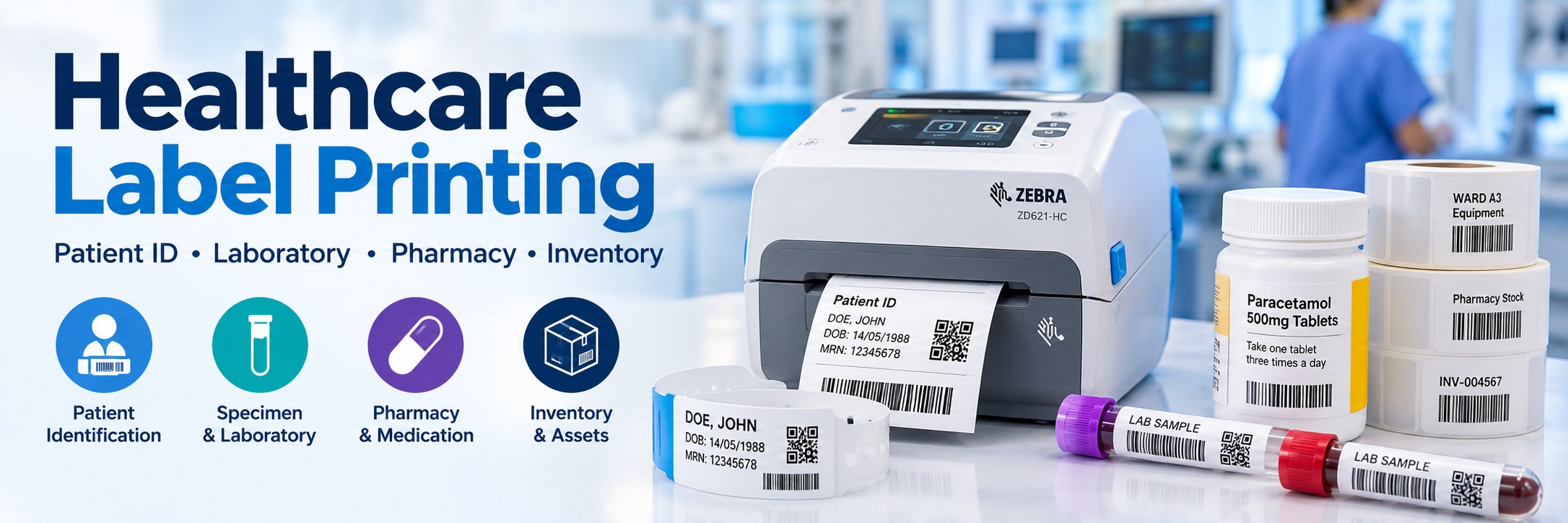
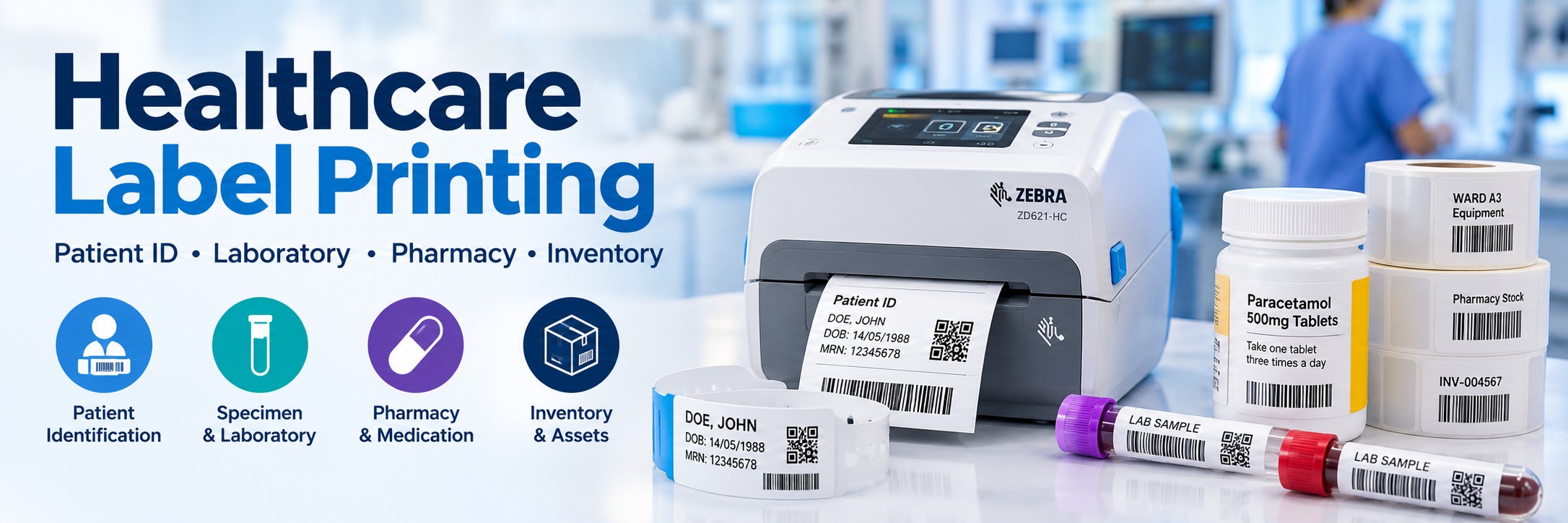
Healthcare Label Printers for Hospitals, Pharmacies & Laboratories
Professional label printing for patient identification, specimen tracking, pharmacy, laboratory, inventory and healthcare workflows.
Healthcare organisations rely on accurate identification throughout the patient journey. From patient wristbands and specimen labels to medication, pharmacy, asset and inventory labels, the printer needs to match the application, media and working environment.
Tek Direkt supplies desktop, healthcare-specific, industrial and mobile label printers for hospitals, pharmacies, laboratories, clinics and other healthcare organisations across the UK.
Label Printing Throughout Healthcare
There isn't one universal healthcare label printer. Different departments can have very different labelling requirements, even within the same hospital or healthcare facility.
Patient Identification
Print patient labels and identification information for clinical and administrative workflows.
Specimen & Laboratory
Produce labels for specimen tubes, vials, sample containers, racks and laboratory workflows.
Pharmacy & Medication
Print medication, prescription, dispensing and stock-identification labels.
Inventory & Assets
Identify medical supplies, equipment, storage locations, consumables and other healthcare assets.
Patient Identification & Wristband Printing
Patient identification is one of the most important healthcare data-capture applications. Wristbands and patient labels can carry human-readable information alongside machine-readable 1D or 2D barcodes.
Patient Wristbands
Print identification information and compatible barcodes onto wristband media designed for the healthcare workflow.
Barcode Identification
Printed patient barcodes can be scanned at appropriate stages of care as part of the organisation's identification system.
Admissions
Produce patient identification at admission points and other fixed healthcare workstations.
Printer + Media + System
Patient wristband printing should be considered as a complete workflow rather than choosing the printer in isolation.
Important: Check that the printer, wristband or label media, barcode format and healthcare software are all suitable for the intended workflow.
Specimen & Laboratory Label Printers
Laboratory labels can be physically small while still needing to carry clear text, identifiers and machine-readable barcodes.
Specimen Tubes
Print compact identification labels for compatible specimen tubes and sample containers.
Vials & Containers
Produce labels sized around smaller laboratory containers where available print area can be limited.
Sample Tracking
Use printed barcodes as part of workflows that identify and track samples through laboratory processes.
Small Barcodes
Where labels contain small text or compact barcodes, higher printer resolution may provide the definition required.
Pharmacy & Medication Label Printers
Pharmacies can require frequent label production for dispensing, medication identification, prescriptions, stock and other operational workflows.
Desktop Pharmacy Printing
Compact desktop thermal printers fit neatly around fixed pharmacy and dispensing workstations.
Medication Labels
Produce clear text, identifiers and compatible barcodes according to the organisation's systems and label requirements.
Central Pharmacy
Higher-volume centralised operations may require a larger printer with greater media capacity and a heavier duty cycle.
Colour Label Printing for Pharmacy & Healthcare
Some healthcare workflows can benefit from colour as an additional visual identifier alongside text and machine-readable information.
Epson ColorWorks printers can produce full-colour labels on demand, allowing compatible label designs to combine patient or medication information with colour coding, graphics, warnings and barcodes.
Pharmaceutical Labels
Produce variable colour labels on demand for compatible pharmaceutical and medication-identification applications.
Highlight Information
Colour can make selected information visually distinct where the organisation's label design and workflow use colour coding.
Zebra Healthcare Label Printers
Zebra offers healthcare-specific desktop printers designed for environments where cleaning, disinfectant resistance and healthcare deployment requirements need additional consideration.
Zebra ZD411-HC
A compact healthcare desktop printer for applications where workspace is limited and healthcare-specific construction is required.
Zebra ZD421-HC
A 4-inch healthcare desktop printer designed around healthcare workflows, with disinfectant-ready construction and healthcare-focused features.
Zebra ZD621-HC
A premium 4-inch healthcare printer with disinfectant-ready plastics, UV resistance and medical-grade power supply.
Healthcare model matters: a standard ZD421 or ZD621 and its healthcare-specific HC counterpart are not necessarily the same configuration. Check the complete Zebra MPN before ordering.
Desktop, Industrial or Mobile Healthcare Label Printer?
Desktop Label Printers
Best for: pharmacy counters, laboratory benches, admissions desks and fixed clinical workstations.
Compact and practical for low-to-medium-volume label production close to the user.
Industrial Label Printers
Best for: central stores, large laboratories, pharmacy distribution and higher-volume printing.
Larger media capacity and more robust construction make industrial printers better suited to sustained workloads.
Shop Industrial Label Printers →Mobile Label Printers
Best for: workflows where labels need to be produced closer to the patient, sample, inventory or asset.
Consider battery life, wireless connectivity, media capacity and how the printer will be carried or mounted.
Direct Thermal or Thermal Transfer for Healthcare?
Direct Thermal
Prints onto heat-sensitive media and does not require a ribbon.
Consider for: suitable wristbands, specimen labels and other applications where the required label life and environmental conditions are compatible with direct thermal media.
Thermal Transfer
Uses a ribbon to transfer the printed image onto compatible label material.
Consider for: asset identification, inventory and applications where greater label durability or a broader choice of media is required.
Neither technology is automatically better. Choose according to how long the label needs to remain readable, the surface being labelled and the conditions it will encounter.
203 dpi, 300 dpi or 600 dpi?
Print resolution becomes particularly important when healthcare labels contain small text or compact machine-readable codes.
203 dpi
Suitable for many general identification, inventory and standard-sized barcode labels where very fine detail isn't required.
300 dpi
Provides greater definition and can be useful for smaller labels, fine text and more compact barcode printing.
600 dpi
Available on selected printers for particularly small or detailed applications where the workflow genuinely requires very high print resolution.
Higher dpi isn't automatically better. Barcode dimensions, label size, media, print speed and the intended scanner should all be considered.
Healthcare Labels, Wristbands & Media
Choosing the printer is only part of the job. The media itself must also suit the application.
Label Size
Check the physical dimensions required for the container, wristband, medication, asset or item being identified.
Adhesive
The adhesive needs to suit the surface and intended lifespan of the label.
Environment
Consider moisture, temperature, storage conditions, abrasion and any other exposure relevant to the application.
Barcode Requirements
Allow enough printable area to produce a barcode at a size and quality appropriate for the intended scanner and workflow.
For specialist clinical applications, verify that the exact media is suitable for its intended healthcare use.
Healthcare Label Printing & Barcode Scanning
The printer and scanner are two parts of the same identification workflow. Printing a barcode is only useful if the resulting code can be captured reliably when staff need to use it.
1. Print
Create the patient, specimen, medication, inventory or asset label.
2. Identify
Apply the correct label or wristband to the appropriate item or according to the organisation's workflow.
3. Scan
Capture the barcode at the relevant point using a compatible scanner or mobile computer.
Healthcare Inventory & Asset Labels
Not every healthcare label is patient-facing. Hospitals, clinics and pharmacies also manage large quantities of equipment, consumables and stock.
Medical Supplies
Identify consumables and supplies within stores, departments and stock locations.
Pharmacy Stock
Support internal inventory identification and stock-management workflows.
Equipment
Identify equipment and other assets that need to be tracked or inventoried.
Storage Locations
Create barcode labels for shelves, bins, rooms and other inventory locations.
For these operational applications, specialist healthcare printer construction may not always be necessary. This can significantly widen the choice of suitable Zebra, TSC, Honeywell and other business label printers.
Healthcare Label Printer Brands
Zebra
Healthcare-specific ZD-HC desktop printers alongside general-purpose desktop, industrial and mobile printing technology.
Explore Zebra →TSC
Desktop, high-resolution, industrial and mobile printers for general healthcare identification, laboratory, inventory and operational labelling.
Explore TSC →Honeywell
Desktop, industrial and mobile label-printing options that can support pharmacy, inventory and wider healthcare operations according to configuration.
Explore Honeywell →Which Healthcare Label Printer Do You Need?
| Application | Key Considerations | Printer Type to Consider |
|---|---|---|
| Patient wristbands | Wristband media, software compatibility, barcode requirements and cleaning environment | Healthcare-specific desktop / wristband solution |
| Specimen labels | Small label size, barcode dimensions and print definition | Desktop 300 dpi; higher resolution where genuinely required |
| Pharmacy labels | Label size, print volume, media and workstation space | Desktop thermal printer |
| Medication labels | Required information, barcode size, media and system | Desktop or specialist healthcare printer |
| High-volume central printing | Daily volume, media capacity and duty cycle | Industrial label printer |
| Mobile healthcare printing | Wireless connectivity, battery, media and mobility | Mobile label printer |
| Asset labels | Required lifespan, adhesive and environmental exposure | Thermal-transfer printer |
| Inventory labels | Volume, label life and working environment | Desktop, industrial or mobile depending on workflow |
| Colour pharmacy labels | Colour coding, variable information, label size and media | Epson ColorWorks |
Healthcare Label Printer Buying Checklist
What are you printing?
Patient wristbands, specimen labels, medication labels, pharmacy labels, inventory or assets?
How many labels?
Occasional workstation printing and continuous centralised production require very different hardware.
How small are they?
Check the physical label size, text size and barcode dimensions before deciding on print resolution.
How long must they last?
This will help determine media choice and whether direct thermal or thermal transfer is more appropriate.
Where is the printer?
Consider whether it will be located in a patient-facing clinical area, laboratory, pharmacy, store or office.
Fixed or mobile?
Decide whether labels are always produced at a workstation or need to be printed closer to the point of activity.
Which connectivity?
USB, Ethernet, Wi-Fi and Bluetooth availability varies between models and individual configurations.
Replacing a printer?
Send us the complete manufacturer part number so we can identify the exact model or closest suitable replacement.
Build a Complete Healthcare Identification Solution
A complete healthcare identification workflow can involve considerably more than the printer itself.
Label Printers
Desktop, healthcare-specific, industrial and mobile printing.
Barcode Scanners
Handheld and presentation scanning for compatible healthcare barcode workflows.
Mobile Computers
Mobile barcode capture, applications and wireless data access away from fixed workstations.
Labels & Consumables
Compatible labels, wristbands, ribbons, batteries, cables, cradles and printer accessories.
Why Buy Healthcare Label Printers from Tek Direkt?
Label Printing Specialists
Compare desktop, industrial, mobile and specialist healthcare printers according to the actual application.
Exact MPN Sourcing
Already know the printer you require? Send us the complete manufacturer part number and quantity.
Multiple Manufacturers
Compare suitable hardware from Zebra, TSC, Honeywell, Epson and other professional printing manufacturers.
Single Printers or Rollouts
Source a replacement printer or request pricing for larger departmental, multi-site or organisation-wide requirements.
Need a Price on Healthcare Label Printers?
If you already know the printer MPN and quantity, send it to Tek Direkt and we'll provide a price.
Replacing existing hardware? Send the current MPN and we'll help identify the exact model or a suitable replacement.
Already have another supplier's quote? Send that over too.
No calls. No meetings. No messing about. Just another price.
Request a Healthcare Printer Quote