
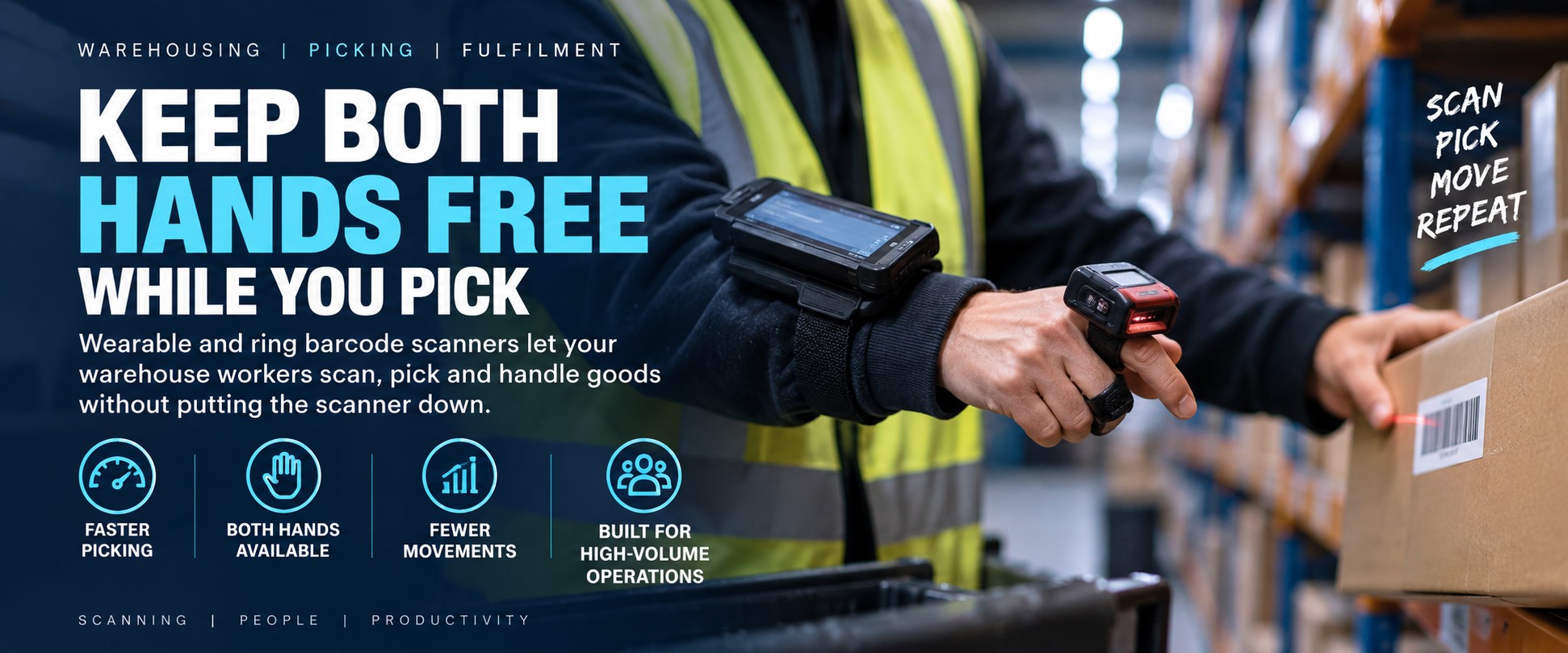
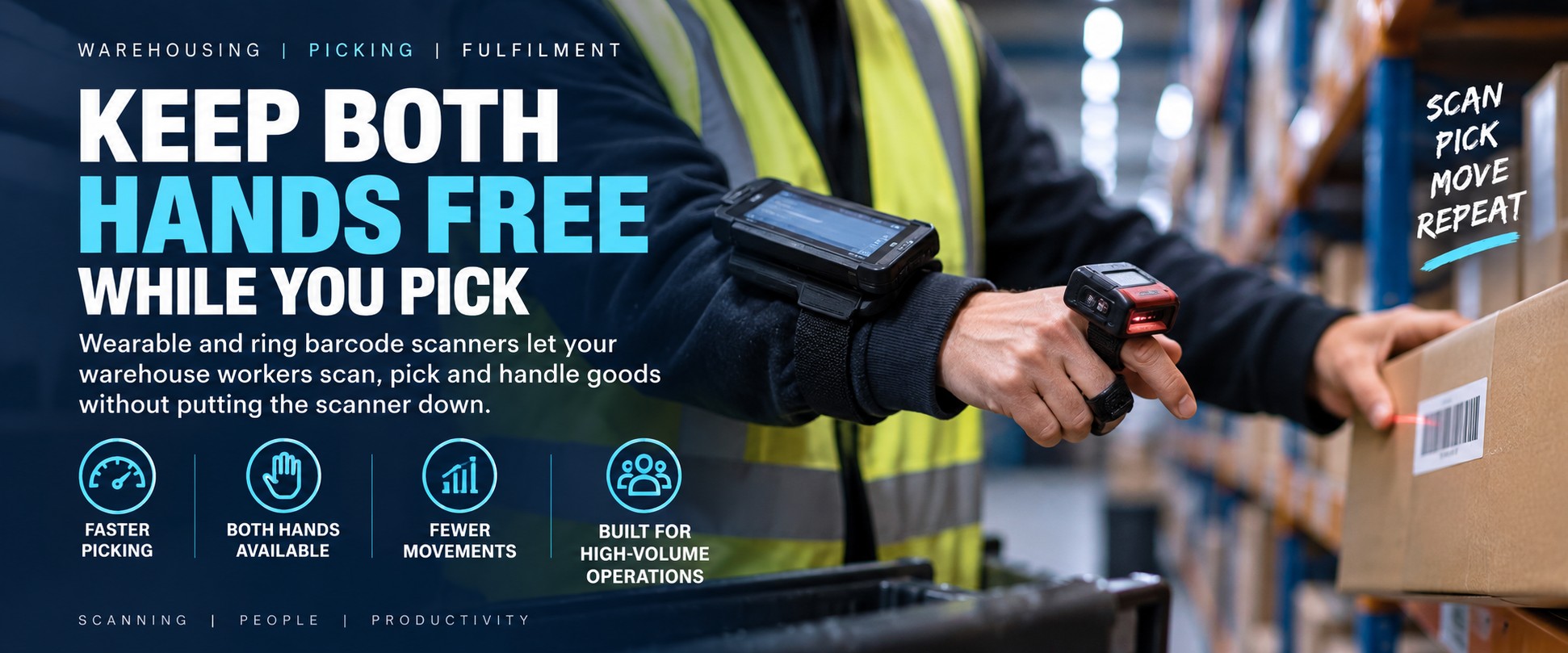
Warehousing • Picking • Fulfilment
Hands-Free Barcode Scanning for Warehouses
Why make a warehouse picker put their scanner down after every scan?
Wearable and ring barcode scanners allow workers to capture barcodes while keeping their hands available for picking, handling cartons, moving products and completing other warehouse tasks.
For high-volume picking and fulfilment operations, removing repeated handling of a conventional handheld scanner can create a simpler, more natural scanning workflow.
How Many Times Does a Picker Handle Their Scanner?
Think about a conventional warehouse picking workflow.
1
Pick
Find and handle the required item.
2
Grab Scanner
Reach for or reposition the handheld scanner.
3
Scan
Capture the product or location barcode.
4
Handle Again
Put the scanner down or move it before continuing.
Now Repeat That Hundreds of Times
In a high-volume warehouse, the operator may repeat this sequence throughout an entire shift.
The individual movement is small. The opportunity comes from removing unnecessary scanner handling from a task that's repeated again and again.
Keep the Scanner With the Worker
A wearable scanning setup keeps the scanner positioned on the operator rather than repeatedly picked up from a workstation, trolley or holster.
Depending on the device, the scanner may be worn on a finger, hand, wrist or another suitable wearable mount.
Ring Scanners
Compact scanners worn on or around a finger can keep barcode capture immediately accessible while leaving the operator's hand substantially free for handling goods.
Explore Wearable Scanners →Hand-Mounted Scanners
Wearable devices mounted to the hand can provide quick barcode capture without requiring the operator to repeatedly reach for a conventional scanner.
View Wearable Barcode Scanners →Wearable & Mobile Computers
For more complete workflows, wearable scanning can be paired with a mobile or wearable computer for warehouse applications and task information.
Warehouse Mobile Computers →Where Hands-Free Scanning Can Help
High-Volume Picking
Keep barcode capture readily available during repetitive item and location scanning.
Carton Handling
Reduce the need to alternate constantly between handling a scanner and handling cartons or products.
Small Parts
Useful where operators regularly pick, sort or pack multiple smaller components and need both hands available.
Order Fulfilment
Support scan-intensive fulfilment workflows where product and location verification happens repeatedly.
Sorting
Capture barcodes while moving parcels, products or components between containers and destinations.
Inventory Work
Give warehouse workers a compact scanning option for repetitive stock identification and checking.
Who Uses Wearable Barcode Scanners?
3PL & Fulfilment
High-volume third-party logistics and fulfilment operations where workers may complete large numbers of scans per shift.
E-commerce Warehouses
Support repetitive picking, sorting, packing and inventory workflows across large product ranges.
Parts Distribution
Useful for automotive, engineering and equipment-parts warehouses handling many individual SKUs and components.
Wholesale Distribution
Capture product and location barcodes while workers pick and move stock for customer orders.
Manufacturing
Use wearable scanning for component handling, kitting, production supply and other scan-intensive workflows.
Retail Distribution
Support distribution-centre picking and stock movement where repeated barcode capture forms part of the workflow.
Wearable Scanner or Traditional Handheld Scanner?
A wearable scanner isn't automatically the right answer for every warehouse. The benefit is strongest where barcode scanning is frequent and workers repeatedly need their hands for picking, moving or handling products between scans.
| Requirement | Wearable Scanner | Handheld Scanner |
|---|---|---|
| Keep hands available for handling goods | ✓ | Scanner must be held or put down |
| Repeated high-volume scanning | ✓ | ✓ |
| Picking small parts | ✓ | ✓ |
| Occasional barcode scanning | May be unnecessary | ✓ |
| Scanning while handling cartons | ✓ | Requires scanner handling |
| Easy to share between occasional users | Depends on setup | ✓ |
| Worker-specific wearable setup | ✓ | Not required |
The Question Isn't “Is Wearable Better?”
The useful question is whether repeatedly handling a conventional scanner is adding unnecessary movement to a task your workers perform hundreds of times.
Look at the Workflow Before the Scanner
Before choosing wearable hardware, look at what actually happens during a typical picking or fulfilment task.
- How many barcode scans does each worker complete during a shift?
- What does the worker do immediately before and after each scan?
- Do they regularly put a handheld scanner down?
- Do they need both hands to handle products or cartons?
- Are they picking small components from bins?
- Are product and location barcodes scanned repeatedly?
- Does the worker also need a mobile or wearable computer?
- How far away are the barcodes being scanned?
How to Choose a Wearable Barcode Scanner
Wearable scanners come in different formats and configurations. The right choice depends on the barcode, working distance, workflow and how the operator will wear and trigger the device.
1. Barcode Type
Are workers scanning standard 1D barcodes, Data Matrix, QR codes or a mixture of barcode types?
2. Working Distance
Are barcodes scanned from close range on individual products and bins, or from further away on cartons, pallets or warehouse locations?
3. Wearable Position
Consider whether a ring, finger, hand or other wearable arrangement best fits the tasks being performed.
4. Trigger Method
Think about how frequently the operator scans and how the scanner will be activated while they're handling stock.
5. Connectivity
The scanner needs to work with the mobile computer, wearable computer or other host device used in the workflow.
Warehouse Mobile Computers →6. Environment
Consider drops, dust, moisture, warehouse conditions and the level of ruggedness required for daily use.
Working in a Cold Store or Freezer? →Wearable Means the Operator Has to Wear It
Scanner specifications matter, but so does the way the device feels after repeated use throughout a working shift.
Weight
A wearable scanner should be appropriate for the duration and frequency of use within the intended workflow.
Fit
Consider different users, hand sizes, gloves and how the scanner will be worn during normal warehouse work.
Triggering
Frequent scanning means the trigger method becomes an important part of the operator experience.
A Simpler Picking Workflow
A wearable scanner doesn't change the need to identify and verify products. It changes how the operator interacts with the scanner while doing it.
1
Locate
Worker arrives at the required picking location.
2
Scan
Capture the location or product barcode with the wearable scanner already positioned on the worker.
3
Pick
Use both hands as required to handle the product, component or carton.
4
Continue
Move directly to the next task without finding, holstering or putting down a separate scanner.
How Many Scans Does Each Picker Make Per Shift?
If barcode scanning happens occasionally, a conventional handheld scanner may already be the right solution.
But if your warehouse workers are scanning hundreds or thousands of times during a shift, it's worth looking at how much scanner handling is built into that workflow.
Tell us roughly how many scans are involved, what workers are picking and what devices they're using now.
Discuss Your Picking WorkflowWhat Does the Scanner Connect To?
A wearable scanner is only one part of the warehouse workflow. We also need to understand where the barcode data is going.
Mobile Computers
Pair wearable scanning with a handheld mobile computer where workers also need a screen, applications and data entry.
Warehouse Mobile Computers →Android Mobile Computers
Rugged Android handhelds can provide the application, display and connectivity side of a mobile warehouse workflow alongside compatible scanning hardware.
Android Mobile Computers →Warehouse Systems
Make sure the complete scanner, host device and software workflow is considered rather than selecting the scanner in isolation.
Mobile Computer Buyer's Guide →What Happens After the Scan?
Some mobile warehouse workflows need more than barcode capture. If the worker also needs to produce a replacement stock label, pallet label, identification label or other operational label, a mobile printer can keep that part of the process at the point of work too.
Scan at the Point of Work
Wearable and mobile scanning can keep barcode capture with the employee as they move through warehouse locations and stock.
Hands-Free Warehouse Scanning →Print at the Point of Work
Portable label printers can allow suitable labels to be produced where the stock, pallet or task is located rather than requiring a return to a fixed printer.
Mobile Label Printing →When Should You Consider Hands-Free Scanning?
- Workers perform large numbers of scans every day
- Picking requires frequent use of both hands
- Operators repeatedly put conventional scanners down
- You're running high-volume e-commerce fulfilment
- Workers pick many small components or parts
- Product and location verification happens throughout the workflow
- You're reviewing warehouse productivity and ergonomics
- Existing handheld scanners are getting in the way of the task
When Might a Handheld Scanner Still Be Better?
Wearable scanning isn't about replacing every handheld scanner in the warehouse.
A conventional handheld may remain the better choice where scanning is relatively occasional, scanners are shared between many users, the working distance varies considerably or workers don't need both hands for the surrounding task.
Start With the Repetitive Task
The best candidates for wearable scanning are usually the workflows where the same scan-and-handle sequence happens repeatedly throughout the working day.
Related Warehouse Solutions
Hands-free scanning is one part of a wider mobile warehouse workflow. Explore related solutions according to the environment and task.
Cold Store & Freezer Scanning
Working at low temperatures introduces additional requirements around scanner ruggedness, condensation, gloves and device suitability.
Explore Cold Store Scanning →Mobile Label Printing
Produce suitable operational labels where the task takes place rather than returning to a fixed printing station.
Explore Mobile Label Printing →Android Mobile Computers
Combine barcode data capture with warehouse applications, mobile connectivity and on-screen task information.
Explore Android Mobile Computers →Warehouse Barcode Scanners
Compare wearable, handheld, rugged and other scanning options for receiving, picking, inventory and dispatch.
Explore Warehouse Scanners →Show Us How Your Pickers Work
Tell us what they're picking, approximately how many scans they make, what scanner they use now and what happens immediately before and after each scan.
We'll help you narrow down whether a wearable scanner is worth considering and what type of setup fits the workflow.
Help Me Choose a Wearable Scanner Shop Wearable ScannersAlready Know What You Need?
If you've already identified the wearable scanner or accessory required, send us the manufacturer part number and quantity and we'll provide another business price to compare.
Choosing wearable scanning hardware: compatibility and suitability depend on the complete workflow, including barcode type, scanning distance, host device, connectivity, mounting or wearable accessories, environment and software requirements.
For larger deployments, testing the proposed scanner and wearable arrangement with representative users and real warehouse tasks is recommended before rolling it out across the full workforce.