
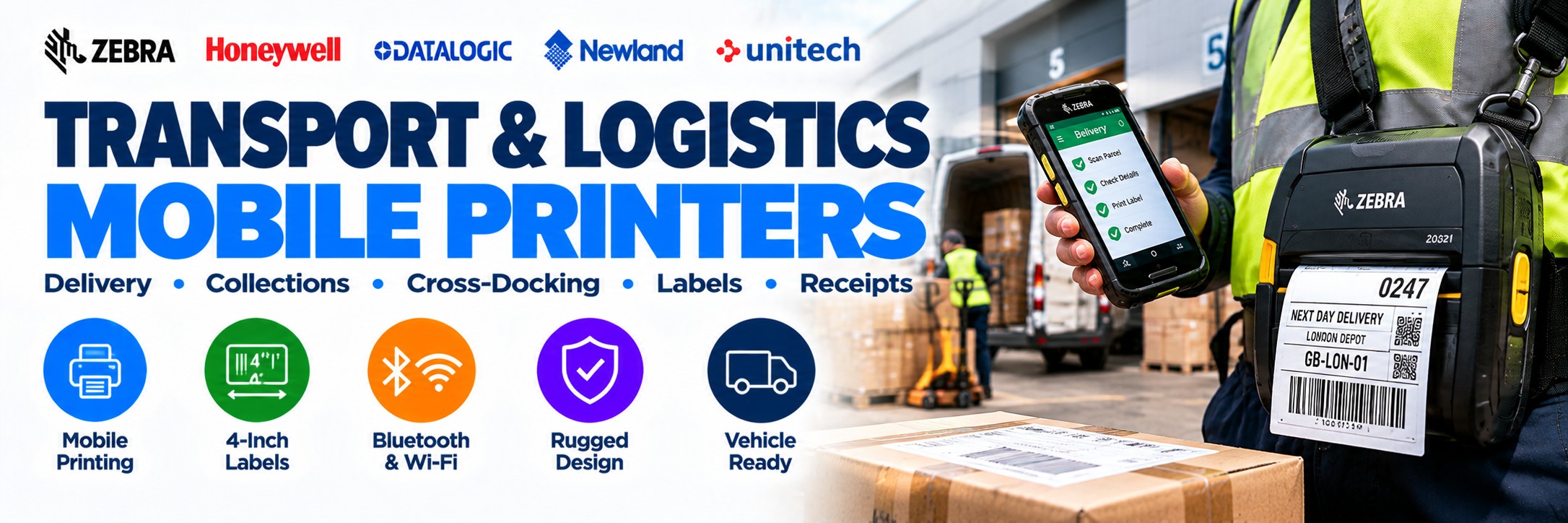
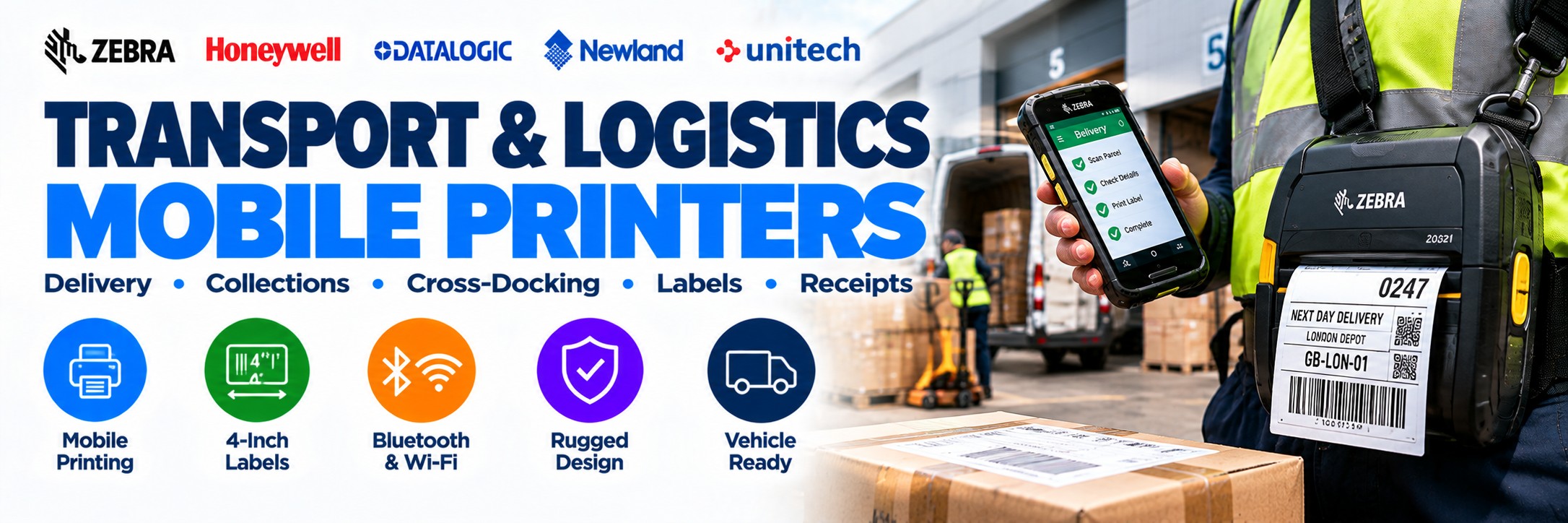
Mobile Printers for Transport & Logistics
Rugged portable printers for delivery, collection, depots, distribution, cross-docking, vehicle operations and proof-of-delivery workflows.
When labels or receipts are needed away from a fixed workstation, a mobile printer lets the worker produce them at the point where the activity takes place.
Tek Direkt supplies professional mobile printers from Zebra and other established manufacturers for printing shipping labels, parcel labels, receipts, collection documentation, pallet identification and other operational labels.
Choose the printer around what you need to print, required media width, daily print volume, ruggedness, battery life, Bluetooth or Wi-Fi connectivity and whether the printer will be carried, docked or vehicle-mounted.
Print Where the Logistics Work Happens
Delivery
Produce suitable receipts, labels or documentation while drivers and delivery teams are away from a fixed site.
Collections
Print appropriate identification or documentation at the point where goods are collected.
Cross-Docking
Produce labels closer to goods as they move rapidly between inbound and outbound operations.
Loading & Staging
Print suitable labels near pallets, cartons and staging areas rather than returning to a central printer.
Direct Store Delivery
Support suitable delivery and route-accounting workflows with portable receipt and label printing.
Returns
Produce appropriate labels or documentation during reverse-logistics workflows.
Yard Operations
Take printing closer to outdoor and loading operations where suitable rugged hardware is required.
Post & Parcel
Produce suitable labels and receipts during parcel-handling and distribution workflows.
Scan → Process → Print → Apply
Mobile printing works particularly well alongside a barcode scanner or mobile computer.
1
Scan
Capture the parcel, pallet, shipment, asset or delivery identifier.
2
Process
Complete the appropriate action in the logistics or delivery application.
3
Send the required label or receipt to the portable printer.
4
Apply
Apply the label or provide the printed document at the point of activity.
Which Type of Logistics Mobile Printer Do You Need?
Compact Mobile Printer
Smaller portable printer for receipts and narrower labels where low weight and portability are priorities.
Typical use: drivers, receipts, ticketing and light mobile printing.
3-Inch Mobile Printer
A useful balance between portability and label or receipt width.
Consider: Zebra ZQ511 and similar 3-inch-class devices.
4-Inch Mobile Printer
For wider logistics labels where a larger print width is required.
Consider: Zebra ZQ521.
RFID Mobile Printer
Specialist mobile printing and encoding for suitable UHF RFID applications.
Consider: RFID-capable ZQ500 configurations.
Quick Logistics Mobile Printer Guide
| Requirement | Printer Type to Consider |
|---|---|
| Driver receipts | Compact receipt-focused mobile printer |
| Proof of pickup / delivery | Rugged mobile receipt or label printer with suitable wireless connectivity |
| 3-inch labels / receipts | Zebra ZQ511 or comparable mobile printer |
| 4-inch logistics labels | Zebra ZQ521 or comparable 4-inch mobile printer |
| Loading / yard operation | Rugged mobile printer with suitable environmental protection |
| Cross-docking | Mobile label printer paired with suitable handheld computing hardware |
| Vehicle deployment | Mobile printer with compatible vehicle charging or mounting accessories |
| Mobile RFID labelling | RFID-capable mobile printer matched to the required tags and workflow |
Zebra ZQ500 Series for Transport & Logistics
The Zebra ZQ500 Series is particularly relevant to transport and logistics because it combines portable direct-thermal printing with a rugged design for demanding mobile workplaces.
Zebra ZQ511
3-inch-class mobile printing
203 dpi direct-thermal printer with a maximum print width of approximately 72 mm.
Zebra ZQ511 →
Zebra ZQ521
4-inch-class mobile printing
203 dpi direct-thermal printer with a maximum print width of approximately 104 mm.
Zebra ZQ521 →Rugged Design
Designed for demanding mobile environments including distribution, transport, warehouse and field operations.
Wireless Printing
Available connectivity includes Wi-Fi and Bluetooth, depending on the exact configuration.
Zebra ZQ521 – 4-Inch Rugged Mobile Printing
The Zebra ZQ521 is a particularly strong fit where transport and logistics workers need to print wider labels or receipts while moving around the operation.
104 mm Print Width
Maximum print width of approximately 104 mm makes the ZQ521 suitable for a wide range of mobile label and receipt applications.
203 dpi
Direct-thermal printing at 203 dpi for suitable barcode labels, text, graphics and receipts.
Up to 127 mm/sec
Print speeds up to approximately 127 mm per second with Draft Mode enabled.
Wi-Fi & Bluetooth
Wireless connectivity supports integration with compatible mobile computers and other host devices.
Zebra ZQ511 or ZQ521?
Zebra ZQ511
3-inch / 72 mm maximum print width.
Consider the ZQ511 where a narrower printer is sufficient and portability is particularly important.
Good fit for: receipts, narrower labels, proof-of-delivery workflows, field service and suitable route applications.
Explore ZQ511 →
Zebra ZQ521
4-inch / 104 mm maximum print width.
Choose the ZQ521 where the application requires wider labels or where the organisation wants a rugged 4-inch mobile printing platform.
Good fit for: logistics labels, packing, staging, cross-docking, warehouse operations and wider mobile labels.
Explore ZQ521 →What Can You Print?
Shipping Labels
Produce suitable shipment and parcel identification closer to dispatch and loading operations.
Receipts
Provide suitable transaction, collection or delivery documentation in mobile workflows.
Pallet Labels
Create suitable pallet identification at staging, cross-docking and distribution points.
Returns Labels
Produce appropriate identification during collection and reverse-logistics workflows.
Asset Labels
Print identification closer to assets where suitable media and durability requirements permit.
Inventory Labels
Create suitable stock and inventory identification without returning to a fixed print station.
RFID Labels
Selected specialist configurations can print and encode suitable UHF RFID labels.
Linerless Media
Selected configurations support linerless media for appropriate receipt and label applications.
Why Mobile Printers Usually Use Direct Thermal
Mobile logistics printers are commonly direct thermal because the print technology does not require a ribbon, helping keep the printer compact and easier to operate while mobile.
No Ribbon
Direct thermal media reacts to heat from the printhead, removing the need to carry and replace a thermal-transfer ribbon.
Fast Media Changes
Workers can replace the roll without also managing a ribbon cartridge or roll.
Ideal for Shorter-Life Output
Well suited to many shipping, delivery, receipt and operational labels that do not require long-term archival durability.
For long-life, outdoor or chemically resistant labels, check the media requirement carefully. A fixed thermal-transfer printer may be more appropriate for some durable-label applications.
Mobile Printing for Delivery & Collection
A portable printer can form part of a complete driver or field-delivery setup alongside an enterprise mobile computer.
Scan
Use the handheld computer to identify the parcel, delivery, collection or consignment.
Update
Complete the appropriate action in the delivery or logistics application.
Send suitable receipt, label or documentation to the paired mobile printer.
Continue
Move directly to the next delivery or collection without returning to a fixed printer.
Mobile Printing for Cross-Docking & Staging
Cross-docking and staging are particularly good examples of why printing closer to the goods can improve the physical workflow.
Print Near the Goods
Reduce the need to walk back to a central printer to collect a label.
Identify Immediately
Produce the required label close to the point where the item is being processed.
Reduce Mix-Ups
Keeping label generation closer to the physical item can simplify suitable identification workflows.
Keep Work Moving
Mobile printing can reduce unnecessary movement between the activity and a fixed print station.
Mobile Printers in Vehicles
Vehicle-based deployments need more than just the printer itself.
Vehicle Charging
Check the correct charging solution for the exact printer configuration and vehicle setup.
Mounting
Suitable cradles and mounts can provide a defined storage and charging location inside the vehicle.
Bluetooth
Pair the printer with a compatible mobile computer, tablet or other host where appropriate.
Media Storage
Plan where spare media will be kept so workers can reload printers during the route.
How Rugged Does a Mobile Printer Need to Be?
Printers used in transport and logistics can experience drops, knocks, vibration, dust and changing environmental conditions.
Drop Resistance
Compare manufacturer drop specifications with how and where the printer will actually be carried.
IP Rating
Consider protection against dust and liquids for loading, yard and outdoor operations.
Temperature
Check the operating range for outdoor, vehicle and changing seasonal conditions.
Protective Accessories
Cases and exoskeleton-style protection may be available for selected printer families.
Battery & Charging
Mobile printing only works if the printer can remain operational for the required shift.
Standard Battery
Match expected print volume and working time against the printer's battery configuration.
Extended Battery
Selected printer families offer higher-capacity battery options for more demanding deployments.
Depot Charging
Multi-printer charging can simplify overnight or between-shift charging.
Vehicle Charging
Suitable vehicle charging can keep printers operational during mobile routes.
Bluetooth or Wi-Fi Mobile Printing?
Bluetooth
Useful where the mobile printer is paired directly with a nearby handheld computer or other compatible device.
Typical example: driver carrying a mobile computer and printer together.
Wi-Fi
Useful where the printer needs to operate as part of a suitable wireless business network.
Typical example: warehouse, depot, staging or cross-docking operation with established Wi-Fi coverage.
Connectivity varies by exact printer configuration, so always check the complete manufacturer part number before ordering.
Choose the Print Width Before the Printer
One of the simplest ways to narrow the choice is to start with the actual label or receipt that needs to be produced.
2-Inch Class
Compact printing where narrow receipts or labels are sufficient and portability is the priority.
3-Inch Class
A useful middle ground for receipts and labels, including devices such as the Zebra ZQ511.
4-Inch Class
Suitable where wider logistics labels are required. The Zebra ZQ521 provides up to approximately 104 mm print width.
Zebra ZQ521 →Mobile RFID Printing & Encoding
Selected mobile printers are available in specialist configurations capable of printing and encoding suitable UHF RFID labels.
Pallet Tagging
Create suitable RFID identification closer to the pallet or logistics unit.
Post & Parcel
RFID can form part of specialist tracking and identification workflows.
Asset Tagging
Print and encode suitable RFID labels closer to the asset where the workflow requires it.
Check Compatibility
The printer, RFID inlay, label construction and application all need to be matched correctly.
Mobile Printer or Fixed Label Printer?
Choose Mobile Printing When...
The worker needs to produce labels or receipts while moving around the operation.
Typical uses: delivery, collection, cross-docking, staging, yard work and point-of-activity labelling.
Choose a Fixed Printer When...
Labels are produced in larger batches or from a defined workstation such as a packing bench or dispatch desk.
Typical uses: high-volume shipping labels, pallet labels and central warehouse printing.
Warehouse Label Printers →Build the Complete Logistics Workflow
Barcode Scanners
Capture parcels, cartons, pallets and logistics identifiers.
Logistics Barcode Scanners →Mobile Computers
Run logistics applications, scan barcodes and connect mobile workers.
Logistics Mobile Computers →Mobile Printers
Produce labels and receipts at the point where the activity occurs.
Fixed Label Printers
Higher-volume printing from packing, dispatch and warehouse workstations.
Warehouse Label Printers →How to Choose a Mobile Printer for Transport & Logistics
1. What Are You Printing?
Receipt, shipping label, pallet label, returns label or another format?
2. How Wide Is It?
Start with the required media width before choosing the printer family.
3. How Much Will You Print?
Consider realistic daily print volume and whether the printer will be used continuously or occasionally.
4. Where Is It Used?
Depot, warehouse, yard, vehicle, delivery route or customer location?
5. Bluetooth or Wi-Fi?
Determine how the printer will receive print jobs from the host system.
6. How Rugged?
Consider drops, dust, moisture, temperature and outdoor use.
7. How Will It Charge?
Plan batteries, depot charging, vehicle charging and spare power requirements.
8. Which Accessories?
Include cradles, vehicle mounts, cases, straps and charging equipment in the complete configuration.
Why the Exact Mobile Printer MPN Matters
Mobile printer families can contain many configurations that look similar but are designed for different deployments.
Connectivity
Bluetooth, Wi-Fi and other connectivity capabilities can vary by exact configuration.
Media Handling
Standard, linerless and specialist media configurations may require different models.
RFID
RFID-capable printers are specialist configurations and should not be assumed from the general model family.
Accessories
Batteries, chargers, cradles and other items may be separate rather than included with the printer.
Already know the printer you need? Send the complete manufacturer part number and quantity so we can price the exact configuration.
Transport & Logistics Mobile Printer FAQs
What is a mobile printer?
A portable battery-powered printer designed to produce suitable labels, receipts or other documents while the worker is away from a fixed print station.
What can mobile printers be used for in logistics?
Applications can include delivery, collection, direct store delivery, cross-docking, staging, pallet identification, returns, receipts and suitable parcel workflows.
What is the difference between Zebra ZQ511 and ZQ521?
The ZQ511 provides up to approximately 72 mm print width, while the ZQ521 provides up to approximately 104 mm. Both are rugged 203 dpi direct-thermal mobile printers.
Can a mobile printer print shipping labels?
Yes, provided the required label dimensions and media are compatible with the selected printer.
Do mobile printers need ink?
Direct-thermal mobile printers do not use ink or thermal-transfer ribbons. They require compatible heat-sensitive direct-thermal media.
Can mobile printers connect to handheld computers?
Yes. Suitable mobile printers can communicate with compatible host devices using technologies such as Bluetooth or Wi-Fi, depending on the exact configuration.
Can I use a mobile printer in a vehicle?
Yes, where suitable charging, mounting and connectivity accessories are available for the selected printer and vehicle deployment.
Can Tek Direkt quote an existing mobile printer?
Yes. Send the complete manufacturer part number and quantity. If you already have another supplier quote, send the same MPN and quantity for another price to compare.
Transport & Logistics Printing from Tek Direkt
Mobile Printers
Portable printing for drivers, depots, yards and distribution operations.
Mobile Computers
Enterprise handhelds for scanning, applications and connected logistics workflows.
Barcode Scanners
Corded, cordless and rugged scanning for parcel and logistics operations.
Label Printing
Mobile, desktop and industrial printing for logistics identification.
Need Mobile Printers for Transport & Logistics?
Tell us what you need to print, the label or receipt size, where the printer will be used and how many devices you require.
If you've already selected the hardware, send the manufacturer part numbers and quantities and we'll price the exact configurations.
Already have another supplier quote? Send the same MPNs and quantities and we'll give you another price to compare.
No calls. No meetings. No messing about. Just straightforward hardware and a price.