

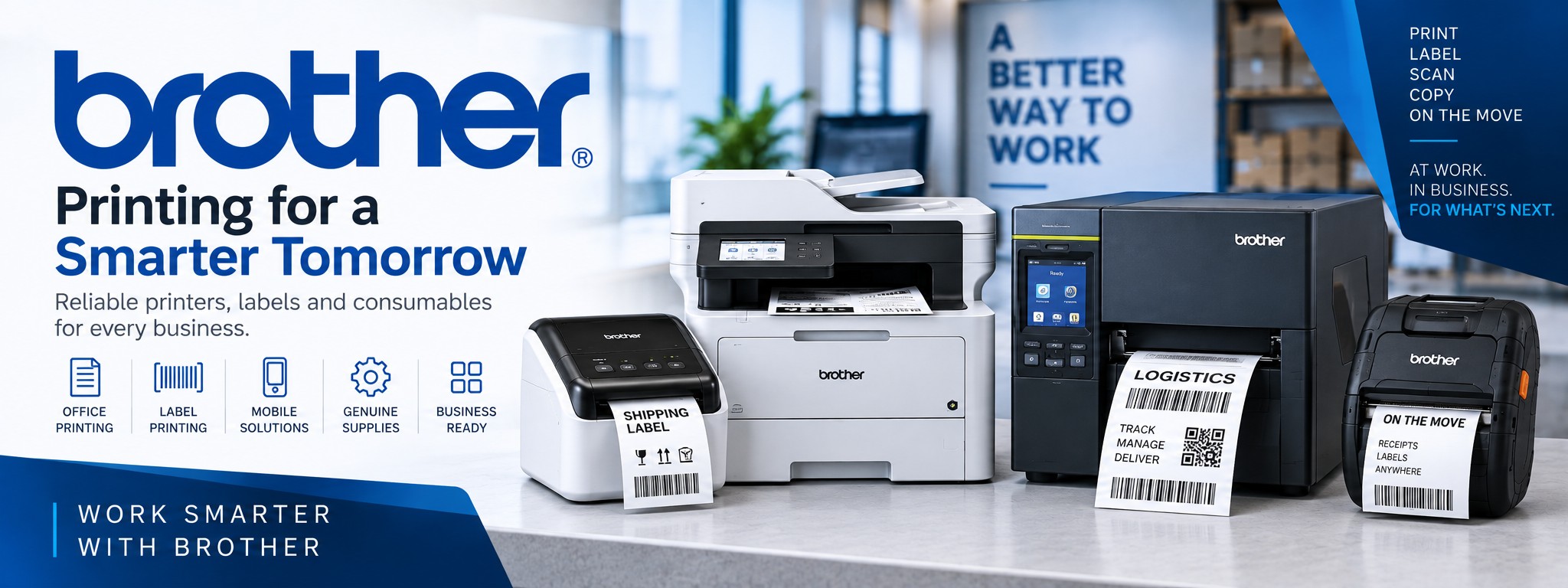
Brother Business Printers & Label Printing Solutions
Brother produces a broad range of printing technology for businesses, from industrial barcode label printers and desktop thermal printers to mobile printers, office laser printers and multifunction devices.
At Tek Direkt you can compare Brother printers for warehouses, logistics, retail, offices, field operations and general business printing.
Already know what you need? Send us the Brother manufacturer part number and quantity and we'll provide another business price to compare.
Explore Brother Business Printing
WAREHOUSE & MANUFACTURING
Brother TJ Industrial Label Printers
Industrial thermal label printers for higher-volume barcode, shipping, product, compliance and logistics label production.
DESKTOP LABEL PRINTING
Brother TD Label Printers
Desktop label and receipt printers for shipping desks, stockrooms, retail, healthcare and business labelling.
MOBILE PRINTING
Brother RJ Mobile Printers
Portable label and receipt printers for delivery, field service, warehouse, retail and other mobile workflows.
OFFICE & SHIPPING
Brother QL Label Printers
Compact desktop printers for address labels, shipping labels, visitor labels, filing and general workplace labelling.
OFFICE PRINTING
Brother Laser & Inkjet Printers
Mono, colour and inkjet printers for everyday business documents, workgroups and professional office printing.
PRINT, SCAN & COPY
Brother Multifunction Printers
All-in-one devices combining printing with scanning, copying and, on selected models, fax functionality.
Brother Industrial Label Printers
Brother's TJ Series is designed for industrial label printing in environments such as manufacturing, warehousing, transport and logistics.
Brother positions its industrial range for high-volume applications including packing labels, product and parts labels, receiving and put-away labels, compliance labels and work-in-progress identification.
Shipping & Packing
Produce barcode and shipping labels for cartons, pallets and outbound orders.
Manufacturing
Print product, parts, work-in-progress and compliance labels around production environments.
Warehouse Identification
Create inventory, receiving, put-away and other operational labels.
Brother TJ printers support familiar printer command languages on selected models, which can make them particularly interesting when replacing or integrating thermal printers within an existing label-printing environment.
Brother TD Desktop Label Printers
The Brother TD range provides desktop thermal label printing for businesses that need a compact printer at a packing bench, counter, workstation or other fixed location.
Depending on the model, the range includes both direct thermal and thermal transfer printing, different print resolutions and a choice of connectivity.
Brother TD-4420DN
A network-connected direct thermal desktop printer suited to applications such as shipping and general business label printing.
Brother TD-4420TN
A 203dpi thermal label printer offering direct thermal and thermal transfer printing for a wider range of label requirements.
Brother TD-4520TN
A 300dpi model worth considering where labels require smaller text, denser barcodes or greater printed detail.
Brother Mobile Label & Receipt Printers
Brother's mobile printer ranges are designed to take printing away from a fixed desk or workstation.
Compact portable printers can be carried by employees or used within mobile operations to produce labels, receipts and documents closer to where the work actually happens.
Delivery & Logistics
Print suitable receipts, labels and documentation while employees are working away from a fixed office.
Warehouse Operations
Move label printing closer to picking, inventory and other mobile warehouse workflows.
Field Service
Give field-based employees access to compatible printing without returning to a central workstation.
Check the complete Brother MPN before ordering a mobile printer. Connectivity, media support, included accessories and regional configurations can differ between versions of the same printer family.
Brother QL & P-touch Label Printers
Brother QL Label Printers
Brother QL printers are compact desktop labelling devices suited to address labels, shipping labels, filing, visitor identification and general workplace labelling.
Selected QL models offer USB, network, Wi-Fi and Bluetooth connectivity, while compatible continuous rolls allow labels to be cut to different lengths.
Brother P-touch
P-touch printers are designed around durable tape-based labelling and are useful for assets, shelving, cables, facilities, identification and workplace organisation.
Different models support handheld, desktop and network-connected workflows with different tape widths and connectivity options.
Brother Office Printers
Brother also offers an extensive range of business printers for everyday office document production.
Mono Laser
For invoices, reports, correspondence and other high-volume black-and-white documents.
Colour Printing
For businesses producing presentations, reports and documents where colour is required.
Business Inkjet
Brother inkjet devices provide another option for offices requiring flexible colour document printing.
Which Brother Printer Do You Need?
| Requirement | Brother Range to Consider | Typical Use |
|---|---|---|
| Industrial barcode labels | TJ Series | Warehousing, manufacturing and logistics |
| Desktop shipping labels | TD Series | Packing benches, dispatch and business labelling |
| Portable label printing | RJ Series | Warehouse, delivery and field operations |
| Address & office labels | QL Series | Shipping, visitor, filing and office labelling |
| Durable identification labels | P-touch | Assets, cables, facilities and workplace organisation |
| Business documents | HL Series | Single-function office printing |
| Print, scan & copy | MFC / DCP | Office multifunction printing |
Brother Printers for Warehousing & Logistics
Brother's combination of industrial, desktop and mobile thermal printers makes the range particularly relevant to warehouse and logistics operations.
Goods In
Produce receiving, identification and put-away labels as stock enters the operation.
Warehouse
Create barcode, stock, location and inventory labels for operational workflows.
Dispatch
Print shipping and carton labels at packing benches and dispatch stations.
A single operation may use different Brother printer families together: an industrial TJ printer for higher-volume production, TD printers at packing stations and RJ mobile printers for workers moving around the warehouse.
Brother Printers for Manufacturing
Industrial thermal printing is used throughout manufacturing for identification and traceability.
Product labels
Identify finished products and packaged goods.
Identify finished products and packaged goods.
Parts labels
Create identification labels for components and materials.
Create identification labels for components and materials.
Work-in-progress
Identify items as they move between production stages.
Identify items as they move between production stages.
Compliance labels
Produce suitable product and ratings labels where required.
Produce suitable product and ratings labels where required.
Packing labels
Identify cartons and goods leaving production.
Identify cartons and goods leaving production.
Receiving labels
Label incoming materials and inventory.
Label incoming materials and inventory.
Direct Thermal or Thermal Transfer?
Direct Thermal
Prints onto heat-sensitive media without a ribbon.
Commonly used for shipping, receipts and other applications where long-term label durability is not the primary requirement.
Thermal Transfer
Uses a thermal ribbon to transfer the printed image onto compatible label media.
Useful where the label application, material or required durability makes thermal transfer more appropriate.
How to Choose a Brother Printer
What are you printing?
Documents, shipping labels, barcode labels, receipts or durable identification?
Documents, shipping labels, barcode labels, receipts or durable identification?
Where will it be used?
Office, warehouse, production floor, vehicle or out in the field?
Office, warehouse, production floor, vehicle or out in the field?
How much will you print?
Occasional labels, daily office printing or continuous industrial production?
Occasional labels, daily office printing or continuous industrial production?
What size media?
Check label width, paper size and compatible media carefully.
Check label width, paper size and compatible media carefully.
Which connectivity?
USB, Ethernet, Wi-Fi, Bluetooth or a combination?
USB, Ethernet, Wi-Fi, Bluetooth or a combination?
What print resolution?
Higher resolution may be useful for small text and detailed barcode labels.
Higher resolution may be useful for small text and detailed barcode labels.
Direct thermal or transfer?
Consider expected label lifespan and media requirements.
Consider expected label lifespan and media requirements.
Which exact MPN?
Configurations can vary even within the same Brother printer family.
Configurations can vary even within the same Brother printer family.
Brother Printer FAQs
Does Brother make industrial label printers?
Yes. Brother's TJ range includes industrial thermal label printers designed for higher-volume applications in manufacturing, warehousing, transport and logistics.
What is the difference between Brother TJ and TD printers?
TJ models are aimed at more demanding industrial label-printing applications, while the TD family provides compact desktop thermal printing for workstations, packing benches and other business environments.
Does Brother make mobile label printers?
Yes. Brother's RJ range includes portable label and receipt printers for mobile workflows including logistics, warehouse, retail and field operations.
Does Brother make office printers?
Yes. Brother offers laser, LED and inkjet printers as well as multifunction devices for businesses ranging from smaller offices to larger workgroups.
What is a Brother QL printer used for?
Brother QL printers are commonly used for address, shipping, visitor, filing and general office labels. Exact media sizes and connectivity depend on the model.
Which Brother printer is best for shipping labels?
For conventional desktop shipping-label workflows, start by looking at Brother's TD thermal printer range. The right model depends on label width, print volume, resolution and connectivity.
Which Brother printer is best for a warehouse?
It depends on the workflow. TJ printers are suited to higher-volume industrial label printing, TD printers can be deployed at fixed workstations and RJ printers can support mobile printing around the warehouse.
Can Tek Direkt quote for multiple Brother printers?
Yes. If you have the Brother MPN and quantity required, send them over and we'll provide another business price to compare.
Buying Brother Printers for Your Business?
Whether you're replacing one printer or deploying Brother devices across multiple workstations, send us the manufacturer part number and quantity you require.
If you already have a supplier quote, send that instead.
No calls. No meetings. No messing about. Just another price to compare.