
Best Laptops for Small Businesses
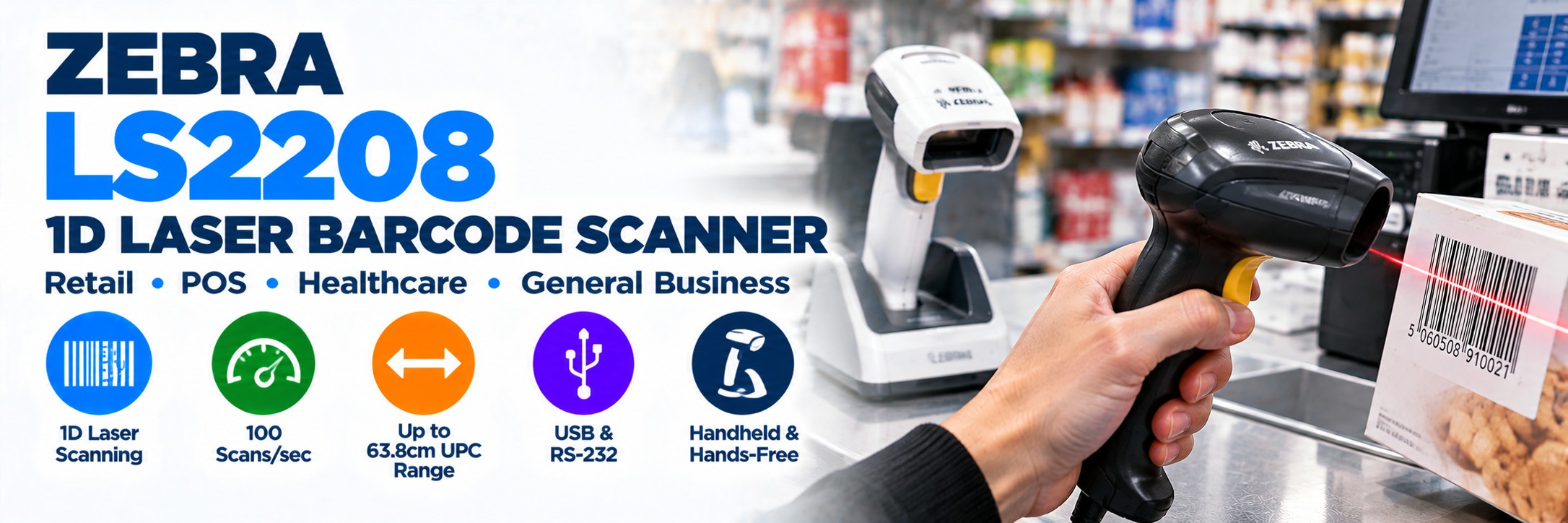
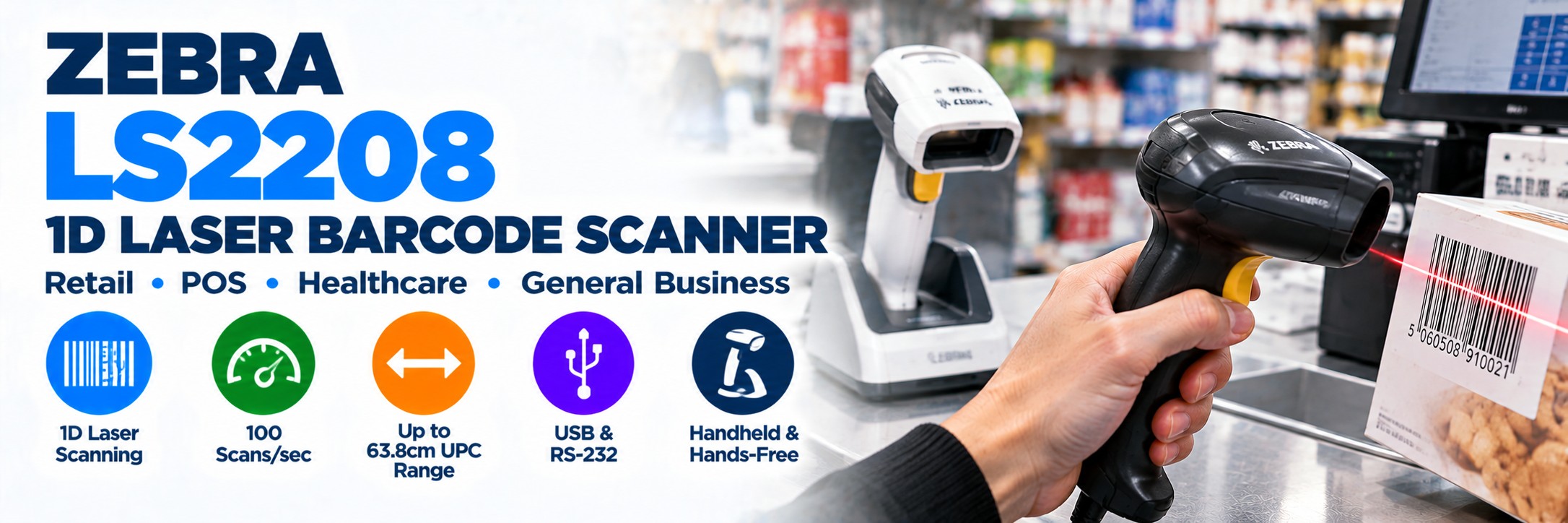
Zebra LS2208 1D Barcode Scanner
A proven corded 1D laser barcode scanner for retail, point of sale, healthcare and general business scanning.
The Zebra LS2208 is one of Zebra's longest-established handheld barcode scanners, combining fast 1D laser scanning, lightweight ergonomics, USB and other host-interface options with a straightforward corded design.
It is particularly well suited to businesses that only need to scan traditional linear barcodes such as UPC/EAN, Code 39, Code 128 and GS1 DataBar.
Important: the LS2208 is a 1D scanner. If you need QR Codes, Data Matrix, mobile-screen barcodes or other 2D symbols, consider the Zebra DS2208 instead.
Zebra LS2208 at a Glance
1D Laser Scanning
Designed for conventional linear barcode symbologies used throughout retail and business operations.
100 Scans / Second
Fast single-line laser scanning for everyday point-of-sale and business barcode capture.
Up to 63.8cm UPC Range
Zebra specifies reading of a standard 13 mil UPC barcode from contact to approximately 63.8cm under test conditions.
150g
Lightweight, balanced handheld design intended for repeated scanning throughout the working day.
1.5m Drop Rating
Designed to withstand multiple drops from 1.5 metres onto concrete.
Multiple Interfaces
Supports USB, RS-232, Keyboard Wedge and TGCS/IBM 46XX over RS485.
Handheld or Hands-Free
Add the optional IntelliStand for presentation-style scanning at a counter or workstation.
5-Year Warranty
Zebra specifies a five-year hardware warranty subject to its applicable warranty terms.
LS2208 or DS2208?
This is the most important question to answer before buying an LS2208 today.
Choose Zebra LS2208
If you only need conventional 1D barcodes.
The LS2208 remains a simple, proven choice for standard retail product barcodes, stock labels, membership cards and other conventional linear symbols.
It uses laser scanning technology and has no battery or wireless connection to manage.
Choose Zebra DS2208
If you need 1D + 2D scanning.
The DS2208 uses area-imaging technology and can capture both conventional 1D barcodes and 2D formats such as QR Code and Data Matrix.
It is the better direction where mobile coupons, smartphone barcodes, GS1 2D or future 2D requirements are likely.
Explore Zebra DS2208 →Buying scanners for a new deployment? Check whether your organisation expects to adopt QR Codes, Data Matrix or GS1 2D barcodes during the lifetime of the scanners. If so, a 2D imager such as the DS2208 may provide greater flexibility.
Zebra LS2208 vs DS2208 Comparison
| Feature | Zebra LS2208 | Zebra DS2208 |
|---|---|---|
| Scanning Technology | Laser | Area imager |
| 1D Barcodes | Yes | Yes |
| QR Codes | No | Yes |
| Data Matrix | No | Yes |
| Mobile-Screen Barcodes | Not designed for general 2D mobile-screen scanning | Yes |
| Connection | Corded | Corded |
| Best For | Established 1D-only workflows | Modern 1D + 2D workflows |
Built for Everyday 1D Barcode Scanning
The LS2208 is deliberately straightforward. It is designed to capture linear barcodes quickly and reliably without the additional capabilities of a 2D imager.
UPC / EAN
Common retail product barcodes used at checkout and throughout retail operations.
Code 128
Widely used across logistics, inventory, warehousing and business identification.
Code 39
Supported across a broad range of commercial and identification applications.
GS1 DataBar
Supports GS1 DataBar and other compatible 1D symbologies.
Long Working Range for a General-Purpose 1D Scanner
One of the LS2208's longstanding strengths is its useful working range across both conventional and higher-density 1D barcodes.
13 mil UPC
Zebra specifies a typical working range from contact to approximately 63.8cm for a standard 13 mil UPC barcode.
This gives operators flexibility when scanning products at a counter or workstation.
High-Density 1D
The LS2208 can also capture higher-density 1D symbols, with Zebra specifying Code 39 resolution down to 3 mil.
Actual reading performance depends on barcode size, print quality, contrast and environmental conditions.
Zebra LS2208 for Retail & Point of Sale
Retail remains one of the core applications for the LS2208.
Checkout
Scan conventional UPC and EAN product barcodes at fixed point-of-sale positions.
Stock Control
Capture compatible 1D inventory and product identifiers around the store.
Loyalty Cards
Read supported 1D loyalty and membership barcodes.
Paper Coupons
Capture compatible linear coupon barcodes presented at the checkout.
Handheld or Hands-Free Scanning
Handheld Operation
Pick up the LS2208 and aim the laser line directly at the barcode.
Its lightweight 150g design makes it suitable for repeated handheld use throughout the working day.
IntelliStand
The optional Zebra IntelliStand allows the LS2208 to operate in a presentation-style hands-free mode.
The scanner can automatically move between handheld and hands-free operation when placed into or removed from the stand.
Designed for Everyday Business Use
1.5m Drops
Designed to withstand multiple drops from approximately 1.5 metres onto concrete.
500 Tumbles
Zebra specifies resistance to 500 tumbles in a 0.5m tumbler.
Tempered Exit Window
A scratch-resistant tempered glass exit window helps protect the scanner's optical path.
Single-Board Construction
Zebra's design is intended to provide dependable operation for high-frequency everyday scanning.
LS2208 is not an ultra-rugged warehouse scanner. For demanding loading bays, industrial environments, repeated heavy drops or harsh warehouse use, consider a Zebra DS3600 Series scanner instead.
LS2208 Connectivity & Interfaces
The LS2208 supports several traditional host interfaces, making it useful both for new installations and replacement requirements.
USB
The most common choice for modern PCs, POS terminals and compatible business systems.
RS-232
Available for compatible legacy and specialist business equipment.
Keyboard Wedge
Supports compatible systems using keyboard-wedge connectivity.
IBM 46XX
TGCS / IBM 46XX connectivity over RS485 is supported for appropriate POS environments.
Check the kit MPN, not just the scanner model. Scanner-only configurations and kits can include different cables, stands or power components.
Zebra LS2208 Key Specifications
| Specification | Zebra LS2208 |
|---|---|
| Scanner Type | General-purpose corded handheld |
| Scanning Technology | 650nm Class 2 laser |
| Barcode Capability | 1D |
| Scan Pattern | Single line |
| Scan Speed | 100 scans per second |
| 13 mil UPC Range | Approximately 0–63.8cm under Zebra test conditions |
| Minimum Code 39 Resolution | 3 mil |
| Interfaces | USB, RS-232, Keyboard Wedge, TGCS/IBM 46XX over RS485 |
| Weight | Approximately 150g |
| Dimensions | Approx. 152 × 64 × 85mm |
| Drop Rating | Multiple 1.5m drops to concrete |
| Tumble Rating | 500 tumbles at 0.5m |
| Environmental Sealing | IP30 |
| Operating Temperature | 0°C to 50°C |
| Colours | Twilight Black or Cash Register White, depending configuration |
High-Density 1D Barcode Support
Although the LS2208 is commonly associated with retail UPC/EAN scanning, it can also read relatively dense 1D symbols.
3 mil Code 39
Zebra specifies support for Code 39 elements down to 3 mil.
One Scanner
The same scanner can therefore cover common retail barcodes and selected smaller high-density 1D labels.
Still 1D Only
High-density capability does not make the LS2208 a 2D scanner. QR Code and Data Matrix require an appropriate 2D imager.
Clear Good-Read Feedback
The LS2208 gives operators several ways to confirm a successful barcode capture.
Direct Decode Indicator
The laser line can visibly indicate a successful decode.
LED Indicator
Red and green LED feedback provides additional visual confirmation.
Adjustable Beeper
Audible feedback can be configured for tone and volume.
Where Does the LS2208 Make Sense?
Retail
Conventional product barcode scanning at checkout and service counters.
Healthcare
Suitable 1D barcode workflows where the environment and cleaning requirements match the chosen configuration.
Libraries & Education
Simple 1D barcode capture at desks, issue points and administrative workstations.
General Business
Document, inventory, asset and membership applications based on conventional 1D symbols.
When Should You Choose Something Else?
You Need Cordless
Consider a Bluetooth scanner such as the Zebra DS2278 or another suitable cordless model.
Zebra DS2278 →
You Need Premium 2D
Consider higher-performance 2D scanners where scanning speed, damaged codes and advanced imaging are more important.
Zebra DS8178 →You Need Ultra-Rugged
Move to an industrial scanner where drops, dust, moisture and harsh operating conditions are more demanding.
Zebra DS3608 →Zebra Scanner Management
The LS2208 is supported by Zebra scanner software tools for configuration and management.
Zebra 123Scan
Configure scanner parameters, stage devices and manage supported scanner settings.
Scanner Management Service
Supports remote management and retrieval of supported scanner asset information.
Advanced Data Formatting
Can help format scanned data before it is passed to the host application.
How to Choose the Correct LS2208
1. Confirm 1D Only
Make sure you do not require QR Code, Data Matrix or other 2D barcode formats.
2. Check Interface
Confirm whether your host system requires USB, RS-232 or another supported interface.
3. Scanner or Kit?
Check whether you require a scanner only or a complete kit with the appropriate cable.
4. Need a Stand?
Add an IntelliStand if hands-free presentation scanning is required.
5. Black or White?
Different colour configurations are available.
6. Check the Barcode
Confirm the symbology and size of the labels you need to scan.
7. Check Environment
For harsher industrial environments, consider a more rugged scanner family.
8. Use the Exact MPN
Compare the complete Zebra manufacturer part number when requesting prices.
Why the Exact Zebra LS2208 MPN Matters
LS2208 listings can differ even when the scanner itself looks identical.
Interface
The required host interface and cable can vary.
Kit Contents
Some listings include the scanner and cable while others may contain different components.
Colour
Black and white configurations are available.
Regional Configuration
Check that the exact MPN and kit are appropriate for the intended installation.
If you already know the Zebra MPN you need, send us the part number and quantity and we'll price the exact configuration.
Zebra LS2208 FAQs
Is the Zebra LS2208 a 1D or 2D scanner?
The LS2208 is a 1D laser barcode scanner. It is designed for conventional linear barcode formats.
Can the LS2208 scan QR Codes?
No. QR Code is a 2D barcode format. Choose a 2D area imager such as the Zebra DS2208 if QR scanning is required.
Can the LS2208 scan Data Matrix?
No. Data Matrix requires a suitable 2D scanner.
How fast is the LS2208?
Zebra specifies a scanning rate of 100 scans per second.
How far can the LS2208 scan?
Zebra specifies a typical range of up to approximately 63.8cm for a 13 mil UPC barcode and greater distances for some larger 1D symbols.
Can the LS2208 be used hands-free?
Yes. The optional IntelliStand supports presentation-style hands-free operation as well as quick switching back to handheld scanning.
Does the LS2208 use USB?
USB is one of the supported interfaces. Other interfaces include RS-232, Keyboard Wedge and TGCS/IBM 46XX over RS485.
Should I buy LS2208 or DS2208?
Choose LS2208 where the requirement is firmly limited to conventional 1D barcodes. Choose DS2208 if you need—or may later need—QR Codes, Data Matrix, mobile-screen barcodes or other 2D formats.
Need Zebra LS2208 Barcode Scanners?
If you already know the configuration, send us the Zebra manufacturer part number and quantity and we'll price the exact hardware.
Not sure whether the LS2208 is still the right scanner? Tell us what barcodes you're scanning, how the scanner connects and whether you need 1D only or 1D + 2D.
Already have another supplier quote? Send the same MPNs and quantities and we'll give you another price to compare.
No calls. No meetings. No messing about. Just straightforward hardware and a price.