
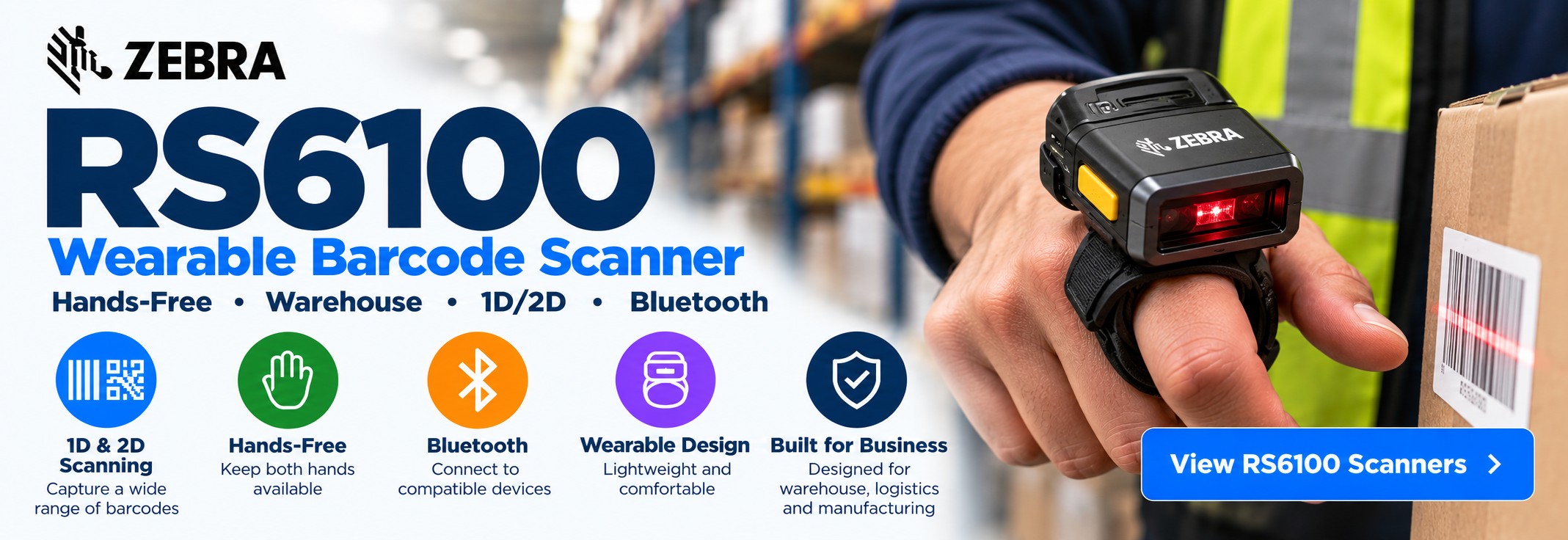
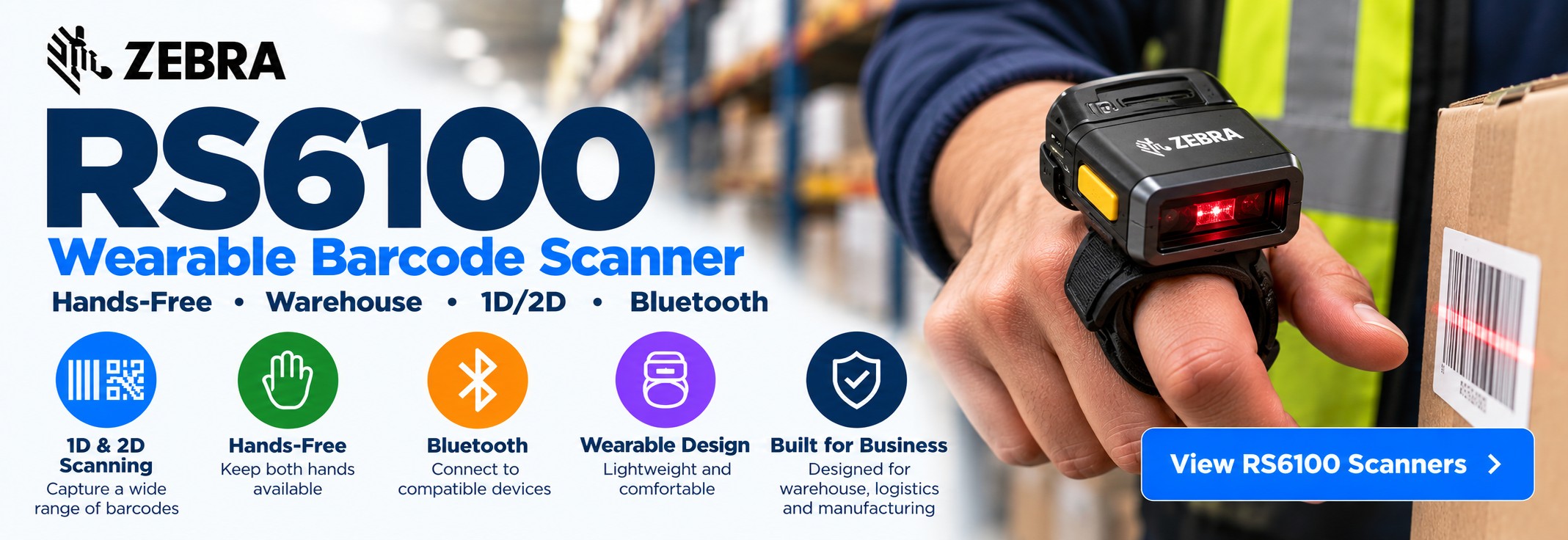
Zebra RS6100 Wearable Barcode Scanner
Advanced hands-free wearable barcode scanning for warehouse picking, order fulfilment, manufacturing, inventory and logistics operations.
The Zebra RS6100 is a wearable Bluetooth barcode scanner designed for businesses that need frequent barcode capture without requiring workers to repeatedly pick up and put down a conventional handheld scanner.
Worn on the hand, the RS6100 keeps scanning immediately accessible while allowing workers to handle products, cartons, totes and components as part of the same workflow.
For businesses planning a new wearable-scanning deployment, the RS6100 is an important Zebra model to consider alongside existing wearable scanners such as the RS5100.
What Is the Zebra RS6100?
The Zebra RS6100 is a compact wearable barcode scanner designed for high-frequency scanning applications across warehouses, distribution centres, manufacturing facilities and logistics operations.
Rather than carrying a separate handheld scanner, workers can wear the RS6100 and pair it wirelessly with a compatible mobile computer or host device.
This creates a workflow in which the mobile computer provides the application and information while the wearable scanner provides rapid access to barcode capture.
Planning a new wearable-scanning deployment?
The RS6100 should be considered alongside the mobile computer, wearing configuration, charging infrastructure and software used by the worker. The scanner is one part of the complete workflow.
Zebra RS6100 at a Glance
Wearable Scanning
Keep barcode capture immediately available while workers handle stock, cartons, totes and materials.
Bluetooth Connectivity
Connect wirelessly to compatible mobile computers and supported host devices.
1D & 2D Barcodes
Capture common barcode types used throughout warehouse, manufacturing and logistics workflows.
Warehouse Picking
Designed for repetitive pick, pack, replenish and inventory processes where frequent scanning is required.
Hands-Free Workflow
Reduce the need to repeatedly reach for, handle and replace a conventional handheld scanner.
Wearable Design
Designed around workers who need to scan while continuing to handle products and materials.
Industrial Applications
Suitable for demanding business workflows across warehousing, distribution, logistics and manufacturing.
New Deployments
A key Zebra wearable scanner to evaluate when designing a new hands-free data-capture solution.
Why Use a Wearable Barcode Scanner?
The benefits of wearable scanning become most apparent when workers need to capture barcodes repeatedly while also performing physical tasks.
Keep Both Hands Available
Workers can handle products, cartons, totes and components without carrying a conventional scanner throughout the task.
Scanner Always Ready
Barcode capture remains immediately accessible as workers move between locations and tasks.
Reduce Scanner Handling
Remove the repeated process of picking up, using, holstering or putting down a separate handheld scanner.
Natural Picking Workflow
Scan locations and products while continuing naturally through the physical picking process.
Zebra RS6100 for Warehouse Picking
Warehouse order picking is one of the clearest applications for wearable barcode scanning because workers frequently alternate between scanning and physically handling inventory.
The RS6100 allows the scanner to remain with the worker as they move between storage locations, scan location labels, identify products and place picked stock into totes or cartons.
Order Picking
Scan warehouse locations and products while keeping hands available for picking and handling stock.
Pick & Pack
Use wearable scanning across picking, verification and packing processes.
Stock Replenishment
Verify locations and products as inventory is moved between reserve and picking locations.
Inventory Counts
Capture product and location barcodes during cycle counting and stock checks.
Goods In
Scan incoming products, cartons and inventory identifiers during receiving and put-away.
Goods Out
Verify products, cartons and shipment identifiers during packing and despatch.
Returns
Capture returned product barcodes while workers inspect, sort and handle returned inventory.
Location Scanning
Scan rack, shelf, bin and other warehouse-location barcodes while moving through the facility.
RS6100 for Manufacturing & Logistics
The Zebra RS6100 can support high-frequency barcode scanning beyond warehouse order picking. Wearable scanning is also useful wherever workers need to capture barcodes while simultaneously handling components, products, parcels or materials.
Production
Capture component, work-in-progress and product barcodes while keeping hands available for handling materials.
Assembly
Scan parts and components during barcode-driven assembly and verification processes.
Quality Control
Use barcode capture as part of product checking, traceability and inspection workflows.
Parts Picking
Pick and verify components without repeatedly reaching for a separate handheld scanner.
Sortation
Scan parcels, totes and other identifiers while sorting items between destinations.
Cross-Docking
Capture shipment and location barcodes as goods move through fast distribution workflows.
Despatch
Verify cartons, products and shipment identifiers before goods leave the facility.
Traceability
Support barcode-driven tracking of products, components and materials through operational processes.
Zebra RS6100 Wearing Options
A wearable scanner needs to fit the worker as well as the application. RS6100 configurations and accessories allow the scanner to be positioned for hands-free barcode capture while workers continue to handle products and materials.
Finger-Mounted Scanning
Position the scanner around the fingers for rapid barcode capture while retaining the ability to pick and handle stock.
Hand-Mounted Options
Suitable wearable accessories can provide alternative positioning according to the task and worker preference.
Match the Application
The best wearing configuration depends on scan frequency, product handling, protective clothing and the wider mobile-computing setup.
Check the complete configuration before ordering.
RS6100 part numbers and kits can differ. Match the full Zebra MPN and required accessories rather than selecting solely by the RS6100 model name.
Pair the RS6100 with a Mobile Computer
The wearable scanner provides barcode capture, while a compatible mobile computer or host device normally provides the screen, application and network connection used by the worker.
Wearable Computers
Combine the RS6100 with suitable wearable computing hardware for highly mobile warehouse workflows.
Handheld Mobile Computers
Use a compatible handheld device for the application and display while frequent barcode capture takes place through the RS6100.
Warehouse Applications
Run WMS, picking, inventory and other operational applications on the host device while the wearable scanner handles barcode capture.
Bluetooth Connection
Wireless communication removes the need for a scanner cable between the RS6100 and compatible host hardware.
RS6100 Wearable Scanner vs Handheld Scanner
The right scanner depends on the workflow. Wearable scanning provides the greatest benefit when barcode capture happens frequently and workers also need their hands available for physical tasks.
| Requirement | RS6100 Wearable Scanner | Handheld Scanner |
|---|---|---|
| Hands-Free Picking | Excellent fit | Scanner normally needs to be held |
| High-Frequency Scanning | Designed for repetitive workflows | Suitable, but requires repeated handling |
| Handling Cartons & Products | Keeps hands more available | Scanner occupies one hand during scanning |
| Warehouse Picking | Strong fit | Common alternative |
| Manufacturing Tasks | Useful where scanning accompanies physical work | Useful where scanner mobility is more important |
| Occasional General Scanning | Can be used | Often the simpler choice |
Think about what happens immediately after each scan.
If the worker normally needs to use both hands to pick, move, sort or assemble something, a wearable scanner can remove the repeated handling of a separate scanning device.
Zebra RS6100 for Cold Store & Freezer Workflows
Wearable scanning can be particularly useful in temperature-controlled operations where workers need to scan while handling chilled or frozen inventory and may also be wearing gloves or protective clothing.
The exact scanner configuration and complete mobile-computing setup should always be checked against the temperatures and environmental conditions of the deployment.
Cold Store Picking
Keep barcode capture accessible while workers pick and move chilled or frozen products.
Gloved Workflows
A suitable wearable configuration can reduce repeated handling of a separate scanner while workers are wearing protective gloves.
Inventory Movement
Scan products and locations as temperature-controlled inventory moves through receiving, storage, picking and despatch.
Zebra RS6100 vs RS5100
The Zebra RS6100 and Zebra RS5100 are both wearable barcode scanners designed for hands-free data capture across warehouse, logistics and industrial applications.
For businesses already operating an RS5100 estate, continuing with the same model may make sense when replacing individual scanners or expanding an established deployment. For a completely new wearable-scanning project, the newer RS6100 deserves particular consideration.
| Requirement | Zebra RS6100 | Zebra RS5100 |
|---|---|---|
| Scanner Type | Wearable Bluetooth barcode scanner | Wearable Bluetooth barcode scanner |
| Primary Applications | Warehouse, picking, logistics and manufacturing | Warehouse, picking, logistics and manufacturing |
| Hands-Free Workflow | Yes | Yes |
| Wireless Host Connection | Bluetooth | Bluetooth |
| Existing RS5100 Deployment | Consider when reviewing an upgrade or replacement strategy | Natural choice where like-for-like replacement is required |
| New Wearable Deployment | Strong model to evaluate | Still relevant according to requirements and availability |
RS5100 or RS6100?
Do not choose purely by model number. Compare the complete scanner configuration, host hardware, wearing method, accessories, charging requirements and operating environment before standardising on either platform.
Should I Buy the RS6100 or RS5100?
Choose the RS6100
Make the RS6100 a key candidate when designing a new wearable-scanning deployment or reviewing the next generation of an existing Zebra wearable setup.
Choose the RS5100
The RS5100 remains particularly relevant when replacing existing scanners, expanding an established deployment or matching a specific RS5100 MPN.
1D & 2D Barcode Scanning
The Zebra RS6100 is designed for frequent barcode capture across warehouse, manufacturing, distribution and logistics workflows.
Suitable RS6100 configurations can capture common 1D and 2D barcodes found on products, cartons, totes, components, shipping labels and warehouse locations.
Product Barcodes
Capture product identifiers during picking, replenishment, inventory and despatch processes.
Location Barcodes
Scan rack, shelf, bin and storage-location identifiers while moving through the warehouse.
Carton Labels
Capture compatible carton and case barcodes during receiving, picking, packing and shipping.
2D Codes
Capture supported 2D barcode formats alongside conventional 1D barcodes.
Tote Identification
Scan tote and container identifiers throughout picking, fulfilment and sortation processes.
Component Tracking
Capture component and material barcodes in manufacturing, production and assembly environments.
Inventory Control
Use barcode capture during cycle counts, stock checks and inventory movements.
Shipping Labels
Capture supported shipment and logistics barcodes during packing and despatch.
Choose the Right RS6100 Configuration
Warehouses and industrial operations do not all scan the same barcodes from the same distances. The RS6100 configuration should be matched to the actual scanning environment rather than selected solely by model name.
Barcode Type
Consider the 1D and 2D barcode formats used on products, locations, cartons and other items in the workflow.
Scanning Distance
Consider how close workers normally are to the barcode and whether any locations need to be captured from further away.
Barcode Quality
Take account of barcode size, print quality and the condition of labels commonly encountered in the operation.
Check the full Zebra MPN.
Different RS6100 configurations and kits may contain different scanner, mounting and accessory combinations. Match the complete manufacturer part number when ordering.
Designed for Mobile Shift Work
Wearable scanning is designed around workers who move continuously through the warehouse or production environment. Battery and charging arrangements therefore need to be considered as part of the overall deployment.
Mobile Operation
Wireless operation allows workers to move between locations without physically tethering the scanner to the host computer.
Multi-Shift Operations
Plan battery and charging requirements around shift length, scanner quantities and operational hours.
Charging Infrastructure
For larger deployments, include scanner charging and associated accessories in the overall wearable-computing plan.
Built for Warehouse & Industrial Workflows
The RS6100 is intended for business environments where barcode hardware is used repeatedly throughout the working day and moves with the employee rather than remaining at a fixed workstation.
Warehouse Floors
Support workers moving continuously between picking locations, stock areas and packing stations.
Manufacturing
Use wearable scanning across components, assembly, production and traceability workflows.
Distribution Centres
Capture barcodes across receiving, inventory movement, sortation, picking and despatch.
Temperature-Controlled Operations
Consider suitable configurations for chilled and cold environments subject to the requirements of the complete deployment.
Specialist environment?
Check the operating requirements of the exact RS6100 configuration, host mobile computer and associated accessories before deploying hardware into cold, wet or otherwise demanding conditions.
Which Zebra RS6100 Should I Buy?
The RS6100 model name alone does not identify every element of a wearable-scanning deployment. The correct choice depends on the scanner configuration, wearing method, host hardware and operational environment.
1. Check the Scanning Requirement
Identify the barcode types, barcode sizes and typical scanning distances used in the application.
2. Choose the Wearing Style
Select the wearable arrangement that best suits the worker, physical task and scan frequency.
3. Check the Host Device
Confirm compatibility with the mobile computer or other supported host hardware used in the deployment.
4. Plan Charging
Consider working hours, shift patterns, scanner quantities and charging requirements.
5. Check the Environment
Consider warehouse, manufacturing, cold-store and other environmental requirements before selecting hardware.
6. Match the Full MPN
Use the complete Zebra manufacturer part number when ordering a particular configuration or replacing existing hardware.
Already know the Zebra MPN?
Send Tek Direkt the complete RS6100 manufacturer part number and quantity required for a price.
Zebra RS6100 Application Guide
| Application | Why the RS6100 Fits |
|---|---|
| Warehouse order picking | Hands-free barcode capture while workers handle products and totes |
| Pick & pack | Keep scanning immediately available throughout the fulfilment process |
| Inventory counting | Scan products and locations while moving through storage areas |
| Stock replenishment | Verify products and locations while inventory is being physically moved |
| Goods receiving | Capture incoming product, carton and inventory identifiers |
| Manufacturing | Scan components and products while keeping hands available for physical tasks |
| Sortation | Capture parcel, tote and destination barcodes during rapid material movement |
| Cold-store picking | Wearable scanning can reduce repeated handling of separate scanners in suitable temperature-controlled deployments |
Planning a New Wearable Scanning Deployment?
The RS6100 should be considered as part of the complete worker setup rather than as an isolated barcode scanner.
Scanner
Select the RS6100 configuration required for the barcodes and scanning distances involved.
Mobile Computer
Choose compatible computing hardware for the application, display and network connection.
Wearable Setup
Match the mounting arrangement to the worker and the physical tasks performed during the shift.
Charging
Plan charging infrastructure around device quantities, working hours and shift patterns.
Zebra RS6100 FAQs
What is the Zebra RS6100?
The Zebra RS6100 is a wearable Bluetooth barcode scanner designed for hands-free data capture in applications including warehouse picking, inventory, manufacturing and logistics.
Is the Zebra RS6100 a ring scanner?
The RS6100 is a wearable scanner designed to be positioned on the worker's hand using suitable mounting configurations, allowing barcode capture while keeping the hands available for other tasks.
Does the RS6100 use Bluetooth?
Yes. The RS6100 uses Bluetooth connectivity for wireless communication with compatible mobile computers and host devices.
Can the RS6100 scan 2D barcodes?
Suitable RS6100 configurations support 1D and 2D barcode capture. Check the exact Zebra configuration and MPN when selecting hardware.
Is the RS6100 suitable for warehouse picking?
Yes. Warehouse picking is a core use case for wearable scanning because workers can capture product and location barcodes while keeping their hands available for handling stock.
Can the RS6100 work with a mobile computer?
Yes. Wearable scanners such as the RS6100 are designed to operate with compatible host devices, allowing the mobile computer to run the business application while the RS6100 handles frequent barcode capture.
What is the difference between RS6100 and RS5100?
Both are Zebra wearable barcode scanners. The RS5100 remains particularly relevant for existing installations and like-for-like replacements, while the newer RS6100 is an important model to consider for new wearable-scanning deployments.
Which Zebra RS6100 MPN do I need?
The correct MPN depends on the required scanner configuration, wearing setup, accessories and deployment. Check the complete manufacturer part number rather than ordering by model name alone.
Build a Complete Wearable Scanning Solution
The RS6100 is normally one part of a wider mobile-computing workflow. The wearable scanner captures barcodes while the connected mobile computer and business application provide the information workers need to complete each task.
RS6100 Scanner
Give workers immediate access to barcode scanning without requiring them to carry a conventional handheld scanner.
Mobile Computer
Run warehouse, inventory, manufacturing or logistics applications on compatible mobile hardware.
Charging
Plan charging infrastructure around scanner quantities, shift patterns and operating hours.
Wearable Accessories
Select suitable mounting and wearable accessories according to the worker, task and operating environment.
Explore Wearable & Warehouse Scanning
Compare the RS6100 with other wearable scanners and explore the mobile-computing hardware and specialist scanning solutions used alongside it.
Zebra RS5100
Compare the RS6100 with the established Zebra RS5100 wearable scanner for existing deployments and replacement requirements.
Wearable Barcode Scanners
Compare wearable and ring scanners for hands-free warehouse, manufacturing and logistics applications.
Warehouse Barcode Scanners
Explore barcode-scanning hardware for picking, inventory, receiving, packing and despatch.
Mobile Computing
Find handheld and wearable computing hardware for warehouse and business data-capture applications.
Scanning in Cold & Temperature-Controlled Environments?
Cold stores and freezer operations introduce additional requirements around operating temperatures, protective clothing, condensation and battery performance.
If the RS6100 is being considered for a temperature-controlled deployment, check the complete scanner, mobile computer and accessory specifications against the actual operating environment.
Buy Zebra RS6100 Scanners from Tek Direkt
Exact MPN Sourcing
Already know the Zebra part number? Send us the complete RS6100 MPN and quantity required for a price.
New Deployments
Source RS6100 scanners as part of a new warehouse, logistics or manufacturing wearable-scanning deployment.
Single Units or Rollouts
Buy an individual scanner or request pricing for larger warehouse and multi-site requirements.
Complete Data Capture
Source wearable scanners alongside mobile computers, barcode scanners and related data-capture hardware.
Need a Price on Zebra RS6100 Scanners?
Send us the Zebra MPN and quantity and we'll provide a price.
Planning a new wearable-scanning deployment? Tell us what the scanners will be used for and which mobile computers or host devices you intend to use.
Comparing RS6100 with RS5100? Send us the requirements and we can price the relevant hardware.
Already have another supplier's quote? Send that over too.
No calls. No meetings. No messing about. Just another price.
Request an RS6100 Quote