
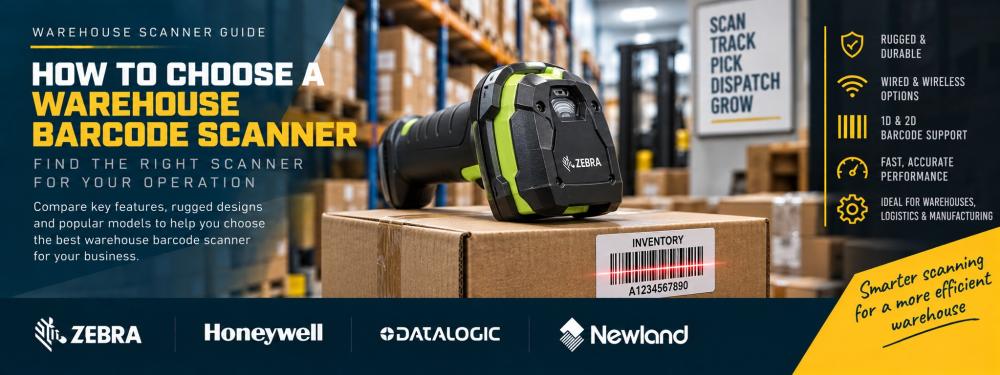
How to Choose a Warehouse Barcode Scanner
Choosing a warehouse barcode scanner isn't simply a case of finding a device that can read a barcode. The right scanner needs to match your working environment, scanning distances, barcode types, connectivity requirements and the way your warehouse team actually works.
This guide takes you through the main decisions to make before buying barcode scanners for a warehouse, distribution centre, stockroom or manufacturing operation.
Warehouse barcode scanner: the quick checklist
Before comparing individual scanner models, answer these seven questions:
1
Where will it be used?
Fixed packing bench, goods-in area, warehouse floor, loading bay or throughout the site?
2
What are you scanning?
Product barcodes, cartons, pallet labels, rack locations, QR codes or a mixture?
3
How far away are the labels?
Close-range product scanning and high-rack scanning can require very different scan engines.
4
Does it need to be rugged?
Consider drops, dust, moisture, loading bays, cold areas and the intensity of daily use.
5
Corded or cordless?
Decide whether operators remain at a workstation or need freedom to move around stock and pallets.
6
What will it connect to?
PC, warehouse terminal, tablet, mobile computer, WMS, ERP or another system?
7
Scanner or mobile computer?
If staff need information and applications on screen, a mobile computer may be more suitable.
Step 1
Start with the warehouse workflow
The first question isn't which brand or scanner to buy. It's where and how the device will actually be used.
Goods in
Staff may need to scan cartons, products and pallet labels as deliveries arrive. Cordless operation can be useful when working around larger shipments.
Order picking
Operators moving between stock locations generally need greater mobility. Depending on the workflow, a cordless scanner or mobile computer may be more appropriate.
Packing stations
A corded scanner can be a simple and cost-effective solution when operators remain at a fixed workstation.
Inventory
Stock checks often involve moving around the warehouse and scanning both products and storage locations.
Rack scanning
If location labels are positioned several metres away or high on warehouse racking, scan range becomes particularly important.
Dispatch
Scanners can be used to verify products, cartons and shipping labels before orders leave the warehouse.
Step 2
Choose between 1D and 2D barcode scanning
Warehouse operations can use several different barcode formats, so check what your scanner needs to read before ordering.
1D barcodes
Common linear barcode formats include:
- Code 128
- Code 39
- EAN
- UPC
2D barcodes
Common 2D formats include:
- QR Code
- Data Matrix
- PDF417
- Aztec
For most new deployments, consider a 2D imager. A suitable 2D scanner can normally read traditional 1D barcodes as well as 2D symbols, giving the warehouse greater flexibility if barcode requirements change.
Step 3
Work out the scanning distance
Scan range is one of the most important warehouse requirements and one of the easiest to underestimate.
| Application | Typical Requirement | What to Consider |
|---|---|---|
| Product scanning | Close range | A standard scan engine may be sufficient. |
| Carton scanning | Close to medium range | Consider barcode size and condition as well as distance. |
| Pallet labels | Variable | Operators may need greater flexibility around large loads. |
| Rack locations | Potentially long range | Extended-range scanning may be required for high or inaccessible labels. |
The maximum scanning distance depends on more than the scanner itself. Barcode size, print quality, barcode density and the exact scan engine can all affect practical reading range.
Step 4

Decide how rugged the scanner needs to be
Warehouse equipment can experience considerably more wear than hardware used in an office or conventional retail environment.
Think about whether the scanner could be dropped onto a warehouse floor, exposed to dust or moisture, used near loading bays or operated continuously across multiple shifts.
For demanding environments, purpose-built rugged scanners such as the Zebra DS3600 Series are designed specifically for warehouse, manufacturing and logistics applications.
Drop resistance
Check the manufacturer's drop specifications, particularly where scanners are likely to be carried around the warehouse throughout a shift.
IP rating
Ingress Protection ratings indicate the level of protection a device provides against solids such as dust and against water.
Operating environment
Temperature, cold storage, outdoor loading areas and other environmental conditions may affect which scanner is suitable.
Step 5


Choose corded or cordless scanning
Whether operators remain at a workstation or move around the warehouse is one of the clearest ways to narrow down your scanner choice.
Corded scanning
Ideal for fixed packing benches, goods-in desks and warehouse workstations.
Cordless scanning
Better where operators need to move around pallets, stock locations and warehouse aisles.
Choose corded when...
- The scanner remains at one workstation
- Operators work at a packing bench
- You want a straightforward USB connection
- Battery management is unnecessary
- Mobility provides little benefit
Choose cordless when...
- Operators move around pallets or cages
- Stock is scanned throughout the warehouse
- Cables would restrict movement
- Scanning takes place away from a workstation
- Mobility can improve the workflow
For cordless hardware, also consider battery life, charging arrangements, wireless range and whether charging cradles or spare batteries are required.
Step 6
Check connectivity and system compatibility
Before choosing the scanner, establish what it needs to communicate with.
USB
A straightforward option for scanners connected to fixed PCs and warehouse workstations.
Bluetooth
Allows compatible cordless scanners to communicate wirelessly with nearby computers, tablets or other host devices.
Dedicated base
Some industrial cordless scanners use a charging and communication cradle or base station as part of the deployment.
Check your software too
Make sure the proposed hardware is appropriate for the systems used in your warehouse, which might include:
- Warehouse Management Systems (WMS)
- ERP systems
- Inventory management software
- Shipping and courier software
- PCs and warehouse terminals
- Tablets and mobile computers
Step 7

Decide whether you actually need a barcode scanner
If warehouse staff only need to capture barcode data, a dedicated scanner can be ideal. But some workflows require operators to scan a barcode and then view or enter information while moving around the warehouse.
A barcode scanner captures data for another device, while a mobile computer combines scanning, applications and a screen in one handheld unit.
Choose a barcode scanner when...
- The device connects to another computer or terminal
- The main requirement is barcode capture
- Operators work at fixed stations
- You already have the required software and display
Consider a mobile computer when...
- Operators need picking lists on screen
- Staff update inventory while moving
- Warehouse applications need to run on the device
- Wi-Fi access is required around the warehouse
Other factors worth considering
Battery life
For cordless scanners, consider whether the battery will comfortably cover your working shift and how devices will be charged between shifts.
Ergonomics
Operators can perform thousands of scans. Weight, balance, grip and trigger position can therefore matter when hardware is used continuously.
Accessories
Remember to check whether you need charging cradles, batteries, cables, power supplies, stands or other accessories.
Common warehouse scanner buying mistakes
Buying on price alone
A low-cost scanner isn't necessarily economical if it cannot withstand the environment or repeatedly causes scanning problems.
Underestimating scan distance
A scanner that performs well on a packing bench may not be suitable for location labels positioned high on warehouse racking.
Ignoring the exact MPN
Scanner families can contain multiple versions with different scan engines, connectivity and accessories. Check the exact manufacturer part number.
Forgetting the workflow
The most technically capable scanner isn't automatically the right one. The hardware needs to fit how operators actually work.
Before you order: final checklist
Barcode type
Confirm whether you need 1D, 2D or both.
Scan distance
Measure or estimate the furthest labels operators need to scan.
Environment
Consider drops, dust, moisture, temperature and working conditions.
Mobility
Decide whether a corded or cordless scanner fits the workflow.
Connectivity
Confirm the required USB, Bluetooth or base-station connection.
Accessories
Check cables, cradles, batteries and power supplies before ordering.
Ready to compare warehouse barcode scanners?
Once you know your required barcode type, scan distance, ruggedness and connectivity, the next step is comparing suitable scanner families.
Our warehouse scanner comparison looks at rugged options from Zebra, Honeywell and Datalogic, including models for fixed, cordless and demanding industrial applications.
Warehouse barcode scanning from Tek Direkt
Tek Direkt supplies barcode scanning and warehouse technology from leading manufacturers including Zebra, Honeywell, Datalogic and Newland.
Barcode scanners
General-purpose, cordless, rugged and industrial barcode scanners for business applications.
Mobile computers
Rugged handheld computers for warehouse picking, inventory, stock management and mobile applications.
Label printing
Desktop, industrial and mobile label printers for barcode, stock, location, pallet and shipping labels.
Already know which scanner you need?
Send us the manufacturer part number and quantity, or forward an existing supplier quote.
We'll give you another price to compare. No calls or meetings needed.