
Epson ColorWorks label printing
Pharmaceutical & Medical Colour Label Printing
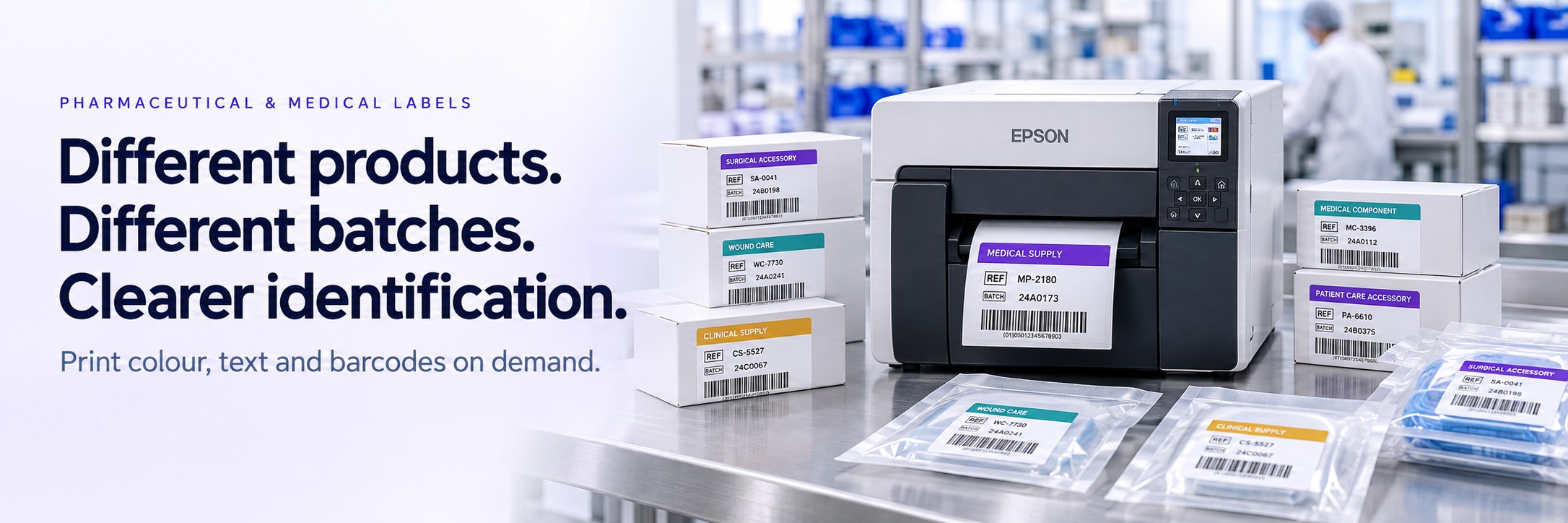
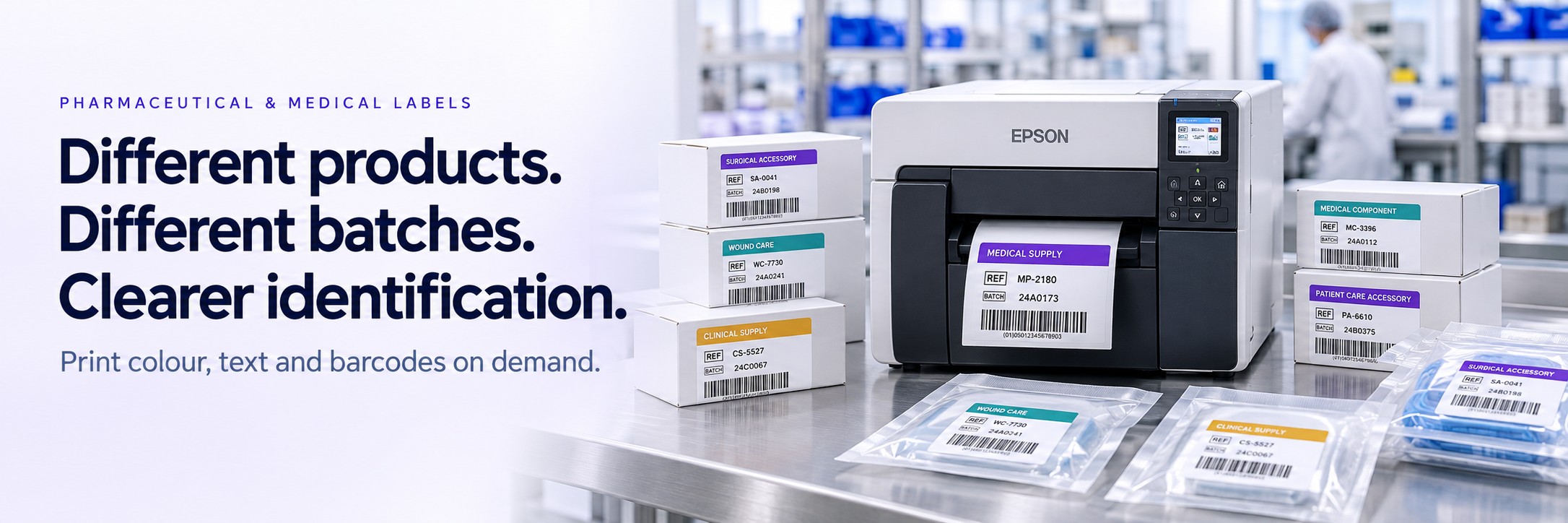
Different products. Different batches. Clearer identification.
Product ranges, customer requirements and batch information can change from one print run to the next. Your labels need to carry the right information for the job.
Epson ColorWorks colour label printers let you combine colour, text and barcodes on demand. Explore options for medical supply packaging, contract-packing jobs and internal identification within pharmaceutical operations.
- Print colour designs and variable information together
- Create short runs for different products and customers
- Add clear visual cues alongside written identifiers
Where Could On-Demand Colour Printing Help?
Start with a specific label and a defined process. Colour can support recognition, while the written information and barcode retain the identifiers your team needs.
Medical Supply Packaging
Produce labels for medical consumables, accessories and supply packs, using approved designs with product references, descriptions and other required information.
Contract Packing
Print different customer designs and job-specific details on suitable blank label stock. Useful when working across multiple brands or shorter production runs.
Batch & Lot Identification
Include written batch or lot references alongside product information. Use an agreed colour cue to support recognition without replacing the unique identifier.
Internal Status & Handling Labels
Create clearly worded labels for internal containers, work areas or stock awaiting review, where your procedures permit. Keep status labels aligned with the current authorised status.
Changing Labels Without Ordering Every Design in Advance
Keeping separate pre-printed labels for every product, customer or pack format can become difficult to manage.
On-demand colour printing allows different designs to be produced using compatible blank media. Print the required quantity and select the appropriate approved template for each job.
- Produce small batches and replacement labels as required
- Switch between customer artwork and product variants
- Print batch references and dates through a suitable software setup
- Assess new label designs before committing to a larger run
Where labels are controlled documents, template selection, artwork changes and print approval should remain within your established quality process.
Colour Supports Identification. The Detail Still Matters.
A colour band or panel can make a label easier to distinguish, but the meaning should remain clear when the colour is not visible or cannot be distinguished.
- Product: a clear written name or reference
- Batch: the applicable lot or batch identifier
- Status: explicit wording where a status label is used
- Barcode: the required encoded identifier and readable layout
- Colour: a supporting cue with a consistent, agreed meaning
Build Around Your Approved Label
Send us your existing artwork or label specification. We can help assess the printing requirements while your quality team retains control of label content, approval and application suitability.
Choosing an Epson ColorWorks Setup
The right choice starts with the dimensions of your label, the information it carries and how it will be used. We can help assess Epson ColorWorks options against those requirements.
Label Size & Layout
Confirm the width, length, printable area and space needed for readable text and barcodes. Small-container labels need particular attention to media dimensions and application.
Print Volume & Handling
Consider the number of labels per run, how often designs change and how labels are removed and applied at the workstation.
Media & Adhesive
Match the label construction to the packaging surface, required service life and exposure to moisture, temperature changes or cleaning agents.
Software & Data
Check how templates are controlled, where variable information comes from and how the proposed printer will fit into your existing label-generation process.
Assess the Complete Label for Its Intended Use
A label used on an outer shipping carton faces different conditions from one applied to a small container or exposed to refrigeration, chemicals or sterilisation.
The printer, ink, label coating, adhesive and application surface all contribute to the finished result. Share the conditions your labels need to withstand so the proposed combination can be assessed and tested.
For Regulated Product Labelling
Selecting a colour printer does not, by itself, establish pharmaceutical or medical-device labelling compliance. Required content, barcode quality and any applicable serialisation or identification processes need separate assessment within your quality system.
Who Is This For?
This approach may suit businesses that need flexible colour label printing across changing products, customers or internal processes.
- Pharmaceutical manufacturers assessing specific label applications
- Medical consumable and accessory suppliers
- Contract packers handling multiple customer designs
- Healthcare product manufacturers
- Medical supply distributors preparing labelled packs and outer packaging
For colour-coded projects, sample groups and laboratory storage, see our Laboratory Colour Label Printing guide .
Frequently Asked Questions
Can we print different customer designs on one printer?
Yes, compatible label designs can be selected through your printing software. The media size, material and printer setup still need to suit each application.
Can labels include batch numbers, dates and barcodes?
These can be included in the label design. How fields are populated and checked depends on your software and data source. Share an example so the complete workflow can be assessed.
Does the printer make our labels compliant?
No. Compliance depends on the product, market, label content and relevant processes. The printer is one part of the setup; it does not replace artwork approval or any required verification.
Are the labels suitable for refrigeration or sterilisation?
Suitability must be established for the specific ink, media, adhesive, surface and exposure conditions. Do not assume temperature or sterilisation resistance from the printer name alone.
Can colour identify a product or status by itself?
Use colour alongside explicit written identification. Any colour scheme should have a consistent meaning and fit your approved procedures, with status labels updated when required.
What do you need to recommend a setup?
Send the label dimensions, approximate daily volume, application surface and working conditions. Include your current artwork, software details and any specific verification requirements.
Start With the Label You Need to Print
Email your label specification or a photograph of your current label, together with the quantity and conditions of use.
We’ll help assess printer and media options and provide a quote. No call or meeting needed.