
Epson ColorWorks for laboratories
Laboratory Colour Label Printing
Small labels. Important information.
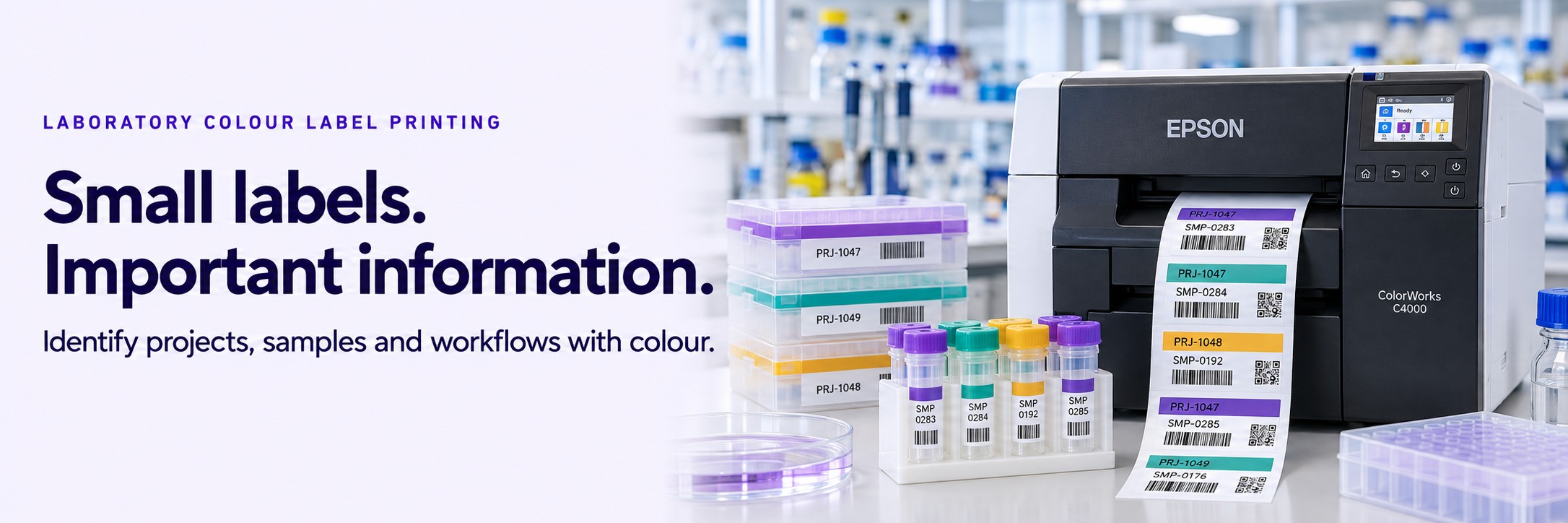
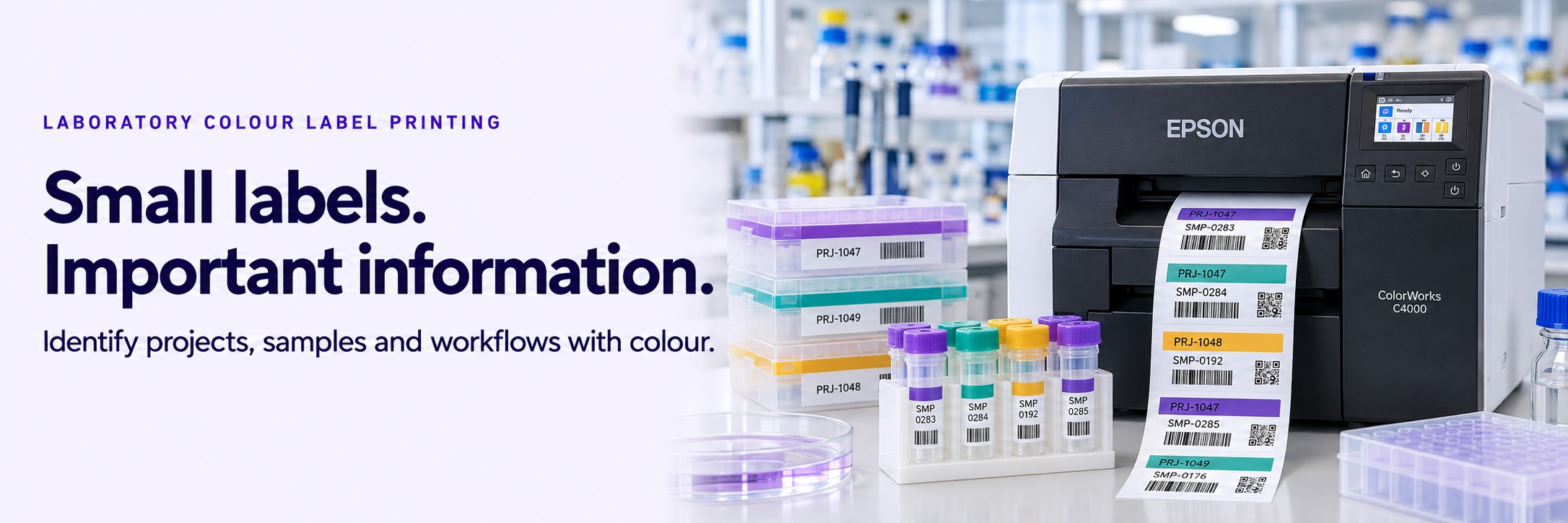
When samples, projects and storage containers look alike, a clear colour cue can help the differences stand out.
Use Epson ColorWorks to print colour alongside text and barcodes for laboratory identification. Create labels for project groups, sample batches, storage boxes and internal workflows as you need them.
- Distinguish projects and sample groups at a glance
- Print changing label information on demand
- Keep readable text and barcode identification on the same label
Where Could Colour Help in Your Laboratory?
Colour is most useful when it has a clear, agreed meaning. Pair each colour cue with written information so the label remains understandable without relying on colour alone.
Project & Study Identification
Use a consistent colour band alongside a project name or study reference to distinguish work running through the same laboratory.
Sample Groups & Batches
Make sample groups easier to recognise while retaining the unique sample ID, batch reference and barcode needed for identification.
Storage Boxes & Containers
Create clear labels for sample boxes, trays and secondary containers, with colour cues for projects or storage locations.
Internal Workflow Status
Combine a colour cue with wording such as “Awaiting Preparation” or “Under Review”, where this fits your approved procedures. Replace status labels when the status changes.
One Label. Several Ways to Recognise It.
A laboratory label can carry a visual cue for staff and a machine-readable identifier for your existing process.
- Colour: an agreed project or group identifier
- Text: a readable sample ID and description
- Barcode: an identifier for scanning
- Other details: dates, batch references or storage instructions where required
Design the label around the information your team actually needs, with enough space for clear text and reliable barcode scanning.
Illustrative label content
PROJECT ALPHA
Sample ID: ALP-00482
Batch: B-026
Container: BOX-014
Status: AWAITING PREPARATION
Batch: B-026
Container: BOX-014
Status: AWAITING PREPARATION
A colour band identifies the project. Written fields retain the meaning. A barcode can encode the sample ID.
Example only. Final layouts and identifiers should follow your laboratory’s procedures.
Print Changing Information on Demand
Projects change. New batches arrive. Containers need fresh labels. On-demand colour printing lets you update the design and variable information without ordering a separate pre-printed design for every group.
- Create short runs for new projects or trial workflows
- Change project colours and written identifiers within your label template
- Print replacement labels when information changes
- Use suitable blank label stock across multiple designs
Data entry, variable fields and connections to other systems depend on your chosen label software and setup. Tell us how you generate labels today so we can help assess the practical requirements.
Choosing an Epson ColorWorks Printer
We can help assess Epson ColorWorks options, including the C4000e, C6000 and C6500 ranges, against your label dimensions, print volume and handling requirements.
Start with the label itself. A box or secondary-container label may have very different requirements from a small label wrapped around a vial. Minimum media dimensions, printable area and the available label stock all need checking before a model is selected.
Already Have a Label Design?
Email a sample or photograph, its dimensions and your approximate daily volume to sales@tekdirekt.uk. Include the surface it will be applied to and the conditions it must withstand.
The Label Material Matters as Much as the Printer
Laboratory conditions vary. A label used on a room-temperature storage box has different demands from one exposed to condensation, solvents, deep-freeze storage or sterilisation.
Printer choice alone does not establish suitability for those conditions. The complete combination of ink, label coating, adhesive, container surface and application process must be assessed.
- Surface: glass, plastic, curved containers or outer packaging
- Temperature: during application, storage and use
- Exposure: moisture, cleaning agents, solvents or handling
- Size: space for readable text and an appropriately sized barcode
- Service life: how long the label needs to remain attached and readable
For freezer, cryogenic, chemical-exposure or sterilisation applications, suitability should be supported by relevant material specifications and testing under your actual conditions.
Colour Printing or General Sample Identification?
This page focuses on adding colour to laboratory labels. If your main requirement is choosing barcode printers, scanners and identification methods for samples, our broader guide covers that starting point.
Read the Laboratory & Sample Barcode Labelling Guide →Frequently Asked Questions
Can colour replace a sample ID or barcode?
No. Use colour as an additional visual cue. Keep the written identifiers and barcodes required by your laboratory’s procedures, and make sure the meaning is clear without relying on colour alone.
Can I print labels for small tubes and vials?
This depends on the label dimensions, media format, printer and application surface. Send us the exact size and container details so we can check whether a ColorWorks setup is appropriate.
Are ColorWorks labels suitable for freezer storage?
That cannot be assumed from the printer name. Suitability depends on the complete label construction, adhesive, ink and conditions of use, including application temperature and freeze-thaw cycles. The proposed combination needs assessment and testing.
Will it work with our laboratory software?
Compatibility depends on your software, label-generation method, printer drivers and integration requirements. Share those details so they can be checked before purchase.
Can we use different colours for different projects?
Yes, your label designs can use different colour bands, text or graphics. Agree a consistent scheme, include a written project identifier and check that the finished labels remain clear and scannable.
Tell Us What Your Labels Need to Do
Send your label size, daily print volume, container type and working conditions. If you already have a label, include a photograph or sample design.
We’ll help assess the printer and media options and provide a quote. No call or meeting needed.