
ELO Touchscreen Monitors, POS Systems & Interactive Displays
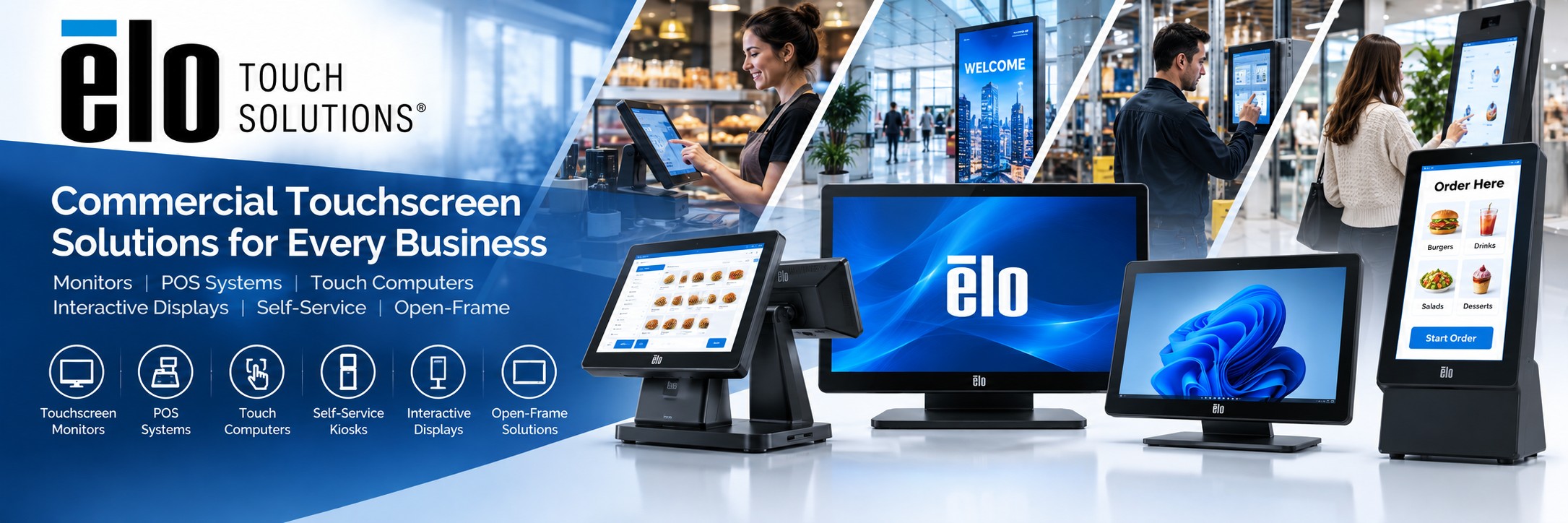
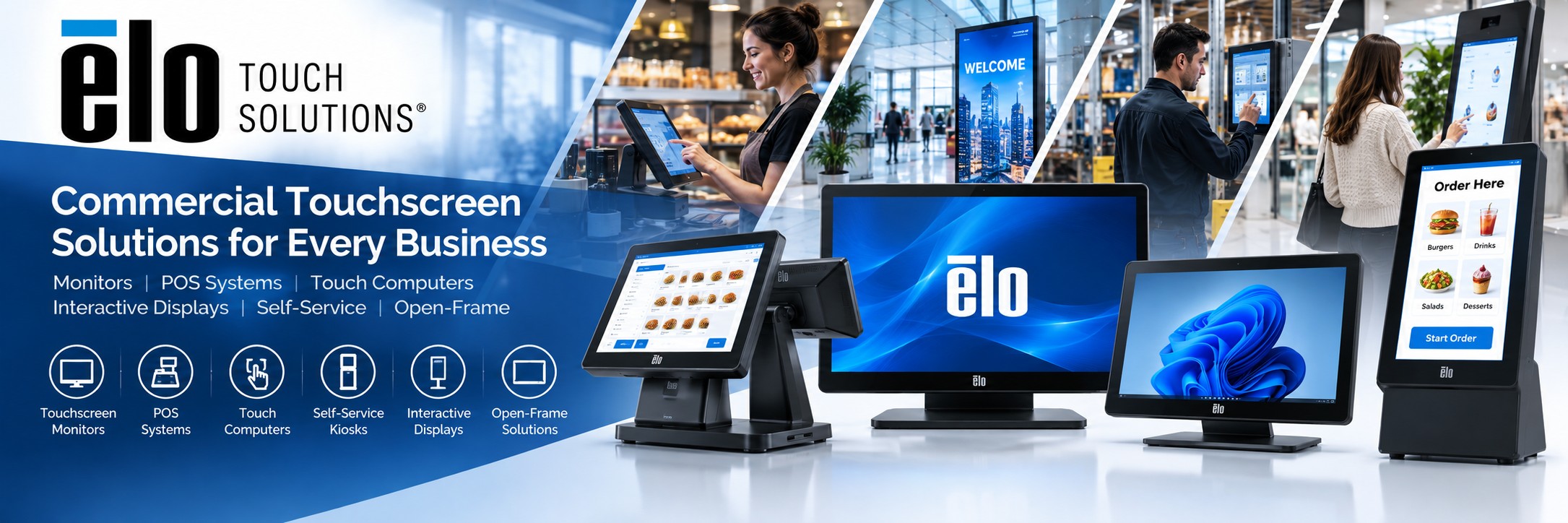
ELO Touch Solutions develops commercial touchscreen technology for retail, hospitality, self-service, digital signage, industrial and business applications.
Explore ELO touchscreen monitors, touch computers, POS hardware, interactive displays, open-frame touchscreens and self-service technology from Tek Direkt.
Explore ELO Touch Solutions
From a touchscreen at the checkout to an interactive self-service kiosk, ELO provides commercial touch technology across a wide range of business applications.
TOUCH
ELO Touchscreen Monitors
Commercial touchscreen displays for POS, customer interaction, control systems, information terminals and everyday business applications.
Shop ELO Touchscreen Monitors →
POS
ELO POS Systems
Purpose-built touchscreen POS hardware for retail and hospitality, with modular options for connecting printers, scanners, payment devices and other peripherals.
Shop ELO POS →
COMPUTE
ELO Touch Computers
All-in-one touchscreen computers combine processing, display and touch interaction in a compact commercial platform for POS, self-service and business applications.
Explore ELO Touch Computers →
SELF-SERVICE
ELO Kiosk & Self-Service
Interactive touchscreen technology for self-service ordering, check-in, ticketing, product lookup, information points and other customer-facing applications.
Explore ELO Kiosk Technology →
SIGNAGE
ELO Interactive Displays
Large-format commercial touch displays for interactive signage, digital experiences, wayfinding, product information and customer engagement.
Explore Interactive Displays →
OEM
ELO Open-Frame Touchscreens
Open-frame touch displays designed for integration into kiosks, industrial equipment, cabinets, control systems and other embedded applications.
Explore Open-Frame Displays →Choose ELO by What You Need to Do
Start with the application and then choose the touchscreen format, size and computing platform that fits your deployment.
Build a Touchscreen POS
Combine an ELO touchscreen or touch computer with compatible POS software, receipt printing, barcode scanning and payment hardware.
Explore POS Equipment →Create a Self-Service Kiosk
Deploy touchscreen interfaces for ordering, registration, check-in, ticketing, information and other customer-controlled processes.
Explore ELO Kiosk Hardware →Add Touch to a PC
Use an ELO touchscreen monitor where you already have the computing hardware but require a reliable commercial touch interface.
Explore Touchscreen Monitors →Build an All-in-One System
Touch computers integrate the screen, touchscreen interface and computing hardware into a single unit for a cleaner deployment.
Explore Touch Computers →Integrate Touch into Equipment
Open-frame displays are designed for integration into kiosks, cabinets, machinery and specialist commercial equipment.
Explore Open-Frame Displays →Create Interactive Digital Signage
Use larger touchscreen displays to create interactive product displays, directories, information points and digital customer experiences.
Explore Interactive Displays →ELO Touchscreen Monitors
ELO is particularly well known for commercial touchscreen monitors. Different screen sizes, mounting options and touch technologies allow businesses to select hardware for applications ranging from desktop POS to public-facing interactive systems.
Desktop Touchscreens
Compact touchscreen monitors are well suited to retail counters, hospitality, POS terminals, reception desks and control applications.
Shop ELO Touchscreens →Large Touch Displays
Larger displays provide more screen space for self-service, interactive signage, directories, product discovery and other customer-facing experiences.
Explore Large Touch Displays →Open-Frame Displays
Open-frame touchscreen monitors are designed to be installed inside another enclosure rather than used as a conventional desktop display.
Shop Open-Frame Touchscreens →ELO for Point of Sale
ELO touchscreen technology can form the centre of a modern retail or hospitality POS system, providing an intuitive interface for staff and customers.
Traditional POS
Use a commercial ELO touchscreen or POS terminal at the checkout alongside your POS application, receipt printer, barcode scanner and payment hardware.
Customer-Facing Displays
Add a second interactive or non-interactive display to provide customers with transaction information, promotional content or other digital experiences.
Modular Peripherals
Depending on the ELO platform, installations can incorporate peripherals such as barcode scanners, payment devices, cameras and other accessories.
ELO Self-Service & Kiosk Technology
Touch technology can move routine transactions directly to the customer, creating intuitive self-service systems for retail, hospitality, healthcare and public-facing environments.
| Application | Typical ELO Solution |
|---|---|
| Self-Service Ordering | Touchscreen computer or kiosk display for hospitality, food service and retail ordering |
| Customer Check-In | Interactive touchscreen system for reception, hospitality, healthcare and visitor applications |
| Product Lookup | Interactive display allowing customers to browse products, stock information or additional ranges |
| Wayfinding | Large-format touchscreen display for directories, maps and visitor information |
| Ticketing | Integrated touchscreen kiosk for ticket purchase, collection or registration |
| Information Points | Touchscreen displays or computers providing access to digital information and services |
Understanding ELO Touchscreen Technology
Not every touchscreen works in the same way. The right touch technology depends on how the screen will be used, the operating environment and how users will interact with it.
Projected Capacitive Touch
Projected capacitive touch technology provides responsive multi-touch operation and excellent image clarity, making it well suited to modern retail, hospitality, self-service and interactive applications.
Resistive Touch
Pressure-based touchscreen technology can suit applications where operators need a straightforward touch interface in specialist commercial or industrial environments.
Commercial Touch Technology
ELO offers different touch technologies and form factors, allowing organisations to select touchscreen hardware around their application rather than relying on a one-size-fits-all display.
ELO Open-Frame Touchscreens
Open-frame touchscreens are designed for integration. Instead of supplying a conventional monitor enclosure and stand, the display can be incorporated into a kiosk, cabinet, machine or custom installation.
Self-Service Kiosks
Integrate an ELO touchscreen into a custom kiosk enclosure for ordering, registration, check-in, ticketing or information applications.
Industrial Equipment
Open-frame displays can provide a touch interface for machinery, production systems and specialist commercial equipment.
Custom Installations
For applications where a conventional desktop monitor is unsuitable, an open-frame touchscreen provides greater flexibility for system designers and integrators.
ELO Touch Solutions by Industry
Retail
Touchscreen POS, self-service, product lookup, interactive displays and customer-facing digital experiences for shops and retail environments.
Hospitality
POS terminals, self-service ordering, check-in and interactive touchscreen systems for restaurants, hotels and hospitality environments.
Healthcare
Touchscreen displays and computing hardware for healthcare information, check-in, reception and specialist applications.
Manufacturing
Commercial touchscreen interfaces and open-frame displays for production, control and industrial systems.
Corporate & Workplace
Interactive displays for reception areas, meeting spaces, directories, information systems and workplace applications.
Public & Self-Service
Touch technology for kiosks, ticketing, check-in, wayfinding, information points and other public-facing systems.
Why Choose ELO Touch Solutions?
Touchscreen Specialist
ELO has extensive experience developing touchscreen technology for commercial applications.
Commercial Hardware
ELO products are designed for business environments including retail, hospitality, self-service and industrial applications.
Wide Product Range
Choose from touchscreen monitors, touch computers, POS systems, kiosks, interactive displays and open-frame hardware.
Flexible Integration
Different form factors make ELO technology suitable for desktop installations, wall mounting, kiosks and embedded systems.
Modular Ecosystem
Compatible peripherals and mounting options allow businesses to configure systems around specific applications.
Business Applications
ELO technology can support customer interaction from the checkout and self-service kiosk through to industrial and information systems.
Choosing the Right ELO Touchscreen
There are several things to consider when selecting an ELO touchscreen, particularly when replacing an existing display or building a new commercial system.
Screen Size
Consider the available installation space, viewing distance and the amount of information users need to see on screen.
Monitor or Touch Computer?
Choose a touchscreen monitor if you already have a PC or computing device. Choose a touch computer when you want the display and computing hardware combined.
Desktop or Integrated?
Desktop touchscreens suit conventional counters and workstations, while open-frame displays are designed for integration into kiosks and equipment.
Connectivity
Check the required video, USB, network and peripheral connections before selecting a replacement or new ELO system.
Mounting
Consider whether the display will use a desktop stand, wall mount, pole, kiosk enclosure or another specialist mounting arrangement.
Existing ELO MPN
If you're replacing an existing ELO product, the manufacturer part number is usually the quickest way to identify the correct model or suitable replacement.
ELO Touch Solutions FAQs
What is ELO Touch Solutions?
ELO is a specialist manufacturer of commercial touchscreen technology. Its product portfolio includes touchscreen monitors, touch computers, POS hardware, kiosks, interactive displays, open-frame monitors and related touch technology.
Are ELO touchscreens suitable for point of sale?
Yes. POS is one of the main applications for ELO touchscreen technology. ELO touchscreen monitors and touch computers can be combined with compatible POS software and peripherals such as barcode scanners, receipt printers, payment devices and cash drawers.
Does ELO provide POS software?
ELO hardware can be integrated with compatible third-party retail, hospitality and business applications, allowing organisations to select the software platform that meets their requirements.
What is an ELO open-frame touchscreen?
An open-frame touchscreen is designed to be integrated into another piece of equipment or enclosure. Common applications include kiosks, industrial machinery, information terminals and self-service systems.
Can ELO displays be used for self-service kiosks?
Yes. ELO touchscreen hardware can be used for self-service applications including ordering, check-in, ticketing, product lookup, directories and information terminals.
Can I replace an older ELO touchscreen?
Yes. If you have the manufacturer part number from your existing ELO monitor or touch computer, Tek Direkt can help you identify the same product where available or find an appropriate current replacement.
Which ELO touchscreen do I need?
The right model depends on screen size, mounting method, touch technology, connectivity, operating environment and whether you need a standalone monitor or an all-in-one touch computer. Send Tek Direkt your requirements or existing ELO MPN if you're unsure.
Need a Price on ELO Hardware?
If you already know the ELO MPN and quantity you need, send them over. If you've already received a quote elsewhere, send that instead.
No calls. No meetings. No messing about. Just another price to compare.