
Plastic ID Card Printers: Buying Guide & How to Choose
Plastic ID card printers let you produce professional employee ID cards, staff badges, membership cards, access cards and other personalised plastic cards in house.
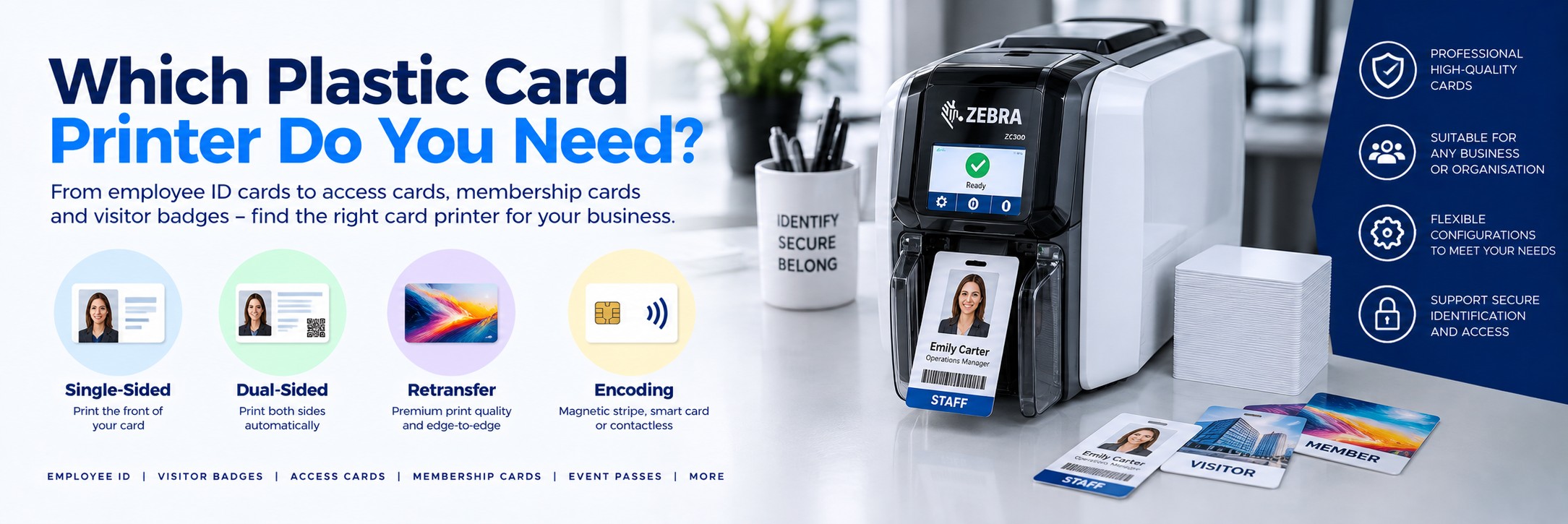
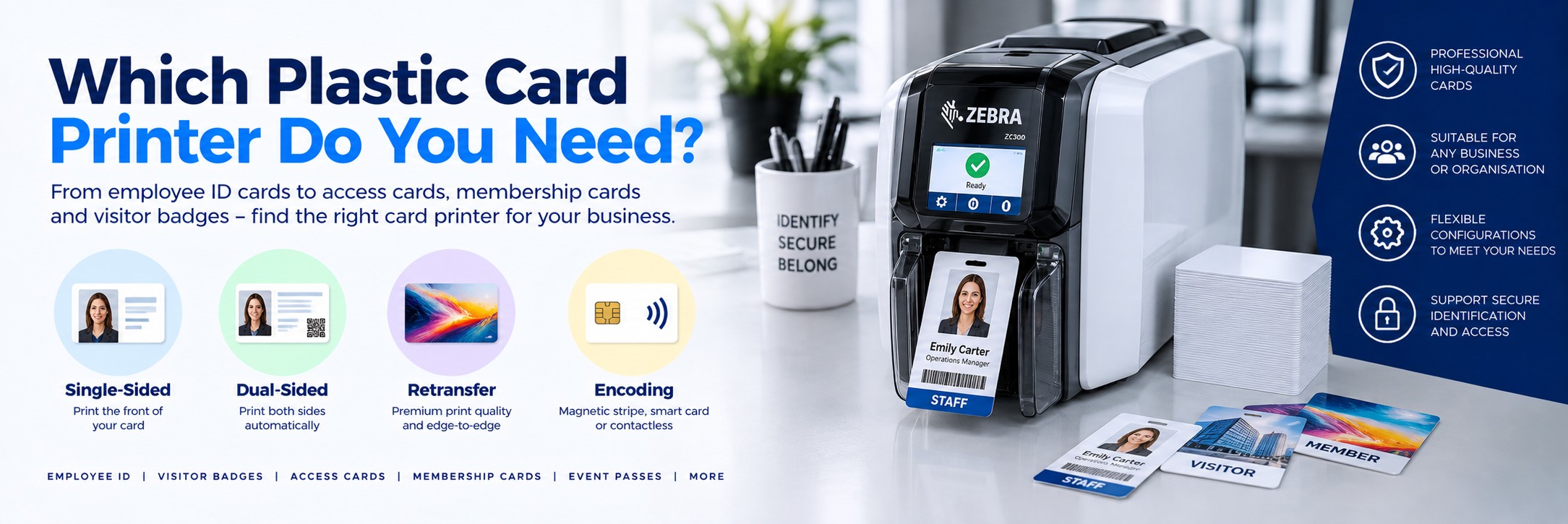
The right printer depends on what you're printing, how many cards you produce, whether you need one or both sides printed, the quality of the finished card and whether cards need magnetic stripe, smart-card or contactless encoding.
Shop Plastic ID Card Printers
Plastic ID card printers are designed for organisations that need to create professional personalised cards on demand. Common applications include employee photo ID, staff badges, membership cards, student cards, visitor credentials and compatible access-control cards.
STAFF ID
Employee ID Card Printers
Print professional employee photo ID cards, staff badges and workplace identification cards in house.
MEMBERSHIP
Membership Card Printers
Produce personalised cards for clubs, gyms, associations, education, leisure and membership organisations.
ACCESS
Access & Smart Card Printing
Choose the correct printer and encoder configuration where cards also need magnetic stripe, contact or compatible contactless technology.
Quick Answer: Which Plastic Card Printer Do I Need?
Basic Staff ID
Direct-to-card, single-sided
A practical starting point for straightforward employee photo ID cards and badges.
Information Both Sides
Dual-sided printer
Automatically prints the front and reverse without manually turning each card over.
Premium Cards
Retransfer printer
Consider for high-quality edge-to-edge printing, demanding card designs and some technology cards.
Access or Smart Cards
Printer with encoding
Choose the correct magnetic stripe, contact or contactless encoding option for your card technology.
For straightforward employee ID cards: start by deciding whether you need single-sided or dual-sided printing. For premium image quality, edge-to-edge designs or more specialised cards, compare direct-to-card with retransfer printing before purchasing.
What Is a Plastic Card Printer?
A plastic card printer is designed specifically to personalise plastic cards, typically using dye-sublimation and resin printing technology rather than the ink or toner used by an office printer.
The most common format is the standard CR80 card, approximately the same size as a bank card or driving licence.
Typical applications include:
Employee ID Cards
Add employee photographs, names, job titles, departments, company branding and identification numbers.
Membership Cards
Create personalised cards for gyms, clubs, associations, leisure facilities and membership organisations.
Access Cards
Print visual identification onto compatible cards used with building-access systems.
Visitor Badges
Produce durable personalised cards for visitors, contractors and temporary personnel where plastic cards are appropriate.
Education Cards
Create student, staff, library and campus identification cards.
Loyalty Cards
Produce branded personalised cards for customer loyalty and reward programmes.
1. Single-Sided or Dual-Sided Card Printer?
This is usually the easiest decision to make.
SINGLE-SIDED
Print the Front of the Card
A single-sided card printer prints one side during each pass.
Suitable for:
- Basic employee ID
- Photo ID badges
- Simple membership cards
- Cards where all required information fits on the front
You can sometimes print the reverse manually by feeding the card through again, but this becomes inconvenient at higher volumes.
DUAL-SIDED
Automatically Print Both Sides
A dual-sided printer flips the card internally and prints the reverse automatically.
Useful when the back contains:
- Terms and conditions
- Emergency information
- Company contact details
- Instructions
- Additional branding
- Barcodes or identification information
If you already know every card needs information on both sides, buy the appropriate dual-sided model from the beginning rather than building a manual card-flipping process into your workflow.
2. Direct-to-Card or Retransfer Printing?
This is one of the most important differences between card-printer technologies.
DTC
Direct-to-Card Printing
With direct-to-card printing, the printhead transfers the image from the ribbon directly onto the card surface.
Advantages:
- Lower initial printer cost in many cases
- Fast printing
- Excellent for everyday ID cards
- Wide choice of desktop printers
- Simple option for many organisations
Best suited to: staff ID, membership cards, education cards and general business identification.
RETRANSFER
Retransfer Printing
A retransfer printer first prints the image onto a transparent transfer film. The image is then transferred from that film onto the card.
Advantages:
- Excellent image quality
- True edge-to-edge appearance on suitable cards
- Well suited to premium card designs
- Can be more tolerant of some uneven card surfaces
- Often preferred for more demanding card applications
Best suited to: premium ID cards, sophisticated designs and applications where print quality is particularly important.
Direct-to-Card vs Retransfer
| Feature | Direct-to-Card | Retransfer |
|---|---|---|
| Printing Method | Image transferred directly from ribbon to card | Image printed onto film, then transferred to card |
| Initial Cost | Usually lower | Usually higher |
| Everyday ID Cards | Excellent choice | May be more than required |
| Edge-to-Edge Appearance | Typically leaves a very small border | Can provide true over-the-edge coverage on suitable cards |
| Premium Image Quality | Very good | Excellent |
| Uneven Card Surfaces | Requires suitable cards | Often better suited to some technology cards |
| Consumables | Ribbon | Ribbon plus retransfer film |
3. How Many Cards Will You Print?
Don't choose a printer purely on how many cards you need today. Think about normal monthly use, peak periods and how quickly cards need to be produced.
Occasional Printing
A compact entry-level printer can be ideal for businesses issuing relatively small numbers of employee or membership cards.
Regular Card Production
Look at input capacity, output capacity, ribbon yield, print speed and the convenience of changing consumables.
High-Volume Production
Higher-capacity printers, larger card hoppers and production-focused models can reduce operator intervention.
The fastest printer isn't necessarily the best value. For most organisations, workflow, reliability and consumable cost matter more than a few seconds difference in quoted print speed.
4. Colour or Monochrome Cards?
Most photo ID applications require full colour on at least the front of the card.
A common full-colour ribbon configuration is known as YMCKO.
Y
Yellow
Part of the full-colour image.
M
Magenta
Combined with the other colour panels.
C
Cyan
Completes the main colour image.
K + O
Black + Overlay
Resin black plus a protective clear overlay panel.
Other ribbon configurations are available for different printers and applications, including monochrome ribbons and ribbons designed for colour on the front with black printing on the reverse.
5. Do You Need Card Encoding?
Printing the card and encoding the card are two different things.
If the card needs to interact electronically with another system, the printer may require an appropriate encoder.
Magnetic Stripe
Used in some legacy access, membership, loyalty and identification systems.
Contact Smart Card
Used where a physical smart-card chip needs to communicate with a reader.
Contactless / RFID
Used with compatible contactless card technologies for access control and other applications.
Important: don't order a printer simply because the description says it supports encoding. Confirm the exact card technology and the exact printer configuration or MPN required by your system.
6. USB or Network Card Printer?
USB
Suitable where one computer will control the printer and the printer can be positioned nearby.
Ethernet / Network
Useful when the printer needs to be available across a network or located away from the workstation creating the cards.
Connectivity varies between models and sometimes between different configurations of the same printer family. Check the exact MPN before ordering.
7. Think About Card Security
The amount of security required depends on what the card does.
A simple gym membership card has very different requirements from an employee credential used to access restricted areas.
Employee photograph
Makes visual identification easier.
Makes visual identification easier.
Company branding
Makes legitimate cards easier to recognise.
Makes legitimate cards easier to recognise.
Cardholder information
Name, employee number, department or other appropriate identifiers.
Name, employee number, department or other appropriate identifiers.
Barcodes
Can connect the physical card with supported business systems.
Can connect the physical card with supported business systems.
Smart-card technology
Can support compatible electronic access or identification systems.
Can support compatible electronic access or identification systems.
Lamination
Available with some printer systems to add durability and additional visual security features.
Available with some printer systems to add durability and additional visual security features.
8. Do You Need Lamination?
Standard card printing is sufficient for many staff and membership cards.
For cards that need greater durability or additional visual security, consider a printer system that supports lamination.
Without Lamination
Suitable for many normal employee, visitor, membership and identification applications.
With Lamination
A laminate can increase card durability and, depending on the material used, add visual security features.
Lamination adds equipment and consumable cost, so it shouldn't automatically be specified for every card-printing project.
9. Card Printer Running Costs
The purchase price is only part of the cost of owning a card printer.
Also consider:
Printer Ribbons
Compare ribbon yield and cost per card, not simply the price of the ribbon cartridge.
Plastic Cards
Use card stock that meets the printer manufacturer's requirements and is appropriate for the application.
Cleaning Supplies
Routine cleaning helps maintain print quality and can reduce problems caused by dust and contamination.
Retransfer Film
Retransfer printers require transfer film as well as the appropriate printer ribbon.
Laminates
Printers fitted with lamination modules require the appropriate laminate consumables.
Maintenance
Consider warranty coverage, expected usage and how critical card production is to the organisation.
10. Don't Forget the Card Printer Software
The printer produces the physical card, but you also need a way to create and manage the card design.
Depending on the application, card software may be used to:
Create card templates
Position logos, photos, names and other card information.
Position logos, photos, names and other card information.
Capture photographs
Add cardholder images to ID-card designs.
Add cardholder images to ID-card designs.
Import records
Use supported databases or files to populate card information.
Use supported databases or files to populate card information.
Add barcodes
Generate supported barcode formats from cardholder data.
Generate supported barcode formats from cardholder data.
Manage designs
Maintain consistent layouts across an organisation.
Maintain consistent layouts across an organisation.
Control printing
Send personalised card jobs to the appropriate printer.
Send personalised card jobs to the appropriate printer.
Check whether card-design software is included with the printer or needs to be purchased separately. Don't assume every printer includes a full ID-card management package.
Popular Plastic Card Printer Brands
Several manufacturers specialise in professional plastic card printing. The right brand is less important than choosing the correct printer technology and configuration for the application.
Zebra
Zebra's card-printer range includes desktop models designed for employee ID, membership and card-personalisation applications.
Entrust
Entrust produces card-personalisation systems ranging from desktop ID-card printers to more sophisticated credential solutions.
Evolis
Evolis offers a broad range of direct-to-card and retransfer card-printing solutions for identification and personalisation.
What Type of Card Printer Do You Need?
| Application | What to Consider |
|---|---|
| Basic Employee ID | Single-sided direct-to-card printer |
| Employee ID With Information on Reverse | Dual-sided direct-to-card printer |
| Premium Photo ID | Compare retransfer printers |
| Membership Cards | Direct-to-card is suitable for many applications |
| Student Cards | Consider dual-sided printing and required encoding |
| Access Cards | Confirm the exact contactless, smart-card or magnetic technology |
| High-Security Credentials | Consider retransfer, encoding and appropriate lamination/security options |
| High-Volume Production | Prioritise hopper capacity, speed, consumable yield and reliability |
Card Printer Buying Checklist
Single or dual-sided?
Decide whether information needs printing on the reverse.
Decide whether information needs printing on the reverse.
Direct-to-card or retransfer?
Consider required image quality and card type.
Consider required image quality and card type.
How many cards?
Estimate normal and peak production volumes.
Estimate normal and peak production volumes.
Colour or monochrome?
Decide what each side of the card needs to look like.
Decide what each side of the card needs to look like.
Encoding required?
Confirm magnetic, contact or contactless technology.
Confirm magnetic, contact or contactless technology.
USB or Ethernet?
Decide how the printer will connect to your systems.
Decide how the printer will connect to your systems.
Lamination?
Consider card lifespan and security requirements.
Consider card lifespan and security requirements.
Card software?
Check how cards will be designed and personalised.
Check how cards will be designed and personalised.
Consumable cost?
Compare ribbons, cards, films and cleaning supplies.
Compare ribbons, cards, films and cleaning supplies.
Exact MPN?
Make sure supplier quotes refer to the same printer configuration.
Make sure supplier quotes refer to the same printer configuration.
Plastic Card Printer FAQs
What is the best plastic card printer for a small business?
For straightforward employee photo ID, a compact single-sided direct-to-card printer may be all that's required. If information is needed on both sides, compare dual-sided models.
Can a card printer print normal bank-card-sized cards?
Most desktop ID-card printers are designed around the CR80 card format, which is approximately the same physical size as a standard bank card. Always check the supported card dimensions and thickness for the specific printer.
What is the difference between an ID card printer and a normal printer?
An ID-card printer is designed to personalise plastic cards using specialist ribbons and card-printing technology. A standard office inkjet or laser printer isn't designed to feed and personalise conventional rigid PVC ID cards.
Should I buy a single or dual-sided card printer?
If all necessary information fits on the front, single-sided may be sufficient. If every card needs content on the reverse, a dual-sided printer makes the workflow much easier.
What is a retransfer card printer?
A retransfer printer prints the image onto a transparent film before transferring that image onto the card. This can provide excellent image quality and over-the-edge coverage.
Can I print access-control cards?
Potentially, yes, but the printer and encoder must support the exact card technology used by your access-control system. Confirm compatibility before purchasing.
Can a plastic card printer print barcodes?
Yes. Appropriate card-design software can include barcodes as part of the printed card design. The barcode still needs to be created at a suitable size and quality for the intended scanner or system.
Do I need special software?
You'll need software capable of creating and printing your card design. The required software depends on whether you need simple static layouts or database-driven ID-card management and encoding.
How long do card-printer ribbons last?
Ribbon yield varies considerably by printer and ribbon type. Compare the manufacturer's stated card yield for the exact consumable rather than assuming all colour ribbons have the same capacity.
What information do I need for a card-printer quote?
If you already know the printer, send the manufacturer part number and quantity. If not, tell us whether you need single or dual-sided printing, approximate card volume and whether encoding is required.
Need a Plastic Card Printer?
If you already know the printer or manufacturer part number you need, send us the details and quantity for a price.
If you're still choosing, start with four things: single or dual-sided, approximate card volume, print quality and whether encoding is required.
No calls. No meetings. No messing about. Just another price to compare.