
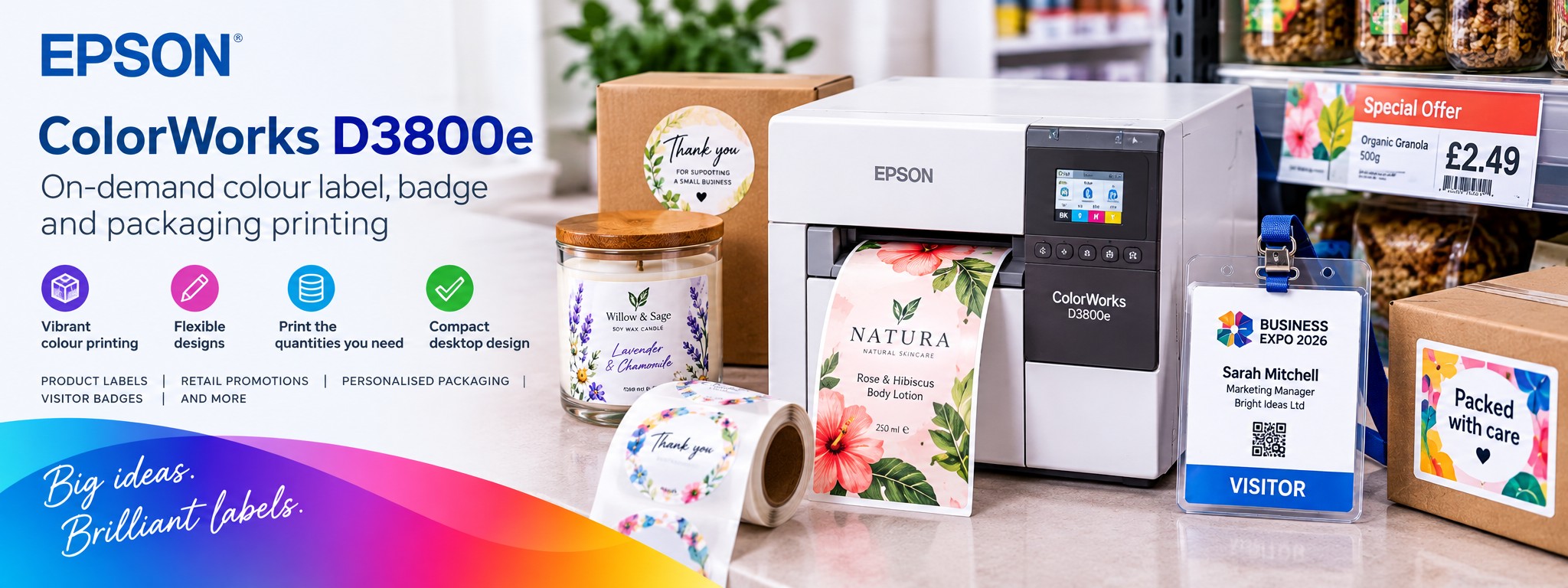
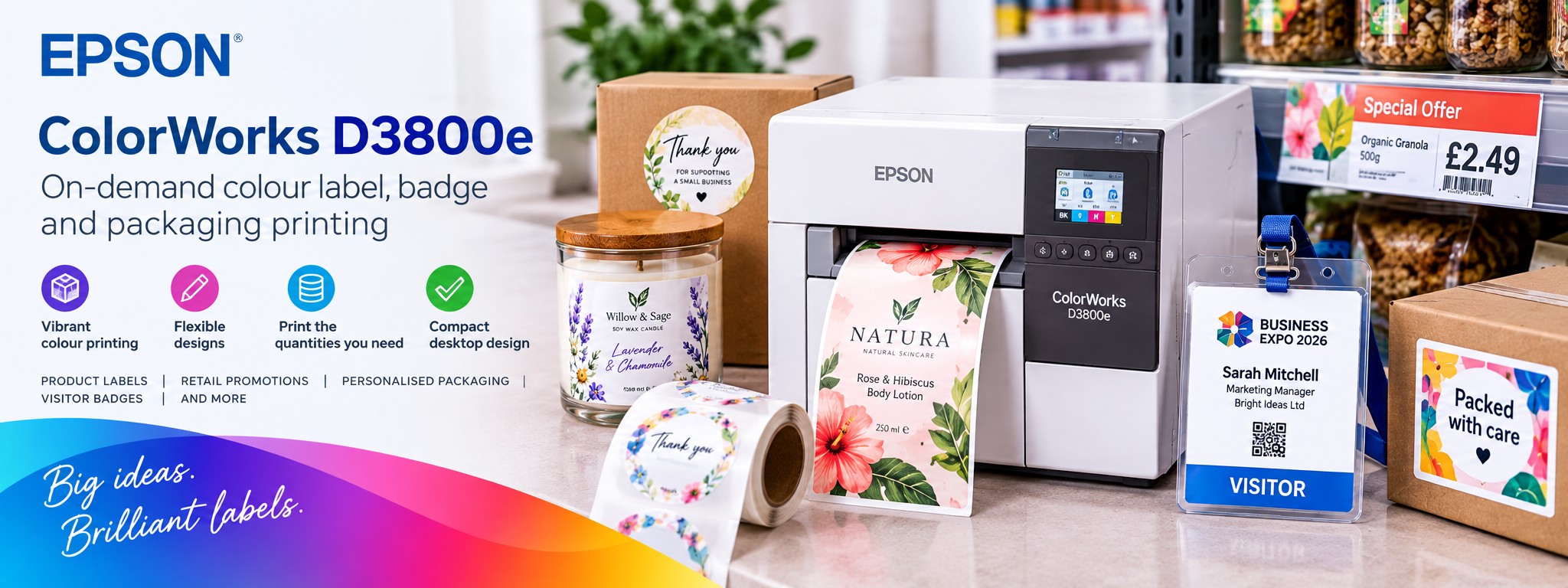
Epson ColorWorks D3800e
Discover on-demand colour printing for your business.
The Epson ColorWorks D3800e brings professional, on-demand colour label printing to businesses that need flexibility without complicated printing equipment.
From personalised packaging and retail promotions to visitor identification and product labelling, create colourful designs in-house when you need them.
- Produce professional colour labels on demand
- Print branding, text, barcodes and variable information
- Support smaller batches and changing designs
- Compact design for business environments
Applications
What can you print with the Epson D3800e?
The D3800e can support a variety of business labelling applications using suitable printable media. Explore some of the ways businesses can use on-demand colour printing.
Product & Packaging Labels
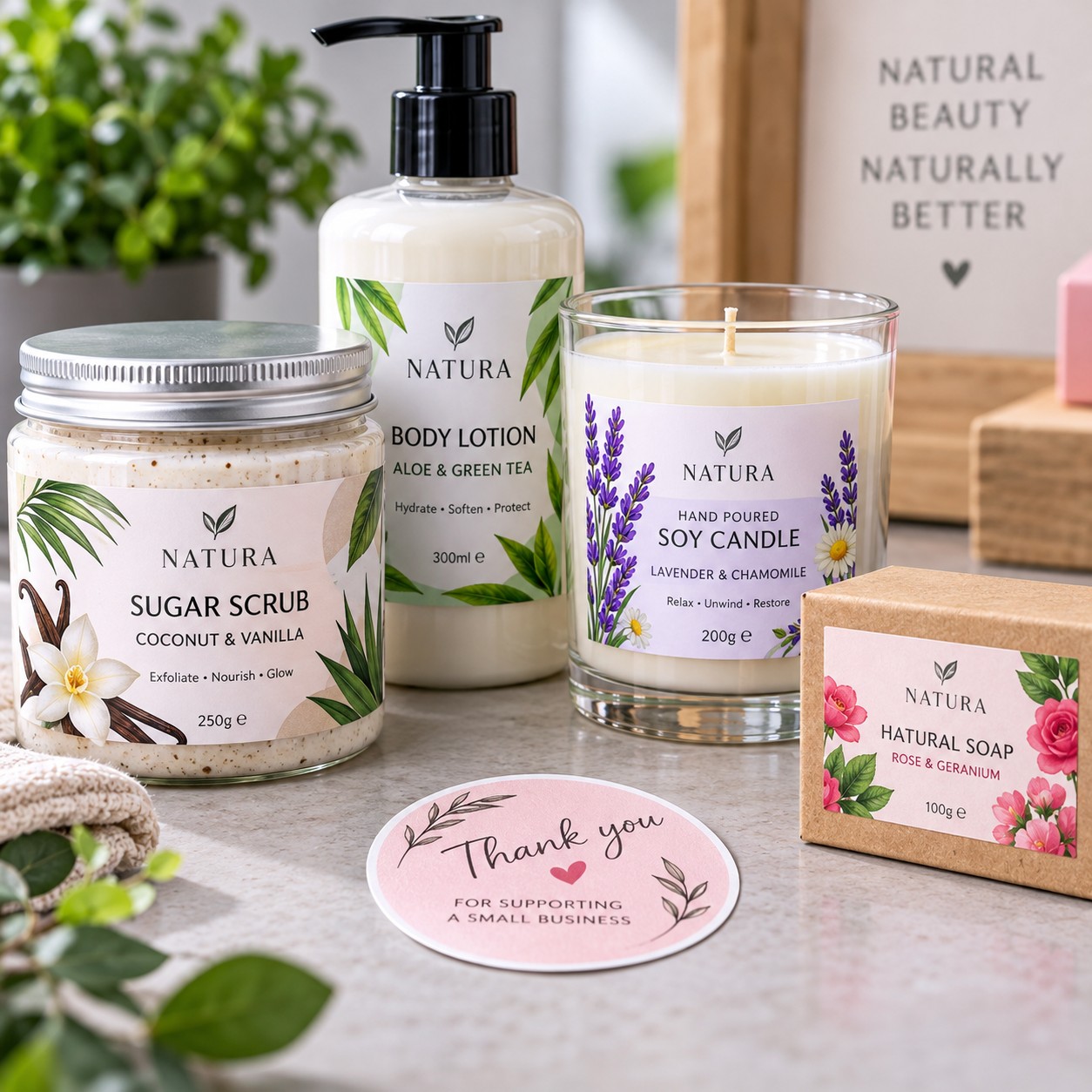
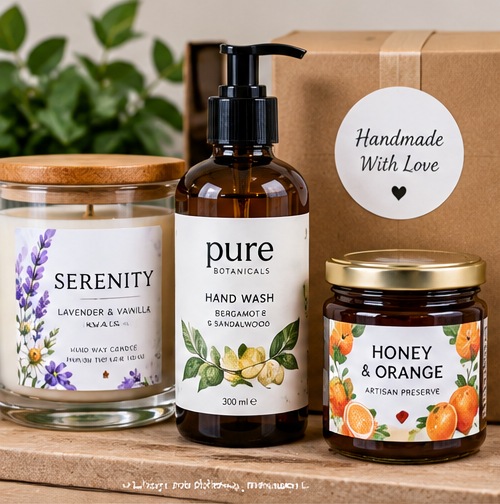
Create colourful labels for cosmetics, candles, artisan goods, gifts and packaged products.
Useful for small batches, changing product ranges and branded packaging.
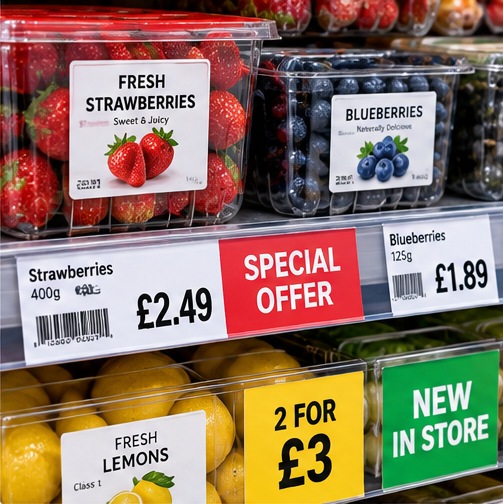
Retail Price & Promotional Labels
Print suitable shelf-edge formats, promotional labels, product highlights and short-term offers.
Update prices and designs without ordering another batch of pre-printed labels.
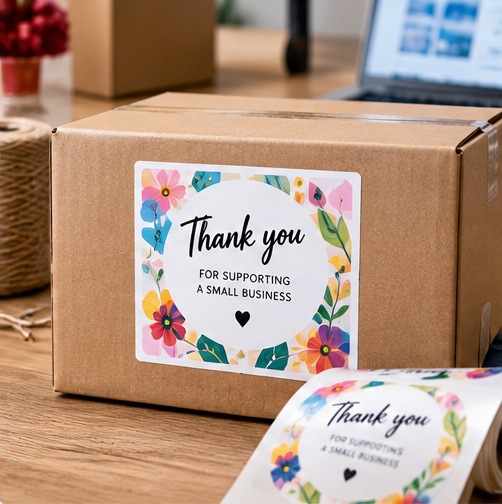
E-commerce & Personalised Packaging
Add branded stickers, thank-you labels, gift messages and personalised details to customer orders.
Ideal for businesses producing different designs or smaller quantities.
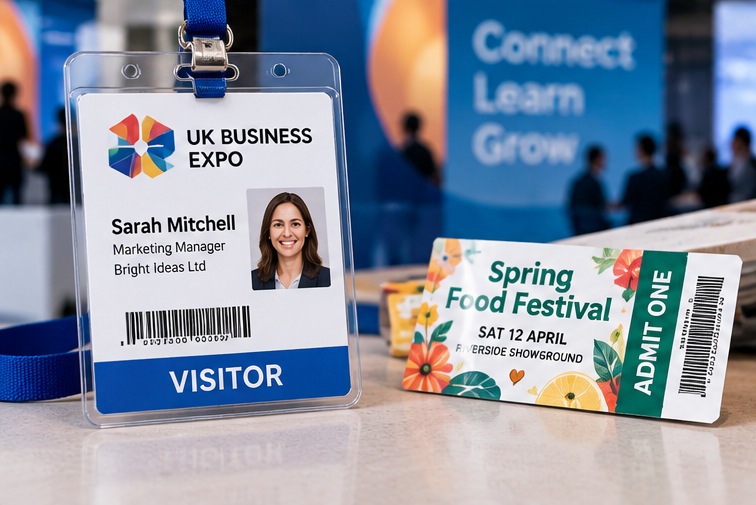
Visitor Badges, Events & Tickets
Produce temporary visitor identification, event badges and suitable printed ticket formats.
Include names, company details, dates, colour coding and barcodes where required.

Pharmacy & Healthcare Retail
Produce colour product labels, promotional information and appropriate retail shelf labels.
Useful for pharmacy retail ranges and non-clinical product identification.
Why Choose the D3800e?
Professional colour printing without the complexity
The Epson ColorWorks D3800e is designed to make short-run, on-demand colour printing more accessible. Produce professional labels and printed identification materials in-house without relying on large quantities of pre-printed stock.
Vibrant Colour Printing
Dye-based ink technology produces vivid colours, deep blacks and sharp detail, particularly on compatible glossy label materials.
Print On Demand
Produce the quantities you need, when you need them. Ideal for changing product information, personalised designs and short-term promotions.
Compact Desktop Design
A space-saving printer suitable for reception areas, retail counters, offices and smaller business environments.
Flexible Label Formats
Supports compatible printable media up to approximately 108mm in print width, accommodating a range of labels, badges and identification formats.
Simple Integration
USB connectivity and optional wireless connectivity help businesses incorporate the printer into suitable existing workflows.
Professional Results In-House
Create consistent branding, colour-coded information and variable label designs without outsourcing every small printing requirement.
Small-Batch Product Labelling
One printer. Multiple products. Different designs.
Businesses producing cosmetics, candles, skincare, gifts and artisan products often need several label designs across relatively small production runs.
With the Epson ColorWorks D3800e, you can create different designs using compatible blank label materials, helping reduce the need to stock pre-printed labels for every product variation.
- Print different artwork for different products
- Update ingredients, descriptions and product information
- Create labels for limited-edition and seasonal ranges
- Produce short runs for new product launches
- Maintain consistent branding across your range
DYE-BASED COLOUR PRINTING
Bright colours and detailed label designs
The Epson ColorWorks D3800e uses dye-based ink technology to produce colourful labels with detailed graphics, clear text and strong contrast.
This makes it particularly suitable for applications where visual presentation matters, including retail packaging, promotional materials, personalised labels and visitor identification.
1 Rich Colour
Produce colourful artwork, branding and graphics with a professional appearance.
2 Sharp Detail
Print small text, variable information and suitable barcode designs with clarity.
3 Glossy Finishes
Achieve attractive results on compatible glossy inkjet label materials.
4 Flexible Designs
Switch between different artwork and label layouts as your requirements change.
Label Materials & Compatibility
Choose the right material for your application
Choosing suitable media is essential for achieving the best results from the Epson ColorWorks D3800e. The printer, ink and material must work together to meet the requirements of the finished label.
Gloss Paper Labels
Compatible gloss paper materials can produce a bright, polished appearance for product packaging, promotional labels and personalised designs.
Particularly useful where colour presentation and branding are important.
Matt Paper Labels
Suitable matt materials can provide a more understated finish for product identification, retail labels and general business applications.
Check the material's compatibility with dye-based ink before use.
Badge & Ticket Media
Compatible printable media can support temporary visitor badges, event identification and selected ticket applications.
Confirm the required dimensions, thickness and finishing requirements before choosing a format.
Important Media Guidance
Match the media to the environment
The D3800e uses dye-based ink, so it is important to choose suitable materials for the intended application.
For labels exposed to moisture, prolonged sunlight, chemicals or demanding outdoor conditions, alternative printer and ink technologies may be more appropriate.
The D3800e prints onto compatible media; it is not designed for direct printing onto rigid PVC identification cards.
Need advice? Send Tek Direkt your label dimensions, material requirements and intended application so we can help assess a suitable printer and media combination.
SIMPLE ON-DEMAND PRINTING
From label design to finished print
Whether you're printing personalised packaging, retail price labels or visitor identification, the D3800e makes it easier to produce colour labels in-house.
1 Create Your Artwork
Design your label using compatible software. Include logos, product details, barcodes or personalised information.
2 Select Your Media
Choose compatible label or ticket material in the required dimensions and finish.
3 Print Your Labels
Print individual designs or small batches without ordering pre-printed stock for every variation.
4 Apply or Distribute
Apply finished labels to products and packaging, or use suitable media for tickets and temporary identification.
Technical Specifications
Epson ColorWorks D3800e at a glance
A compact desktop colour label printer with dye-based ink, flexible media handling and integration options for business applications.
Up to 108mm Print Width
Supports a range of small and medium label formats, including product, promotional and identification labels.
Up to 600 x 1200 dpi
High-resolution printing for detailed artwork, clear text and colourful label designs.
Dye-Based CMYK Ink
Individual black, cyan, magenta and yellow ink cartridges, optimised for attractive results on compatible glossy media.
Automatic Cutter
Built-in autocutter for compatible continuous media and suitable print workflows.
Roll & Fanfold Media
Supports compatible roll-fed and fanfold media, including die-cut and continuous formats.
Compact Footprint
Measures 310 x 283 x 285mm (W x D x H), suitable for counters, reception areas and offices.
Specifications are based on Epson's published D3800e technical information. Print performance varies by resolution, media and configuration.
Software & Integration
Designed to work with business labelling systems
The Epson ColorWorks D3800e supports integration with established label design software and compatible business applications.
Label Design Software
Native middleware support includes BarTender, Loftware Cloud and TEKLYNX CODESOFT, helping businesses prepare and manage professional label designs.
Business Systems
Support for ESC/Label, ZPL II emulation and SAP integration options helps the printer fit into suitable existing workflows.
Connectivity
USB connectivity is provided as standard, with optional Wi-Fi available through a compatible adapter. Check your required connection and software setup before ordering.
Choosing Your Colour Label Printer
D3800e or another Epson ColorWorks model?
Different Epson ColorWorks printers are designed for different labelling requirements. Ink technology, media, label width and print volume are important considerations.
ColorWorks D3800e
For vibrant, short-run colour printing.
Uses dye-based ink, making it particularly attractive for compatible glossy labels, personalised packaging, retail promotions and selected identification applications.
Print width up to 108mm.
ColorWorks C4000e
For pigment-ink colour labelling.
An alternative to consider where pigment-ink characteristics and compatible durable label materials are important.
Suitable for a wide range of business and product identification applications.
ColorWorks C6000 & C6500
For different handling and wider-format requirements.
Consider these models for more demanding workflows, cutter or peeler configurations, or wider labels with the C6500 Series.
Final selection depends on the intended application.
Need help comparing printers?
Use our online Epson ColorWorks Printer Selector to explore models based on label dimensions, ink technology and print requirements.
Try the ColorWorks Printer SelectorHelpful Epson Resources
Find compatible inks and label materials
Once you've chosen a printer, selecting the correct consumables is equally important. Our free online tools can help you narrow down suitable options.
Epson Ink Finder
Find compatible ink cartridge options for supported Epson printer models, including colour label printers.
Explore Epson Ink FinderColorWorks Media Selector
Explore suitable label materials and formats based on your printer and application requirements.
Explore Media SelectorVisitor Badge Printing
Need temporary visitor identification? Explore our dedicated visitor badge printing guidance and solutions.
Explore Visitor Badge PrintingFrequently Asked Questions
Epson ColorWorks D3800e FAQs
Answers to common questions about using the Epson D3800e for product labels, personalised packaging, retail promotions and visitor identification.
Is the Epson D3800e only for visitor badge printing?
No. Although visitor identification is one application, the D3800e can also produce colour labels for product packaging, retail promotions, personalised orders, events and other suitable business applications.
The correct media must be selected for each application.
Can I print product labels with the D3800e?
Yes. The D3800e can produce colour labels for products such as cosmetics, candles, gifts, artisan goods and retail packaging.
It is particularly useful for smaller production runs, personalised designs and products where label artwork changes frequently.
Can the D3800e print glossy labels?
Yes. Its dye-based ink technology is particularly well suited to producing vibrant colours and detailed graphics on compatible glossy inkjet label materials.
Always confirm that the selected material is approved for the printer.
What is the maximum print width?
The Epson ColorWorks D3800e supports a maximum print width of approximately 108mm.
The supported media dimensions and printable area depend on the selected label format and printer settings.
Can I print different designs on the same label roll?
Yes. Provided the designs use the same label dimensions and compatible material, you can switch between artwork without changing the roll.
This can be useful for different product variations, personalised orders, seasonal promotions and small production runs.
Does the D3800e have a built-in cutter?
Yes. The printer includes an automatic cutter for supported media and printing workflows.
Whether you need continuous media or pre-cut labels depends on your application and the required finished format.
Can I print waterproof or outdoor labels?
The D3800e uses dye-based ink, so it is important to assess the intended environment carefully.
For applications involving prolonged moisture exposure, sunlight, chemicals or demanding outdoor conditions, a pigment-ink printer and suitable durable media may be more appropriate.
Contact Tek Direkt if you need help comparing the available options.
Can I use the D3800e to print plastic ID cards?
The D3800e prints onto compatible flexible media rather than directly onto rigid PVC identification cards.
It can be used for suitable temporary visitor badges and identification formats, but businesses requiring rigid plastic cards should consider a dedicated ID card printer.
Can the printer connect to my existing software?
The D3800e supports integration with compatible label design software and business applications.
USB connectivity is available, with optional wireless connectivity depending on the configuration. Software compatibility and integration requirements should be checked before ordering.
Is the D3800e suitable for small businesses?
Yes. Its compact desktop design and on-demand printing capabilities can make it suitable for smaller businesses producing relatively short runs of colour labels.
However, the right printer depends on your print quantities, label dimensions, materials and intended application.
What is the difference between the D3800e and C4000e?
The main difference is the ink technology. The D3800e uses dye-based ink, while the C4000e uses pigment-based ink.
The D3800e is particularly attractive for vibrant printing on compatible glossy materials. The C4000e may be preferable where pigment-ink characteristics and compatible durable media are important.
Both printers should be assessed against the intended application rather than ink technology alone.
Talk to Tek Direkt
Could the Epson D3800e work for your business?
Whether you're printing colourful product labels, personalised packaging, retail promotions, visitor badges or event materials, Tek Direkt can help you assess whether the Epson ColorWorks D3800e is suitable for your requirements.
To help us recommend the right printer and media combination, tell us:
- What you want to print
- Your required label width and height
- Approximate daily or weekly print quantities
- Whether you prefer matt or gloss materials
- Any requirements for moisture resistance or durability
- Whether you need to integrate with existing software
You can also send us a sample of your current label or artwork so we can help assess suitable options.
Email Your Requirements Request a Quote Compare Epson PrintersTek Direkt supplies Epson ColorWorks printers, compatible inks, label materials and business printing solutions throughout the UK.